4-OPERATINGINSTRUCTIONS
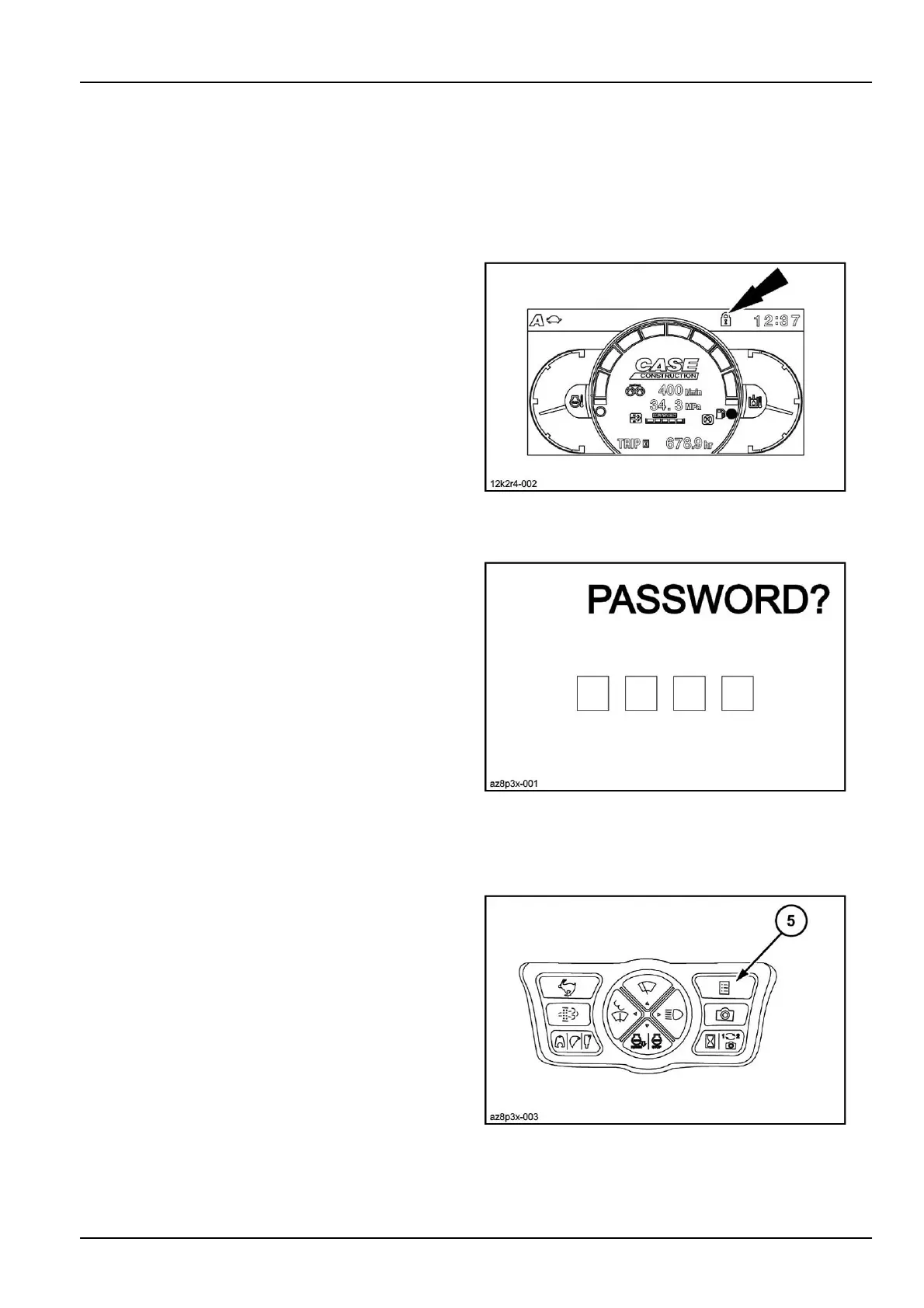
4.Afterenteringall4digits,pressthemenubutton(5)to
registerthepasswordcode.Thescreenreturnstothe
normaldisplay.
ATTENTION:Besuretokeeparecordofthecodenum-
ber.
Usingtheanti-theftprotection
Theanti-theftprotectionhastobeactivatedwhenyouare
shuttingdowntheengine.Turntheignitionkeyfrom“On”
to“Off”forabout2secondsatatimeuntiltheaudible
alarmdevicesounds.Theiconoftheanti-theftprotection
isdisplayedonthescreen,theanti-theftprotectionisacti-
vated,nowtheaccesscodewillhavetobeenteredwhen
startingtheengine.
Youarenotobligedtoactivatetheanti-theftprotection.In
thatcaseallyouhavetodoistoturntheignitionkeyto
the“Off”positionwhenshuttingdowntheengine.Inthat
conguration,itwillnotbenecessarytoenterthecode
whenstartingtheengine.
12K2R4-002Z3
Enteringtheaccesscode
Iftheanti-theftprotectionwasactivatedthelasttimethe
enginewasshutdown,itwillthenbenecessarytoenter
theaccesscodebeforebeingablestartitagain.
AZ8P3X-0014
1.Turntheignitionkeytothe“On”position.
2.Themessage"Password?"andfourboxeswillappear
onthedisplayscreen.
3.Enterthecodeinthesamemannerasduringregistra-
tion.Onceallfourdigitshavebeenentered,validate
withthebutton(5).
AZ8P3X-0035
4-5



 To Next Page