6-MAINTENANCE
Replacingabackhoebucket
Removal
1.Placethebucketatonat,horizontalground.
2.Operatetheattachmentcontrolssothatthe
arm/bucketlinkagepinisnotgrippedbytheweightof
thearm.
3.Stoptheengineandremovetheignitionkey.
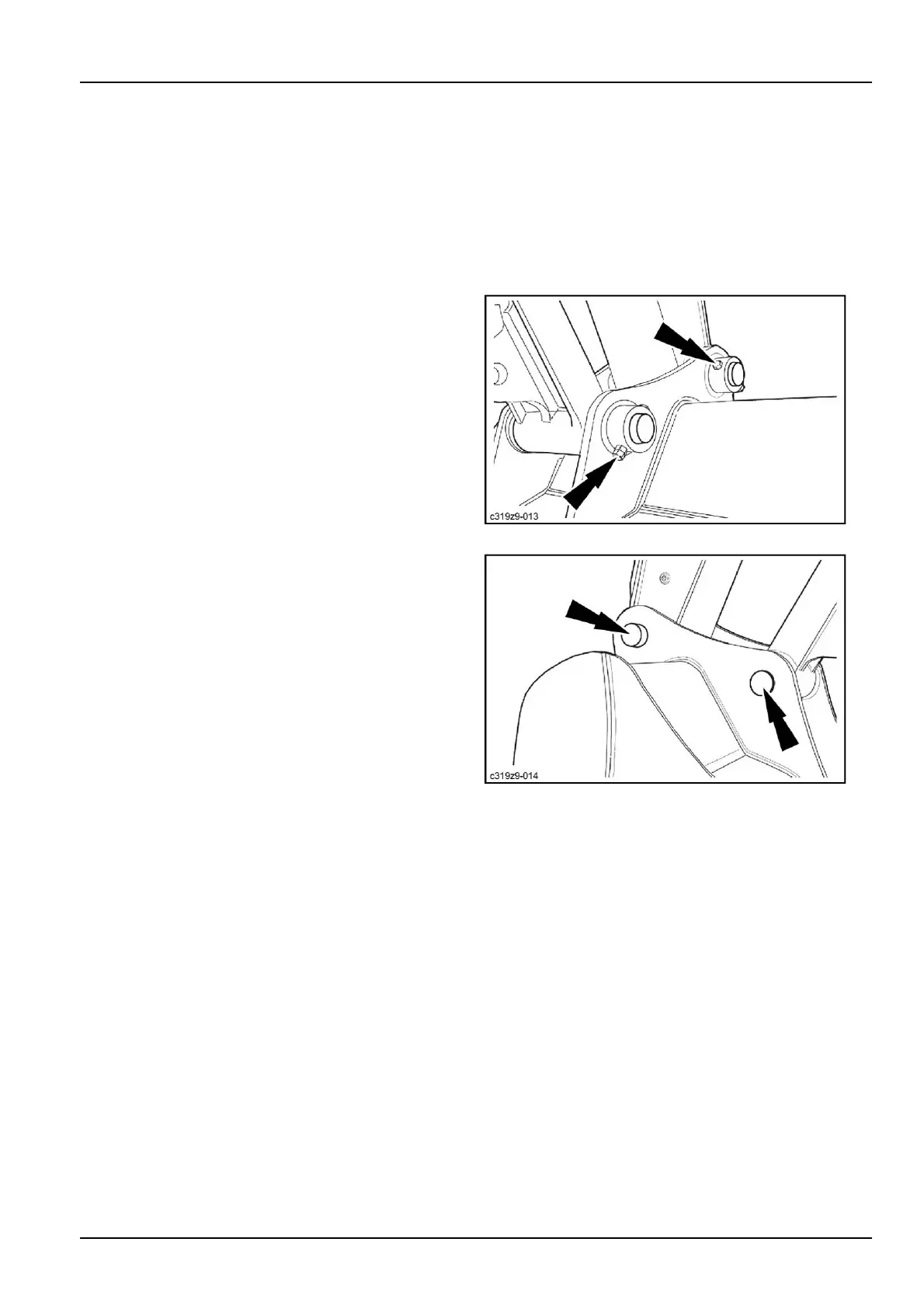
4.Removethepinshardware.
C319Z9-0131
5.Removethebucketpins.
6.Starttheengine.
7.Disengagetheattachmentfromthebucketandsave
thelinkagesealsforre-use.
C319Z9-0142
Installation
1.Makesurethebucketisinastableposition.
2.Starttheengine.
3.Bringthearmintoitshousing.
4.Stoptheengineandremovetheignitionkey.
5.Installthelinkagesealsbetweenthearmandthe
bucket.Changethemifnecessary.
6-69



 To Next Page