3-CONTROLS/INSTRUMENTS
Menuscreendisplay
Menudisplay
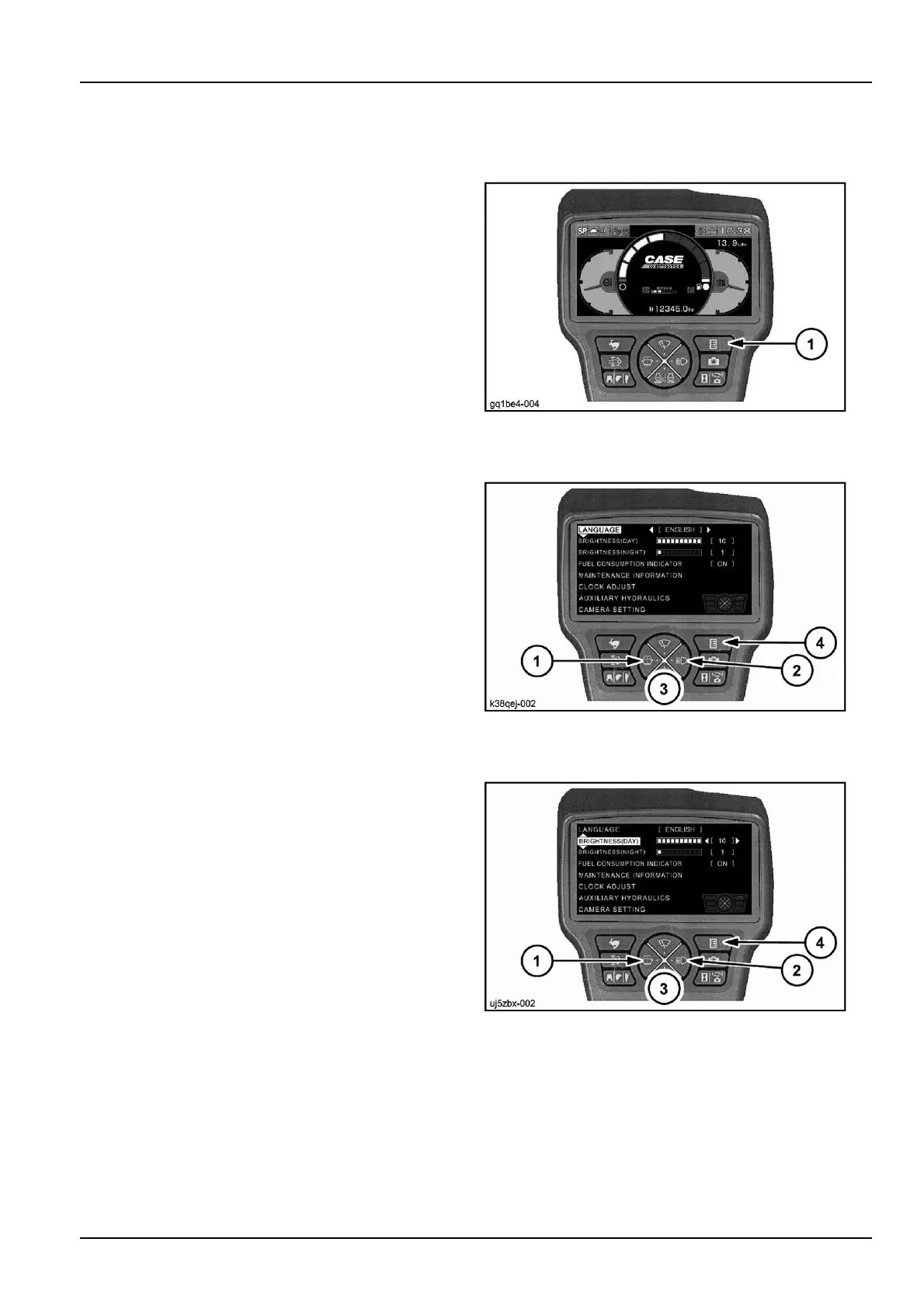
Pushbutton(1).
GQ1BE4-004Z1
Language
1.Pushbutton(1)or(2).
2.Selectitem"English"oranotherlanguage.
3.Pushbutton(3)toaccessthefollowingmenu.
If(4)ispressed,thedisplayreturnstothemachineinfor-
mationscreen(originalscreen).
K38QEJ-0022
Brightness(day)
1.Pushbutton(1)or(2).
2.Pushingbutton(1)isdownlevel.Pushingbutton(2)
isuplevel.
3.Pushbutton(3)toaccessthefollowingmenu.
If(4)ispressed,thedisplayreturnstothemachineinfor-
mationscreen(originalscreen).
UJ5ZBX-0023
3-27



 To Next Page