3-CONTROLS/INSTRUMENTS
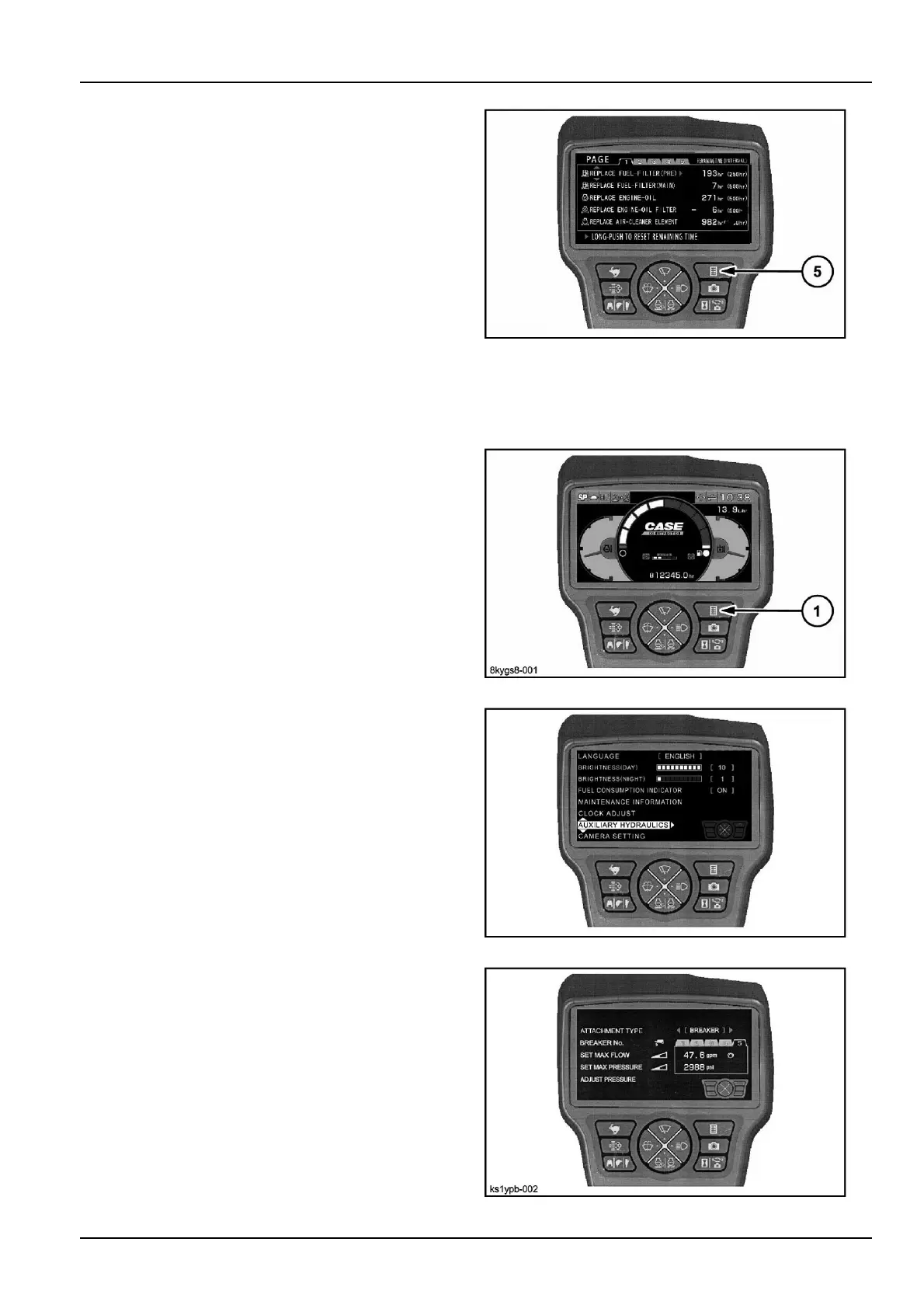
If(5)ispressed,thedisplayreturnstothemenuscreen.
Ifitispressedonemoretime,thedisplayreturnstothe
machineinformationscreen.
NB1Y5Z-005Z7
Auxiliaryhydraulics
Pattern1
1.Pushmenubutton(1).
8KYGS8-001Z8
2.Select"Auxiliaryhydraulics".
8KYGS8-0029
3.Theauxiliaryhydraulicsscreenisdisplayedbycarry-
ingoutoperations1and2.
KS1YPB-00210
3-29



 To Next Page