E-65
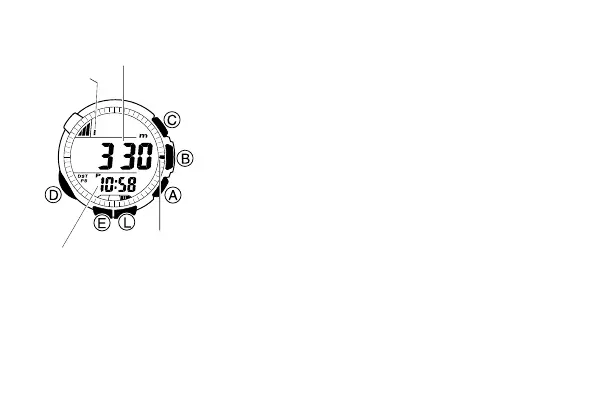
To display your current altitude
1. Press A in the Timekeeping Mode or in any
of the other sensor modes to enter the
Altimeter Mode.
• The watch will start altitude measurement
automatically, and display the result.
• It can take up to four or five seconds for the
altitude reading to appear after you enter
the Altimeter Mode.
2. If you want the altitude value and altitude
graph to be updated in accordance with the
altitude measurement type (interval and
duration) you have selected, leave the watch
in the Altimeter Mode.
•
If you want to restart the altitude measurement
operation at any point, press A.
3. To stop the altitude measurement operation,
press D to exit the Altimeter Mode.
Current altitude
Altitude
graph
Current
time
Altitude
differential
pointer



 To Next Page