E-90
To toggle a city code time between Standard Time and Daylight
Saving Time
1. In the World Time Mode, use A (east) and
C (west) to display the city code (time zone)
whose Standard Time/Daylight Saving Time
setting you want to change.
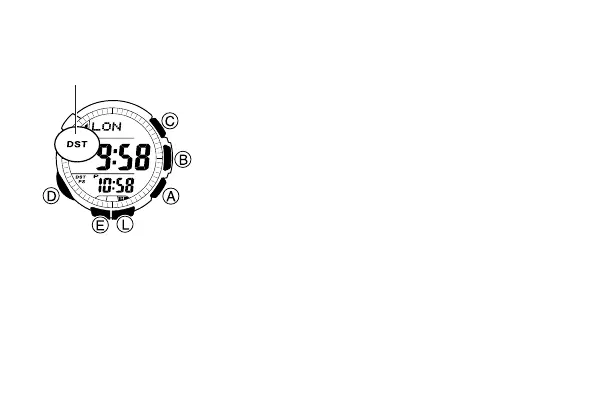
2. Hold down E to toggle between Daylight
Saving Time (DST indicator displayed) and
Standard Time (DST indicator not displayed).
• The DST indicator appears on the display
whenever you display a city code for which
Daylight Saving Time is turned on.
• You cannot toggle between Daylight Saving Time and Standard Time if the
displayed city code is GMT.
• Note that the DST/Standard Time setting affects only the currently
displayed city code. Other city codes are not affected.
DST indicator



 To Next Page