E-41
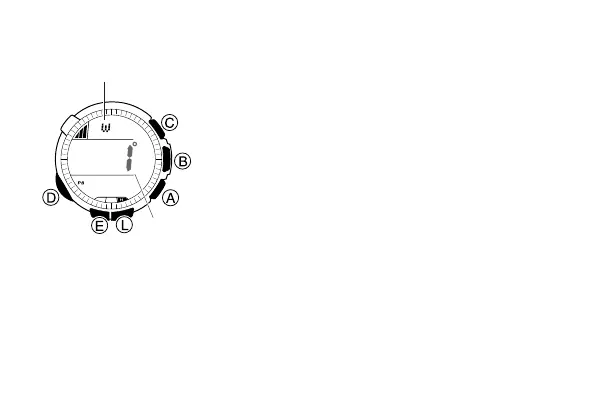
To perform magnetic declination correction
1. In the Digital Compass Mode, hold down E
for about two seconds until the magnetic
declination angle value starts to flash. This is
the setting screen.
2. Use A (+) and C (–) to change the magnetic
declination angle value.
3. Press D to move the flashing to the magnetic
declination correction direction setting (OFF,
E, W).
• This will cause the magnetic declination
angle direction setting to flash.
4. Use A to cycle the direction setting between
the following options.
• OFF: No magnetic declination correction
• E: When magnetic north is to the east (east
declination)
• W: When magnetic north is to the west
(west declination)
l
l
l
l
l
l
l
l
l
l
l
l
l
l
l
l
Magnetic declination
angle direction
Magnetic
declination
angle value



 To Next Page