CUTTING FEED RATE
Knurled knob 8 (CONTROL PANEL page 28) controls the feed rate setting of the left blade.
Knurled knob 9 (CP page 28) controls the feed rate setting of the right blade.
The feed rate setting must be adapted to the material being sawn (hardness, cross-section, coating, etc.), to the quality of cut and the
characteristics of the blade used.
Use of buttons 4, 5 (CP page 28) & 6 (CP page 28):
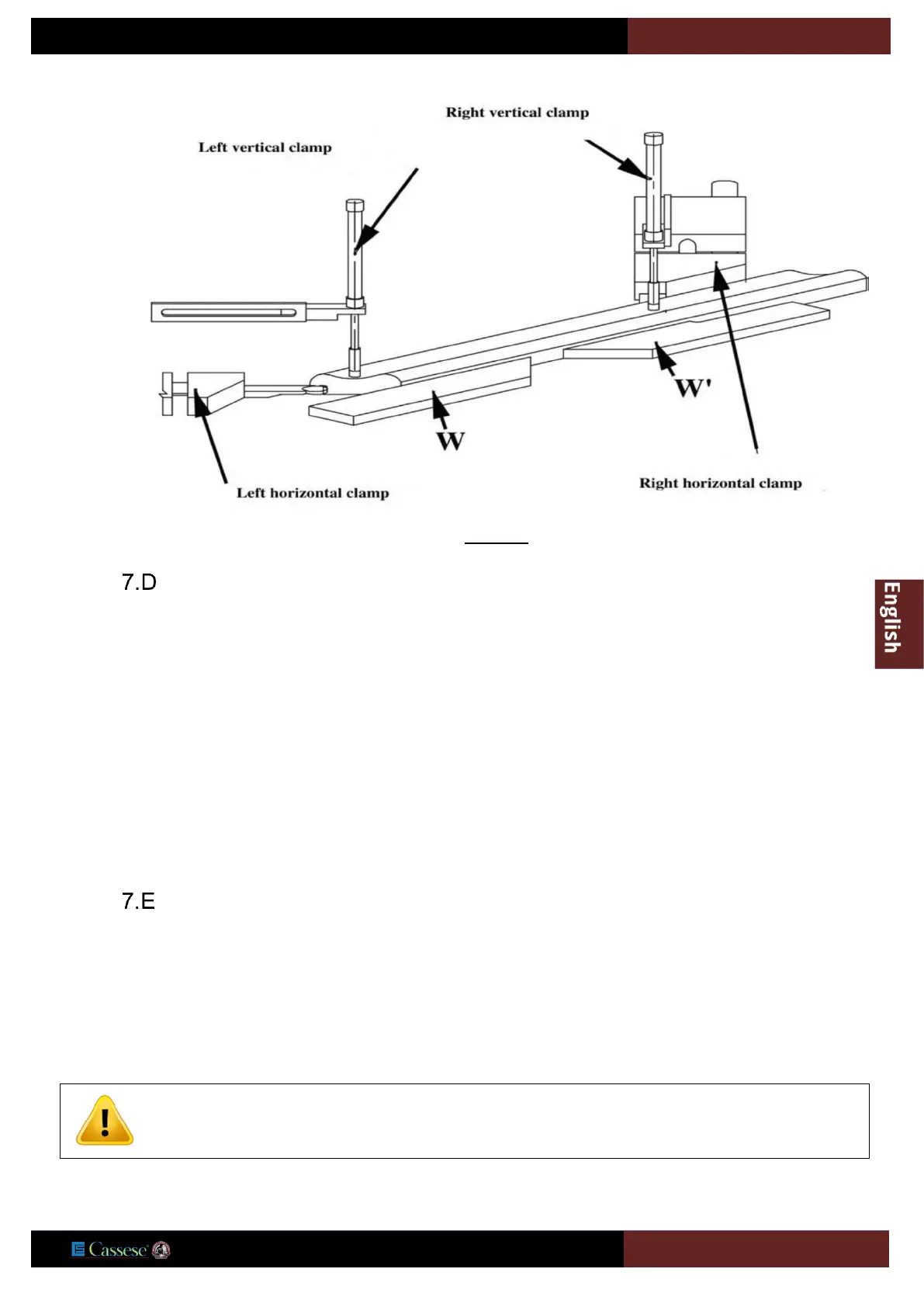
- Holding down button 6 (CP page 28) activates left and right clamping. The right first and left cuts are made by keeping button 6 held
down, and holding down button 4.
- Holding down button 5 activates left clamping. The left cut is made by keeping button 5 held down, and holding down button 4.
- Holding down button 4 activates right clamping. The right cut is made by keeping button 4 held down, and holding down button 6.
FIRST CUT ON THE LEFT
- Press button 1 (CONTROL PANEL Page 28) to start up the motors.
- Insert the moulding from the left side until it intersects with the blade seen through the cover window.
- Hold the moulding with the left hand and immobilise it by activating left clamping (vertical and horizontal) by
pressing button 5 (CP Page 28) with the right hand.
- Keep button 5 (CP Page 28) pressed and with the left hand press button 4 (CP Page 28) to obtain the left cut.
To ensure that the operator’s hands are safe throughout the cycle, a maximum of a 3 seconds interval is
Operator should never put his hands inside the cover, under the brush, beyond the yellow / red safety
strips. Risk of severe injuries!


 To Next Page