8 / MAINTENANCE & SERVICING
PROCEDURE TO ACCES INSIDE THE MACHINE
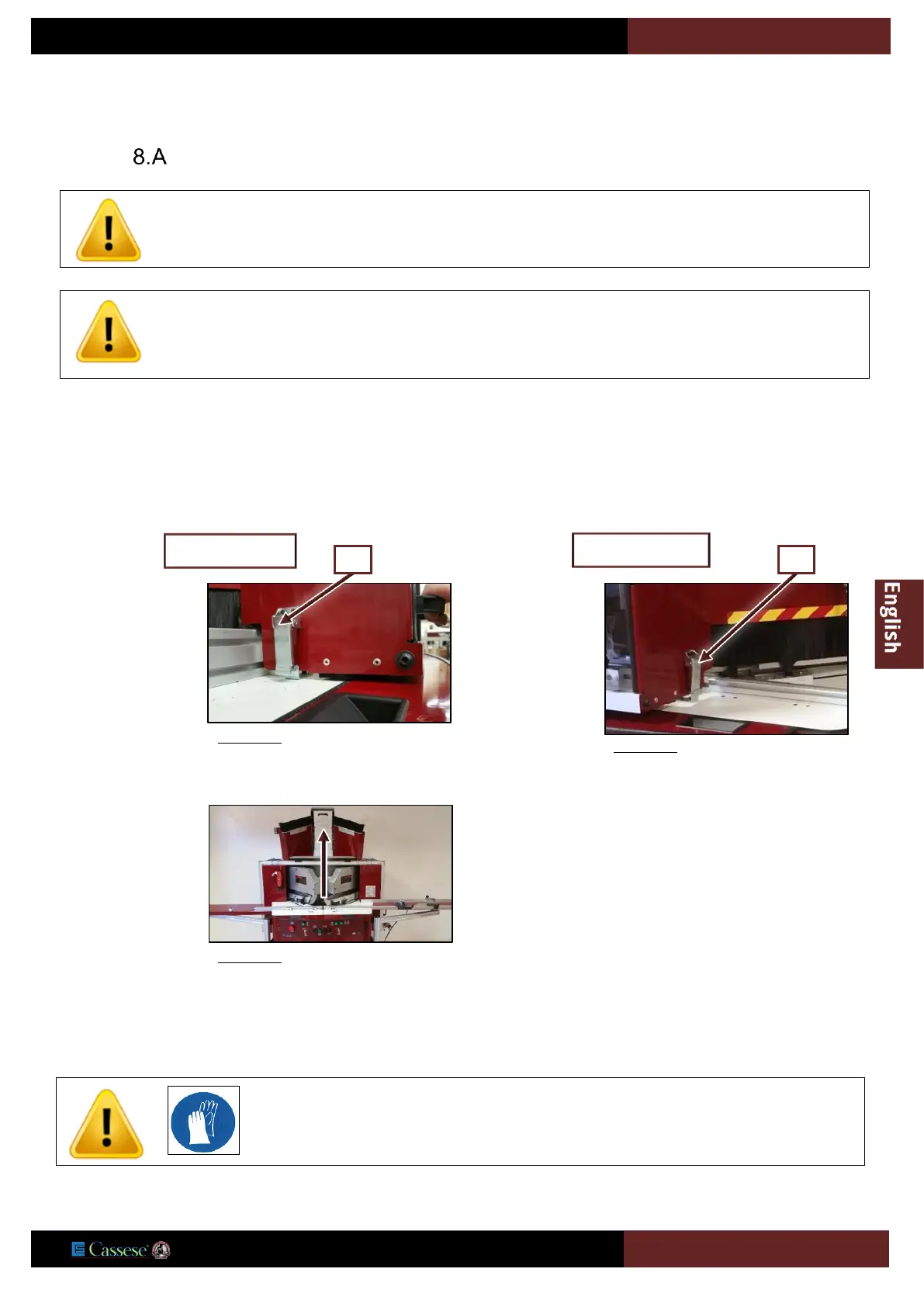
8.A.a Opening the main case
Press button 2 on the control panel (page 28) if necessary.
Position the control panel key 3 (to “unlock cover”, wait during the 30 second time-out until green lamp V1 (page 28) goes out,
indicating that the blades have stopped completely.
To close the main case, do the reverse operation.
8.A.b Removing the blades
Open the main case (see above).
For all maintenance, adjustment or repair operations, prevent unintentional operation of electrical
and pneumatic circuits on the machine by padlocking the main isolating switch


 To Next Page