Hardware Setup 2-16
Installing Components
See Chapter 5, “Maintenance,” for the procedures for replacing and maintaining
components.
Installing the XP 3000 Valve
NOTE The valves are not interchangeable among pumps. To use a different model
valve, contact Cavro Customer Support.
These instructions apply to the 3-port valve, the 3-port distribution valve, and the T-
valve.
To install the XP 3000 valve, follow these steps:
1 Place the pump upright on a table surface, with the front facing you.
2 Verify that the offset tab on the encoder in the pump is correctly oriented (vertically
with the tab to your right).
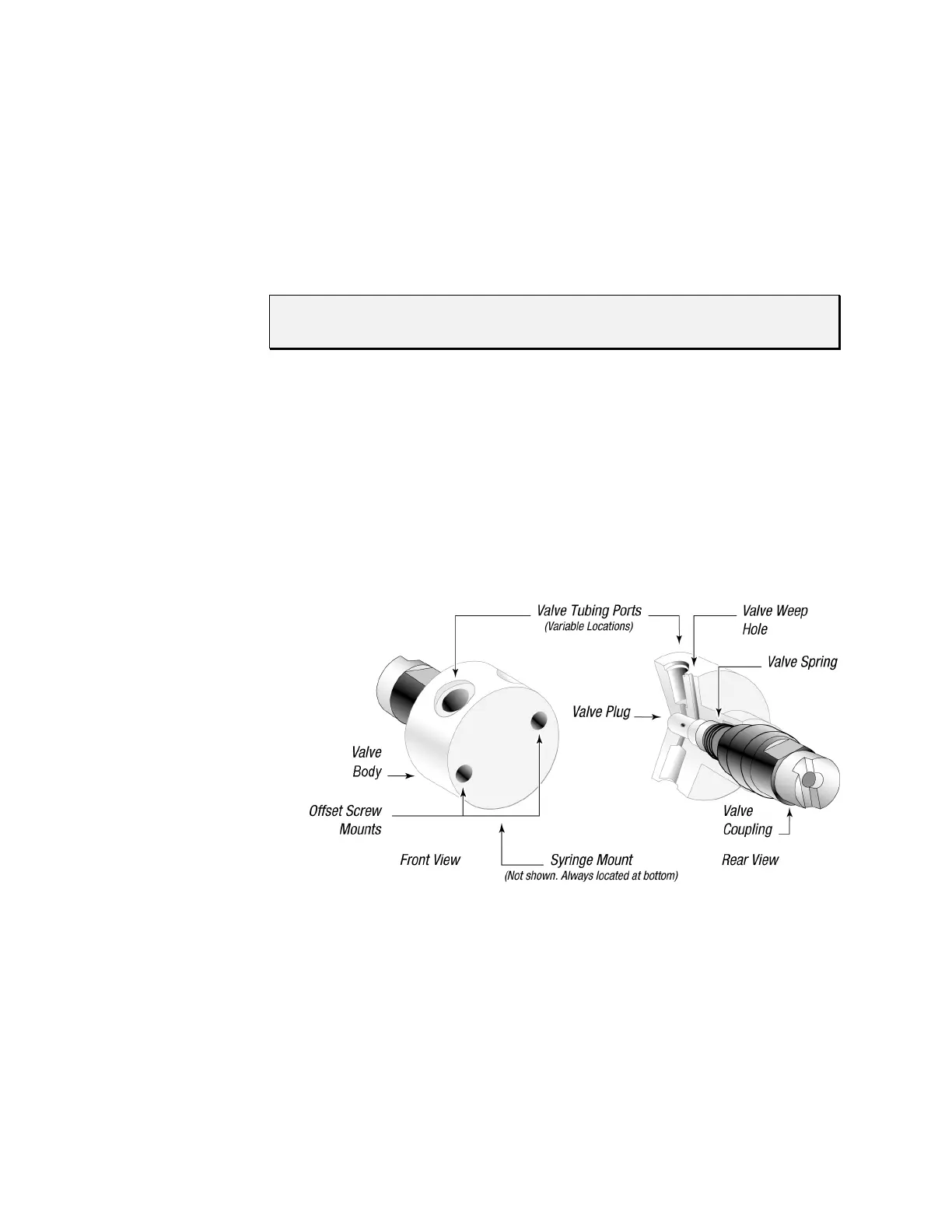
3 Rotate the valve coupling to the position shown on the left in Figure 2-10 (vertically
with the offset tab to your left).
Figure 2-10. XP 3000 Valve Installation (3-Port Valve Shown)



 To Next Page