Maintenance 5-7
Replacing the XP 3000 Valve
To replace the XP 3000 valve, follow these steps:
1 Remove the fluid from the pump.
2 Initialize the pump using the [ZR] command so that the offset tab on the encoder is
in the correct orientation (vertically and to your right).
3 Remove the syringe and tubing.
4 Remove the two Phillips head screws on the front of the valve, then remove the
valve from the pump.
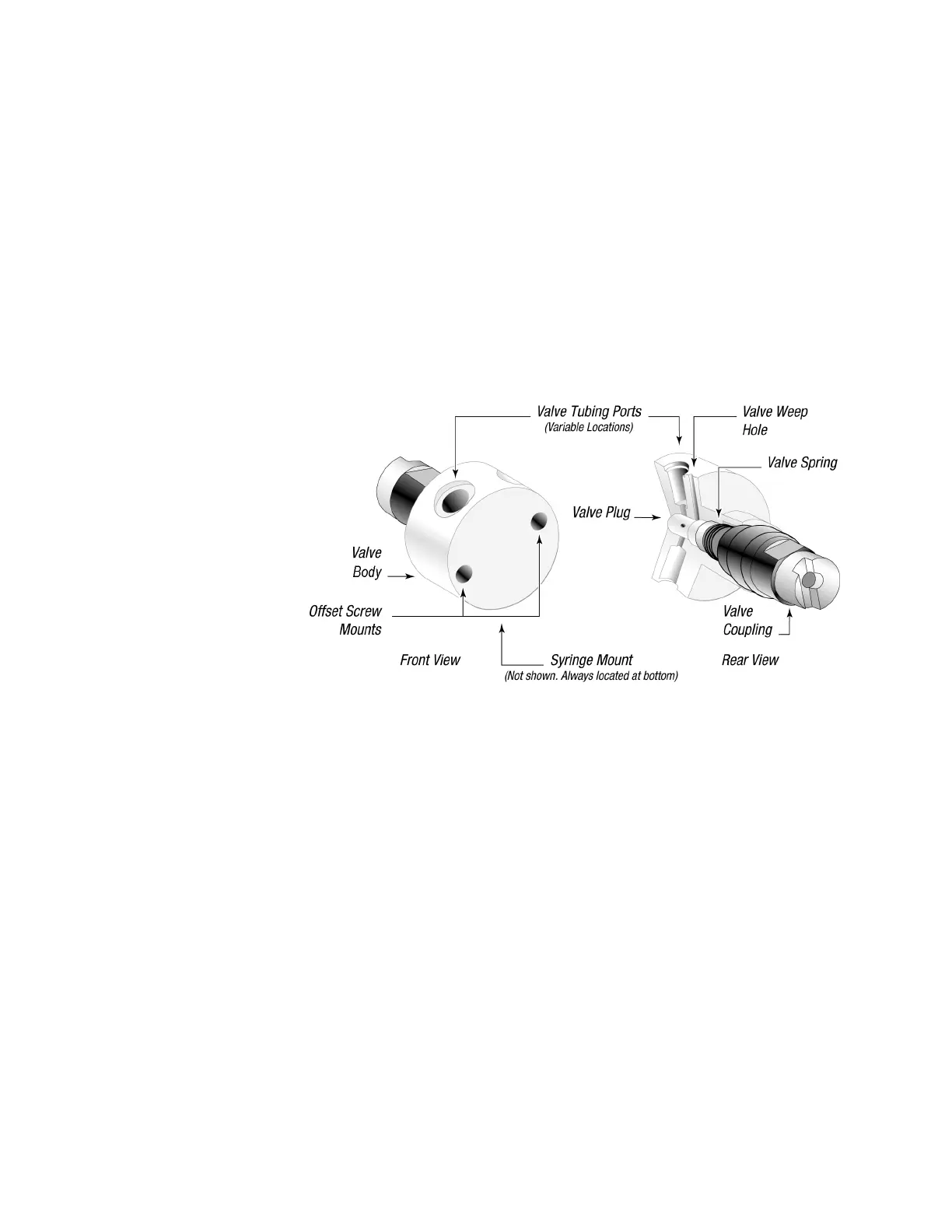
5 To install the valve, first rotate the valve coupling to the position shown on the left in
Figure 5-3 (vertically with the tab to your left).
Figure 5-3. XP 3000 Valve Replacement (3-Port Valve Shown)
6 Verify that the offset tab on the encoder in the pump is correctly oriented (vertically
with the tab to your right).
7 Install the new valve by inserting the slot in the valve coupling onto the tab of the
encoder. The valve should be oriented with the tube fittings on top and the syringe
fitting on the bottom.
8 Gently push the valve in place, matching the locating pins on the valve with the
holes on the pump front.
9 Replace the valve screws. Tighten ¼ to ½ turn after the screws contact the valve
body.



 To Next Page