20
Software Overview
The ORACLE is primarily operated using a glass capacitance touchscreen interface, although certain operations will
be carried out by the SMART 6 if it is being used for moisture analysis. This manual will only review the ORACLE
software interface and the SMART 6 screens that relate to the ORACLE analysis. Please refer to the SMART 6 manual
for an overview of the SMART 6 software screens.
Login
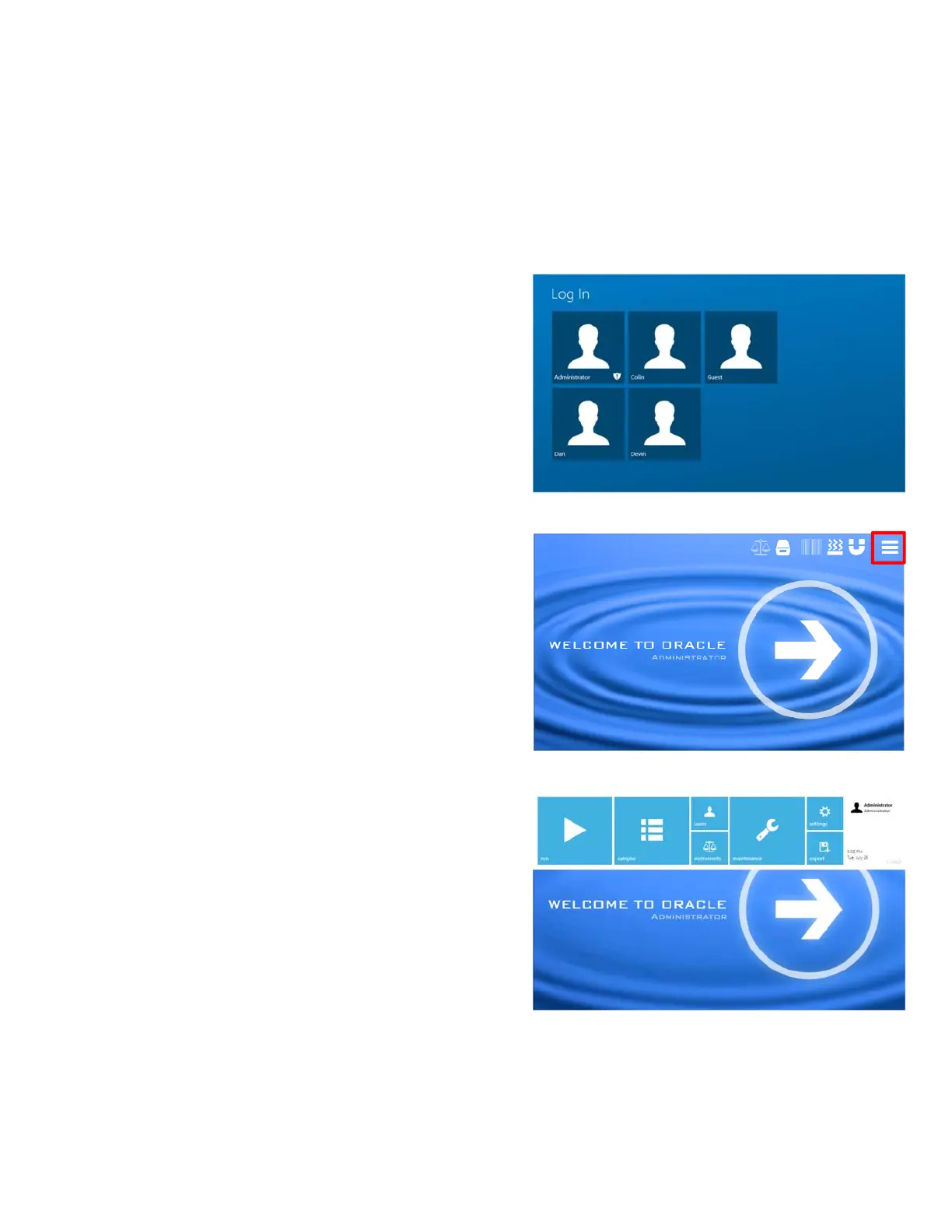
Upon boot up or activation from sleep mode, the software
requires the user to login as either a Basic or Admin user.
This user access is part of the CFR Title 21 Part 11
compliance for tracking system actions by a signature (in this
case the login acts as the signature). User logins can be
created for each individual using the ORACLE, or shared
between users. Both Basic and Administrator access is
password protected.
Once logged in, the remainder of the ORACLE software is
primarily accessed through the option menu in the top right
corner. It contains access to all the primary functions of the
ORACLE, including sample analysis, user access, diagnostic
testing, and other system settings.



 To Next Page