digits,press [ ] licon to delete all. The following interface:
Touch [ ] icon to hang up the phone.
Touch [ ] icon audio call to switch to the handset with car stereo
unit. Touch [ ] icon,you can switch silent mode.
Touch [ ] or [ ] icon, you can adjust the volume.
• You can also hang up directly from your phone.
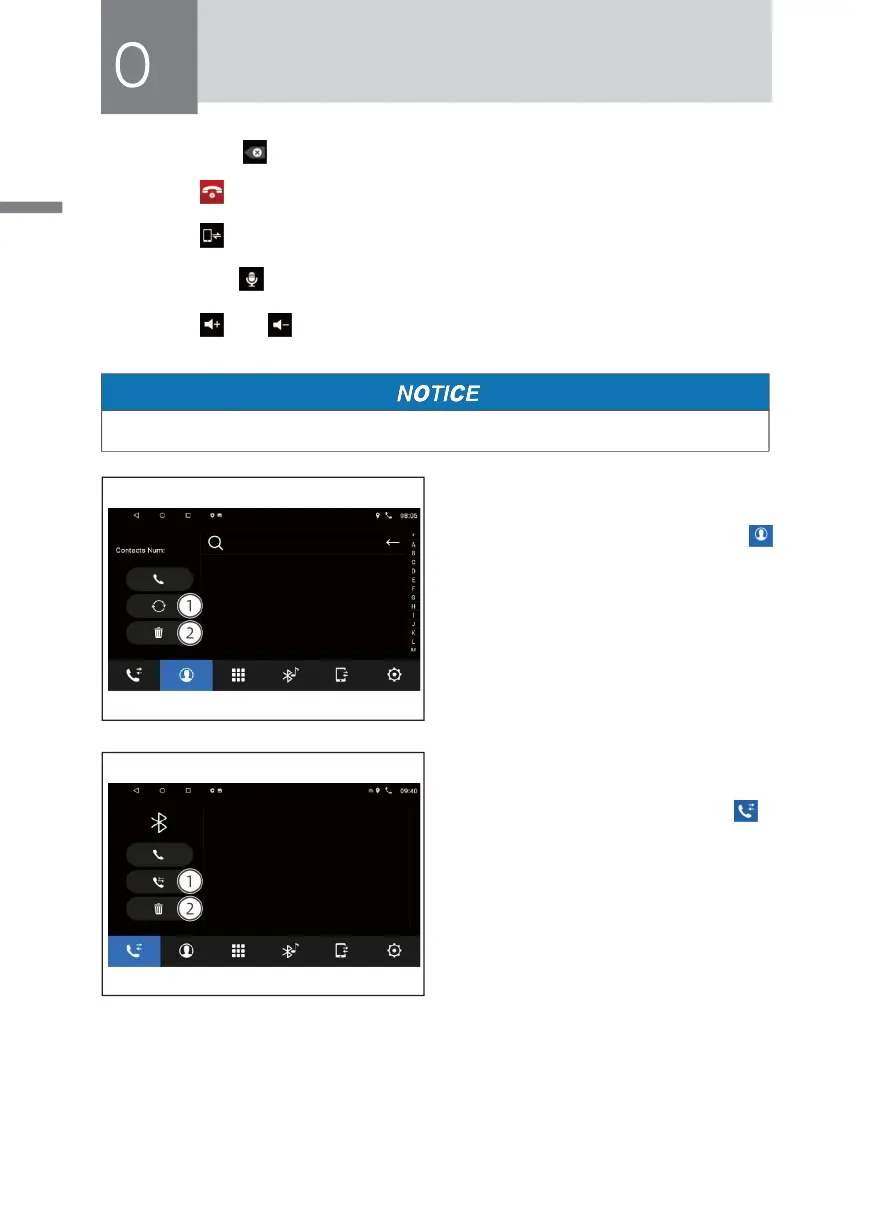
• Phone book
» Touch Bluetooth interface [
] icon to enter the phone book
as follows interface:
① Download Phone book.
② Short press is Delete Current Phone
book number;Long press is Delete
all Phone book numbers.
• Call History
» Touch Bluetooth interface [ ]
ico n to ent er the f o l l o w i n g
interface:
① Dial out Calls list;Press repeatlly is
display Incoming Calls list.
② Short press is Delete Current call
number; Long press is Delete all call
list.



 To Next Page