4. Click on “Network” sub menu
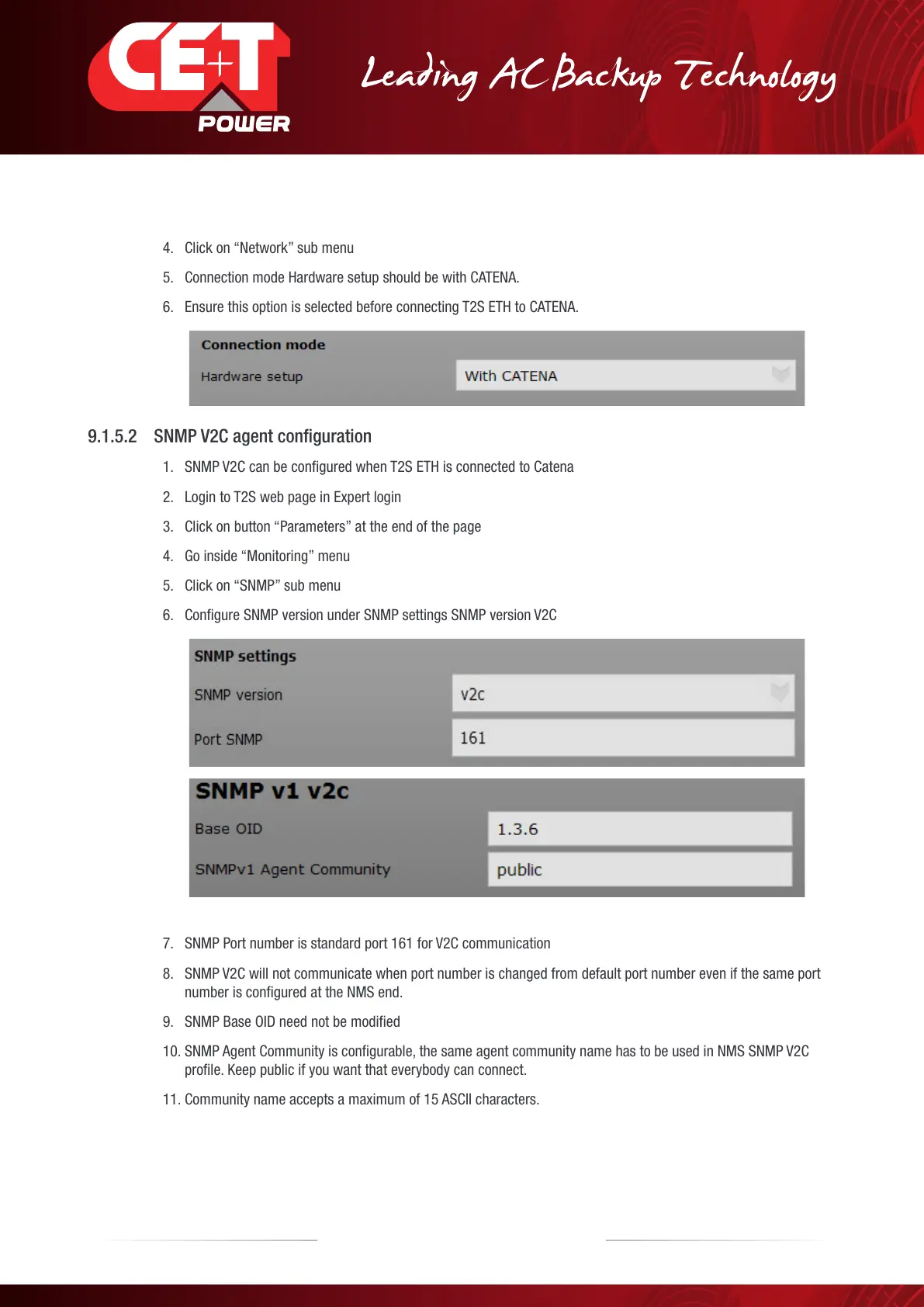
5. Connection mode Hardware setup should be with CATENA.
6. Ensure this option is selected before connecting T2S ETH to CATENA.
9.1.5.2 SNMP V2C agent conguration
1. SNMP V2C can be configured when T2S ETH is connected to Catena
2. Login to T2S web page in Expert login
3. Click on button “Parameters” at the end of the page
4. Go inside “Monitoring” menu
5. Click on “SNMP” sub menu
6. Configure SNMP version under SNMP settings SNMP version V2C
7. SNMP Port number is standard port 161 for V2C communication
8. SNMP V2C will not communicate when port number is changed from default port number even if the same port
number is configured at the NMS end.
9. SNMP Base OID need not be modified
10. SNMP Agent Community is configurable, the same agent community name has to be used in NMS SNMP V2C
profile. Keep public if you want that everybody can connect.
11. Community name accepts a maximum of 15 ASCII characters.
50 – Monitoring T2S - ETH User Manual – v1.4
SNMP



 To Next Page