19
3.1 Response
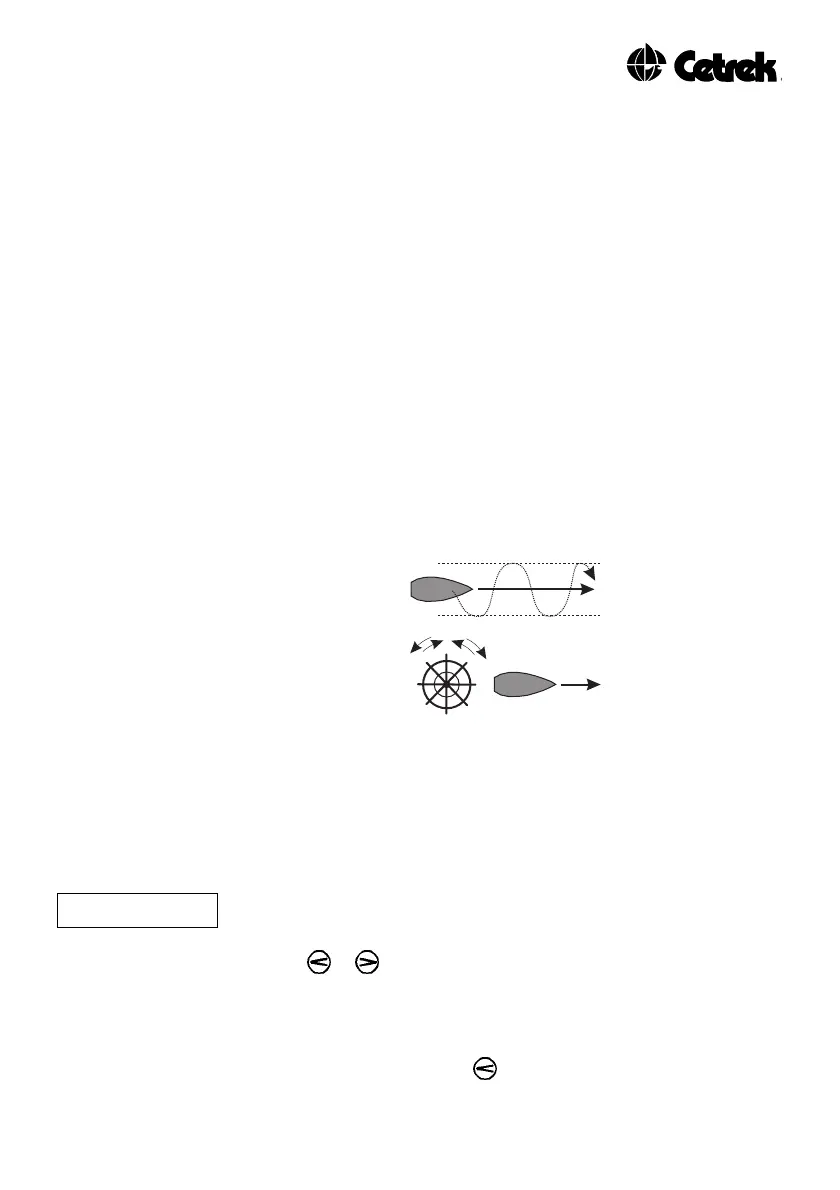
The Response setting is primarily the autopilot’s “weather” control.
It sets the amount that the vessel is permitted to move off course
before rudder is applied to bring it back onto its set heading.
You may need to open the Response (i.e. increase the setting value)
in heavy seas and close it (i.e. decrease the setting value) in calm
seas.
If the response setting is too high the vessel moves a long way
from the course before it is corrected. You will need to decrease
the Response setting to correct this.
If the response setting is too low the vessel will hold its course but
the helm will be constantly and rapidly moving, making small
unnecessary corrections. You will need to increase the Response
setting to correct this. This is the condition that can cause
unnecessary wear in the steering gear and is wasteful of battery
power.
Figure 4 - Response
Your ProPilot 700 can be set to Adaptive setting and in this state
will automatically vary the Response, Rudder Ratio, Counter Rudder
and trim settings to suit prevailing sea conditions.
To Adjust the Response Setting
AdPt Sea State Adjustment menu system, press the ADJ key repeatedly
until "AdPt" or "rE" is displayed. Change the setting by
using the or keys.
The range is Adaptive, then manual values from 1 (No Response) to
20 (Maximum Response).
To select Adaptive, press the key until "AdPt" is displayed.



 To Next Page