7
1. Using Your ProPilot 700
1.1 The Autopilot Control
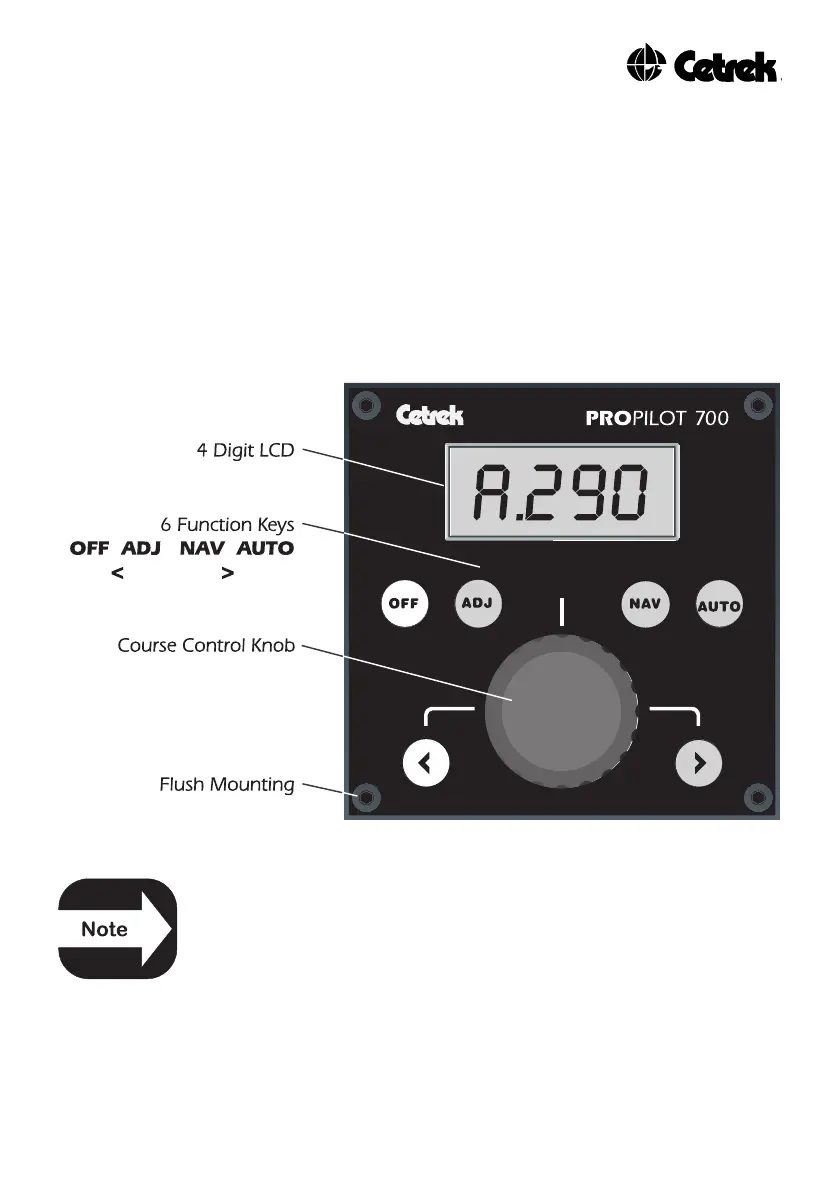
This is the unit where you, the Helmsman, tell your ProPilot 700
what you require it to do for you.
It communicates to you using a 4 digit illuminated Liquid Crystal
Display (LCD) and you communicate with it by using the 6 backlit
keys and the Course Control knob.
Figure 1 - The ProPilot 700 Autopilot Control
In an EMERGENCY press the OFF key to regain manual
control.
The style of LCD means that displayed messages will be a mixture
of upper and lower case characters. The alphabet used is as
follows:
"AbCcdEFGHIiJLNnOoPrStUu1234567890"



 To Next Page