56
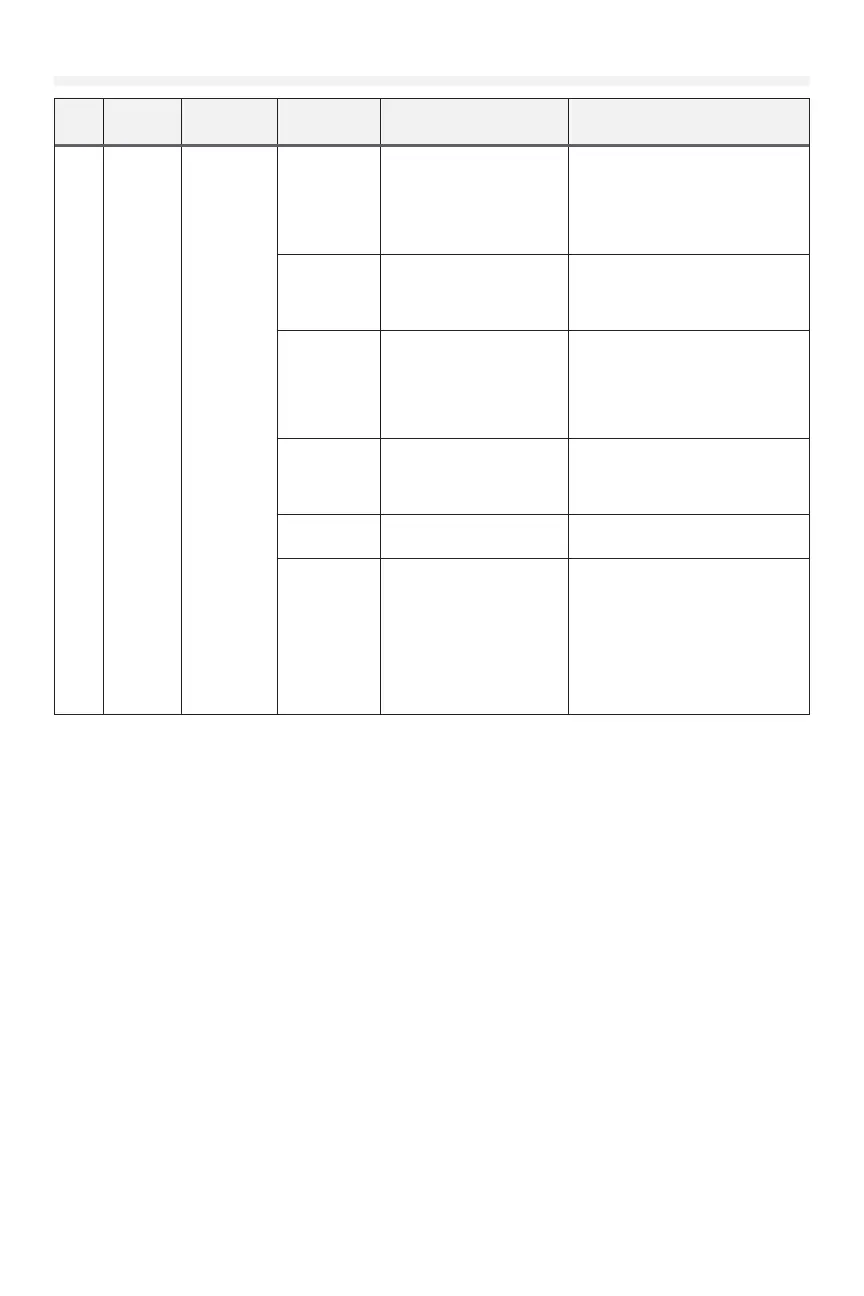
Troubleshooting (continued)
Code
Display
Message
Description
Possible
Causes
Diagnosis Resolution
F51
F52
F53
F54
F55
F56
F57
F58
F51 INP1
BLOCK
F52 INP1
CMND
F53 INP2
BLOCK
F54 INP2
CMND
F55 INP3
BLOCK
F56 INP3
CMND
F57 INP4
BLOCK
F58 INP4
CMND
Unmonitored
eye/edge
device
triggered for
3 minutes
or more on
input 1/2/3/4,
or blocked
when door
motion was
requested
Obstruction
in doorway
is blocking
unmonitored
eye/edge
device
Check for obstructions If obstructions are present, remove
the obstruction
Improperly
congured
input
Check system settings
item in the menu to check
the device type setting for
the input
Ensure the device type matches the
device that is actually installed
Incompatible
device is
being used
INP1/2/3/4 inputs are
compatible with dry-
contact type devices.
Ensure the device being
used is a dry-contact type
device.
If the device is incompatible, replace
with one that is, or move the device
to another input which is compatible
with the device
Wiring fault to
device
Check wiring for short or
open circuit
Ensure wires are wired into
correct terminals
Correct wiring faults
Damaged
device
Swap device with known-
good device
If a known-good device works,
replace the faulty device
Damaged
powerhead
main board
Disconnect unmonitored
eye/edge. Open circuit
condition is equivalent to an
unobstructed unmonitored
eye/edge device.
If the main board still detects
an obstruction with no device
connected, power cycle the
operator.
If the problem persists, reset to
factory defaults and congure
again.
If problem still persists, replace the
powerhead main board.











 To Next Page