29
Programming
Quick Start Commissioning
Follow the below instructions to provision the JHT operator out-of-the-box
or after factory reset:
Quick Start Commissioning Menu
Follow device menu prompt to select DOOR HANGING
Follow device menu prompt to select DOOR DRUM
Follow device menu prompt to select DOOR SPROCKET (J/H ONLY)
Follow device menu prompt to set OPEN LIMIT
Follow device menu prompt to set CLOSE LIMIT
Follow device menu prompt to LEARN WIFI
The operator will be in WiFi Learn Mode for 10 minutes
if "YES" is selected.
Manual Commissioning Program Flow
IMPORTANT: All entrapment protection devices will be disconnected during the manual commissioning steps.
The System Settings menus are password-protected.
ENTER PROGRAMMING
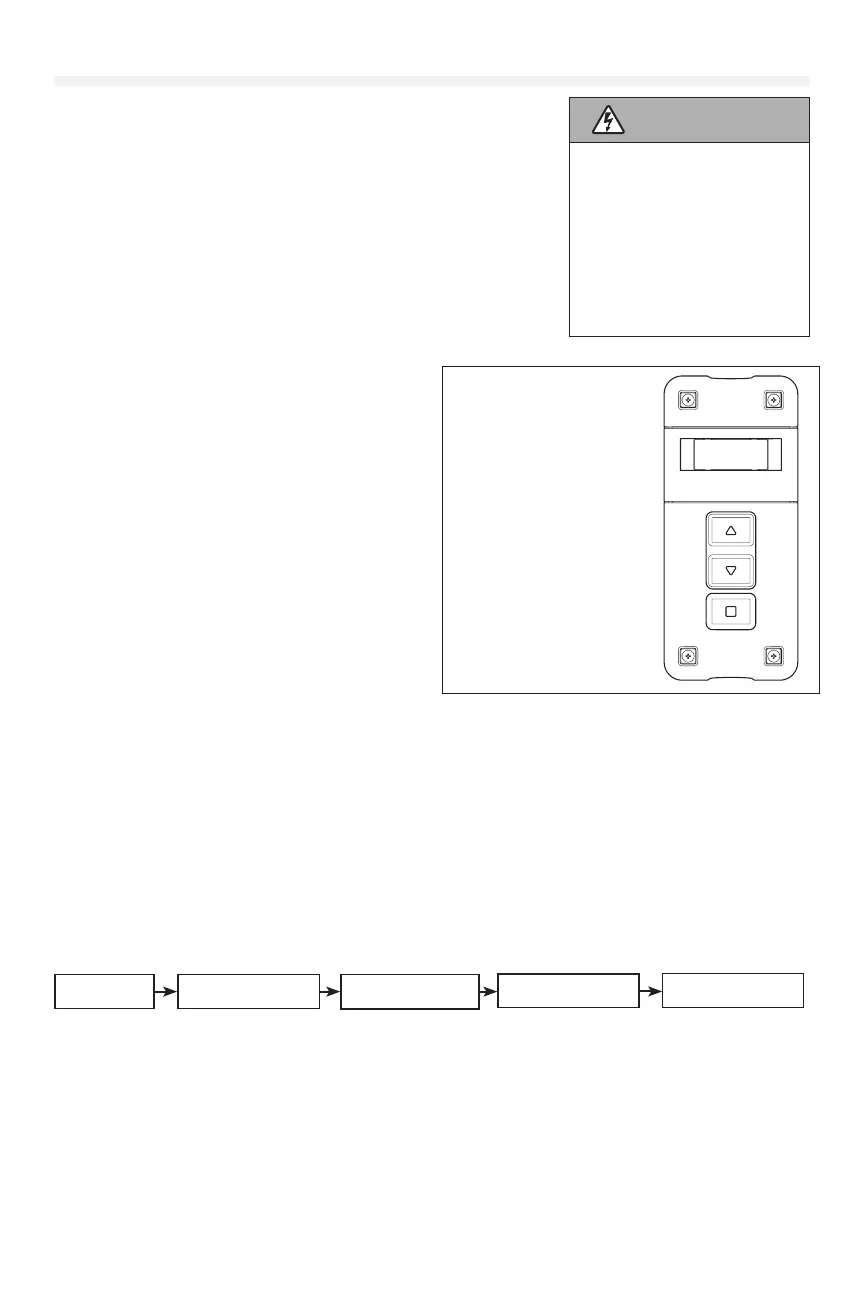
1. Press the “STOP/ENTER” and “DOWN” buttons on the inside of the controller at the same time for 3+ seconds to
enter the operator menu. If the controller is closed, press the “Stop” then “Close” then “Open” until the unit goes
into program mode.
2. Scroll down to “SYSTEMS SETTINGS” with the “UP” and “DOWN” buttons and press “ENTER.” You will be prompted
to enter the password for the operator.
3. Enter 326 as the password.
Door Settings
SELECT DOOR TYPE
High Lift
SELECT DOOR TYPE
Standard Lift
SELECT DOOR TYPE
Vertical Lift
SELECT DOOR TYPE
Rolling
WARNING
To prevent possible SERIOUS
INJURY or DEATH:
• Disconnect electric power
BEFORE performing ANY
adjustments or maintenance.
• ALL maintenance MUST be
performed by a trained door
systems technician.
• Please wait several seconds
for capacitors to discharge
and for display to go out.
Quick Exit of Menu
Hold down the "UP" and red
"Stop" buttons for 3 seconds
until the screen goes blank and
it will exit you out of the menu
you are in.
Quick Enter into the Menu
Hold down the "Down" and red
"Stop" buttons for 3 seconds
until the screen goes blank
and it will take you to the
main menu.











 To Next Page