EasyManua.ls Logo

CHART Orca MicroBulk CO2 Series - User Manual

CHART Orca MicroBulk CO2 Series
62 pages
Print Icon
To Next Page IconTo Next Page
Loading...
Part Number 21235568 Rev. D
© 2018 Chart Inc.
Designed and Built by:
Chart Inc.
407 7th Street NW
New Prague, MN 56071 USA
(800) 400-4683
Product Manual
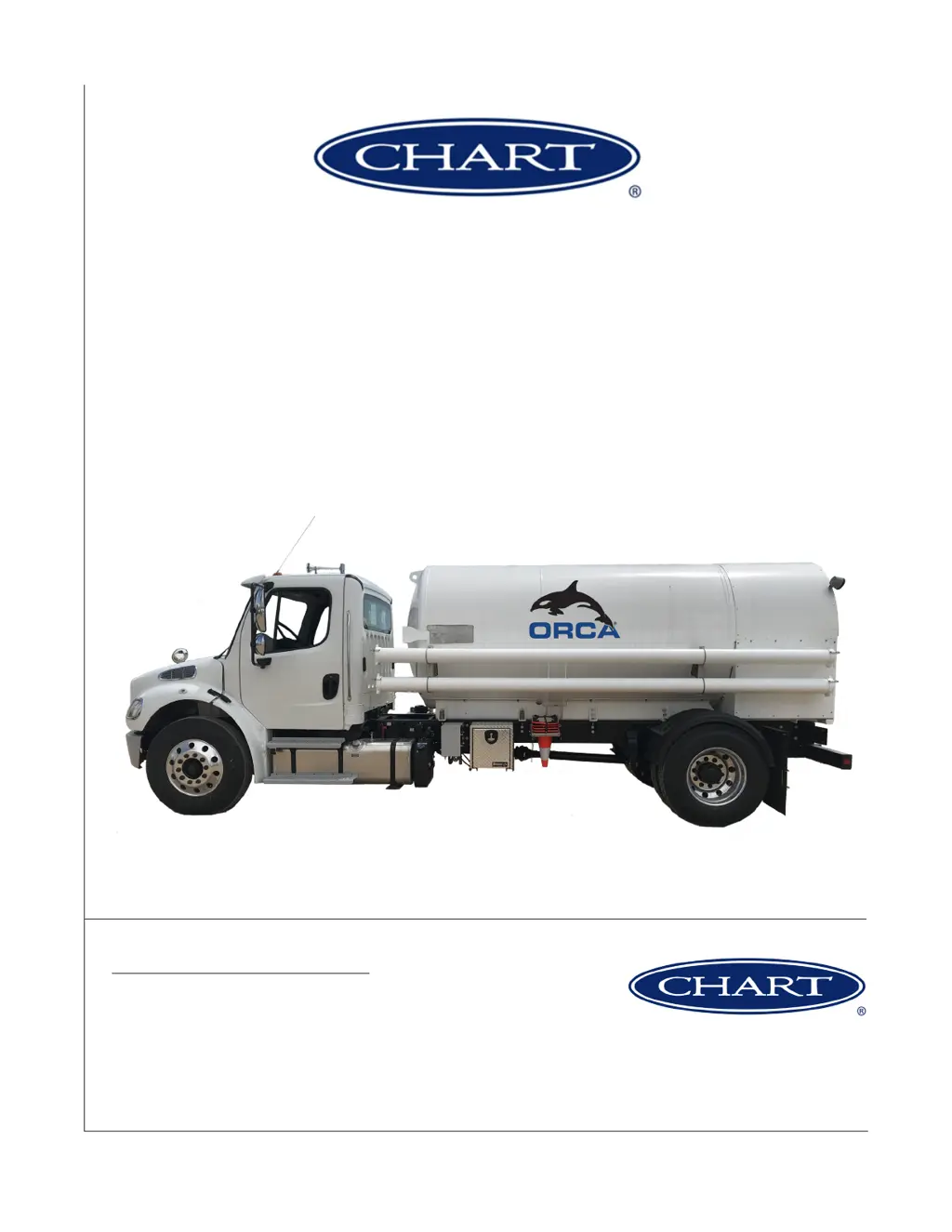
Orca MicroBulk Delivery System
CO
2
Series

Table of Contents

Questions and Answers

  • D
    Diana AtkinsonAug 20, 2025
    What to do if there is unstable flow of product from CHART?
    • M
      Michael WalkerAug 20, 2025
      To address the issue of unstable product flow in your CHART equipment, ensure all manual valves are open and check the liquid level gauge. Avoid pumping at low liquid levels to prevent pump damage. You may need to add subcool by opening the pressure building coil. If the saturation pressure is high, the vessel might require a blow down followed by subcool addition. This can happen due to depletion of subcool, vessel transmitter fault, closed manual valves, low liquid level, or two-phase flow.
  • S
    Shelly DixonAug 22, 2025
    Why is the message “Flowrate < Q...min” flashing red on CHART screen?
    • X
      xcastanedaAug 22, 2025
      If the message “Flowrate < Q...min” is flashing red on the CHART screen, it indicates a potential issue such as a leak in the DP Transmitter high line, a pressure transmitter pump psi of 0 leading to pump shutdown, or a failure in either the low or high flow transmitter. It could also be due to a warm hose. To resolve this, repair any leaks. Also check Flowcom meter connectors 5 and 6, and 7 and 8 for disconnections, cut wires, or a bad transmitter. If the hose is warm, cool it down.
  • D
    Donald GarrisonAug 25, 2025
    Why does the CHART tank build excess pressure or builds pressure too fast?
    • B
      Brandon AllisonAug 25, 2025
      If the CHART tank builds pressure too fast or has excess pressure, it might be because the daily usage is less than the NER, or the tank is overfilled past the vent trycock or DOT specified fill weight.
  • A
    amooreAug 26, 2025
    What to do if message “Flowrate > Q... max” flashing red on CHART screen?
    • C
      Crystal PowellAug 27, 2025
      If the message “Flowrate > Q... max” is flashing red on the CHART screen, it is likely due to a leak in the DP Transmitter low line, which causes the pump to shut down, or it could be a temporary extreme high-flow rate. To fix this, repair the leak and use the dispense valve to throttle the flow.
  • D
    David WalkerAug 28, 2025
    How to fix a flow meter that is not working on CHART?
    • S
      Sean MartinezAug 28, 2025
      If your CHART flow meter isn't working, it might be due to water or carbon dioxide ice in the phase lines to the transmitters. Remove each phase line and force warm nitrogen through them to purge any moisture. To prevent dry ice from forming, pressurize the metering section with CO gas above 70 psi before introducing liquid CO.
  • R
    Rebekah ShortAug 30, 2025
    What to do if the CHART pump is not catching prime?
    • M
      martinstoneAug 30, 2025
      If the CHART pump isn't catching prime, it could be because the bypass valve isn't venting vapor or allowing recirculation, or the liquid level is too low. Refer to the pump supplier manuals for proper operation and adjustment. You can temporarily open and close a dispense valve to introduce liquid to the pump. Also, check the liquid level gauge, and avoid attempting delivery of product at low liquid levels to prevent serious damage to the pump.
  • A
    Andrew DixonSep 1, 2025
    Why is there an audible change in the CHART pump?
    • T
      tlandrySep 1, 2025
      If you hear an audible change in the CHART pump, it could be due to a low liquid level or worn components in the pump. Check the liquid level gauge, and avoid attempting delivery of product at low liquid levels to prevent pump damage. You may need to rebuild or replace the pump.
  • K
    Kimberly WilsonSep 3, 2025
    What to do if the CHART pump will not start?
    • C
      Christina DiazSep 3, 2025
      If your CHART pump will not start, it could be due to the PTO not being engaged, the solenoid valve not actuating, or the oil level being too low. Start the PTO, verify 12 volts to/from switch (SW-1) to the solenoid block, and add oil as needed.
  • G
    Gregory VillarrealSep 5, 2025
    How to change Flowcom parameters on CHART?
    • D
      Denise SchroederSep 5, 2025
      If the Flowcom parameters on your CHART device cannot be changed, it is likely due to an improper Flowcom password being entered. The factory passwords are set to 1000 for the Flowcom 1000 and 3000 for the Flowcom 3000. Customers are expected to change these passwords for the three levels of security as they see fit. Refer to the Flowcom manual for more information, and remember the changed password.
  • J
    Jason GibsonSep 7, 2025
    Why is there no Flowcom or worklight power on my CHART?
    • N
      Nicholas AndrewsSep 7, 2025
      If there is no Flowcom or worklight power in your CHART equipment, it could be due to a tripped breaker in the 12-volt control circuit, an open 12-volt circuit, or the truck key being in the OFF position. Allow the breaker to reset or replace it in the junction box, ensuring the current draw is less than the breaker rating. Verify the connector is plugged in at the front of the tank and inspect wires from the connector to the control panel for breaks or cuts, repairing if necessary. Also, turn the truck key to ACC or ON.

Summary

Preface and Introduction

System Overview and Theory

Describes the Orca CO2 system, its features, and operational principles.

Safety Guidelines

General, Gas, and PPE Safety

Covers overall safety, specific gas hazards, and protective equipment.

CO2 Specific Safety and Properties

CO2 Handling, Properties, and Hazards

Specific safety rules, characteristics, and dangers of CO2.

Operations - Filling and Delivery

Modes, First Fill, and Filling Procedures

Outlines operating modes, initial fill, and filling from different sources.

Operations - Pressure and Delivery

Pressure Build and Delivery Methods

Instructions for pressure building and dispensing via hose reel/bulk hose.

System Controls and Operations

Hydraulic Power, Pump Stops, and Trailer Ops

Covers PTO usage, pump stopping, and trailer unit operation.

Components & Systems Overview

Plumbing Cabinet Layout and Components

Overview of cabinet sections and identification of parts.

Key Component Details

Anti-Tow, Metering, and Printing Systems

Details on anti-tow valve, metering, and printing capabilities.

Truck and Trailer Systems

Hydraulic, Electrical, and Control Systems

Details on truck/trailer hydraulics, electrical diagrams, and controls.

Preventive Maintenance

Maintenance Schedules and Procedures

Guidelines for daily, weekly, and periodic maintenance tasks.

Troubleshooting and Error Codes

Error Codes, Warnings, and Symptom Table

Information on system errors, warnings, and diagnostic procedures.

Technical Specifications

Specs, Diagrams, and Nomenclature

Technical data, system diagrams, and part identification.

Warranty Information

Warranty Terms and Exclusions

Details on warranty coverage, components, and limitations.

CHART Orca MicroBulk CO2 Series Specifications

General IconGeneral
Model SeriesOrca MicroBulk CO2 Series
Product TypeMicroBulk CO2 Storage Tank
Construction MaterialStainless Steel
InsulationVacuum Insulation
ApplicationsBeverage carbonation, water treatment
ComplianceASME, DOT
FeaturesLow maintenance
Operating PressureTypically up to 350 psig (24.1 bar)