38
Troubleshooting Product Manual - Orca
™
CO
2
Series MicroBulk Delivery System
Overview of Operation Error Codes
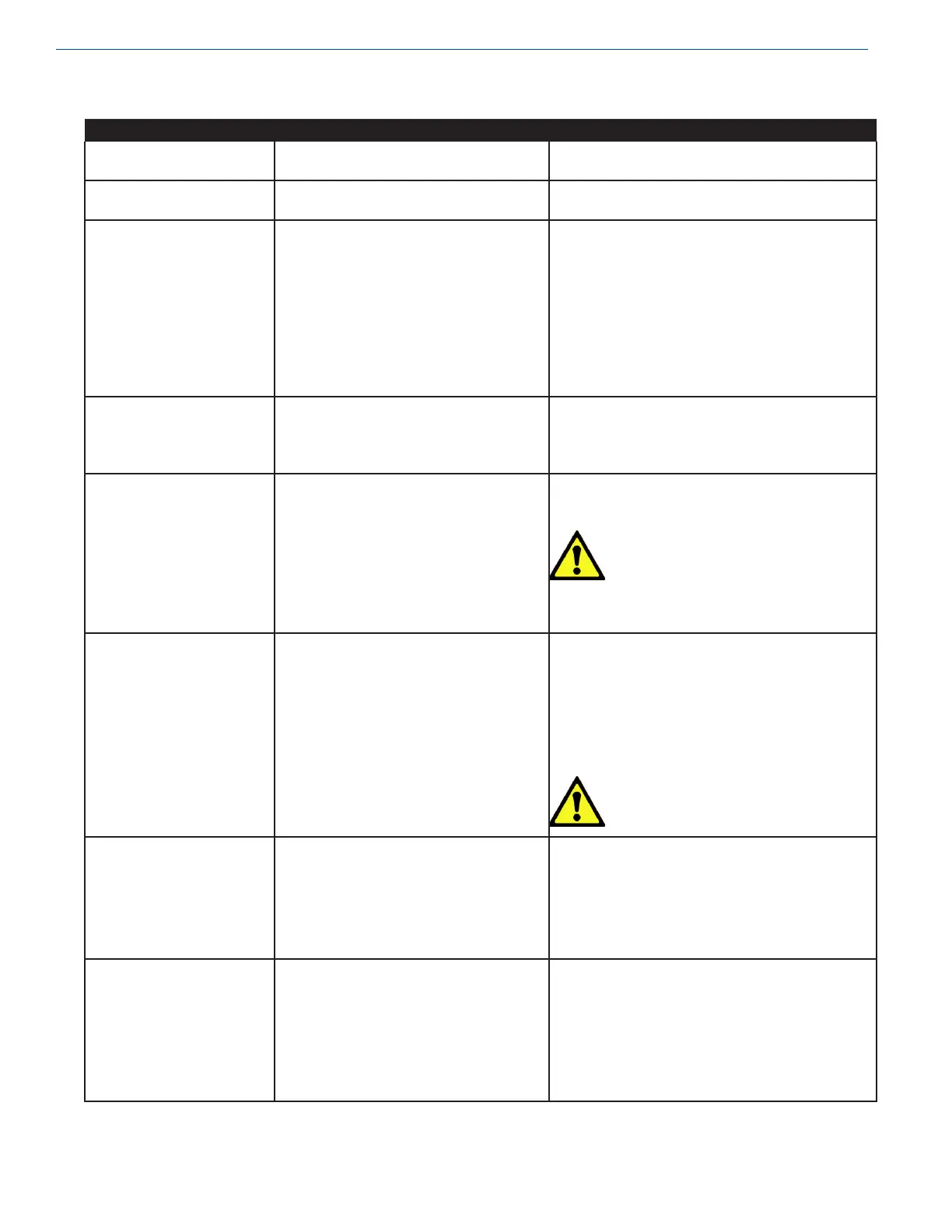
Symptom Possible Cause Remedy
Flowcom
®
Flow Meter System
does not power up.
Breaker tripped in 12 volt control circuit. Check breaker in fuseblock in truck.
Flowcom
®
Flow Meter System
cycling screens on startup.
12V supply voltage low. Check 12V supply.
Message “Flowrate < Q...min”
flashing red on screen.
Leak in DP Transmitter high line or pressure
transmitter pump psi = 0, pump shutdown.
Low Flow transmitter failure.
High Flow transmitter failure.
Warm hose.
Repair leak.
Flowcom meter connector 5 and 6 disconnected,
wire cut/disconnected, transmitter bad.
Flowcom meter connector 7 and 8 disconnected,
wire cut/disconnected, transmitter bad.
Cool hose.
Message “Flowrate > Q...
max” flashing red on screen.
Leak in the DP Transmitter low line, pump
shutdown.
Temporary extreme high-flow rate.
Repair leak.
Use dispense valve to throttle.
Audible change in pump. Liquid level low.
Worn components in pump.
Check liquid level gauge. Delivery of product should
not be attempted at low liquid levels.
Caution! Serious damage to pump
can occur if pump is run
dry!
Rebuild or replace pump
Pump not catching prime. Bypass valve not venting vapor or allowing
recirculation.
Liquid level low.
See pump supplier manuals for proper operation and
adjustment.
Temporarily open and close a dispense valve to
introduce liquid to the pump.
Check liquid level gauge. Delivery of product should
not be attempted at low liquid levels.
Caution! Serious damage to pump
can occur if pump is run
dry!
Pump will not start. PTO not on.
Solenoid valve not actuating.
Oil level too low.
Start PTO.
Verify 12 volts to/from switch (SW-1) to solenoid
block.
Add oil.
Printer error Power loss.
Data loss.
Flowcom not set up.
Paper not inserted.
Check power cable, DC converter bad, check
connector 46, 47.
Broken cable, check connector 17-19.
Complete setup per Flowcom manual.
Insert paper.


 To Next Page