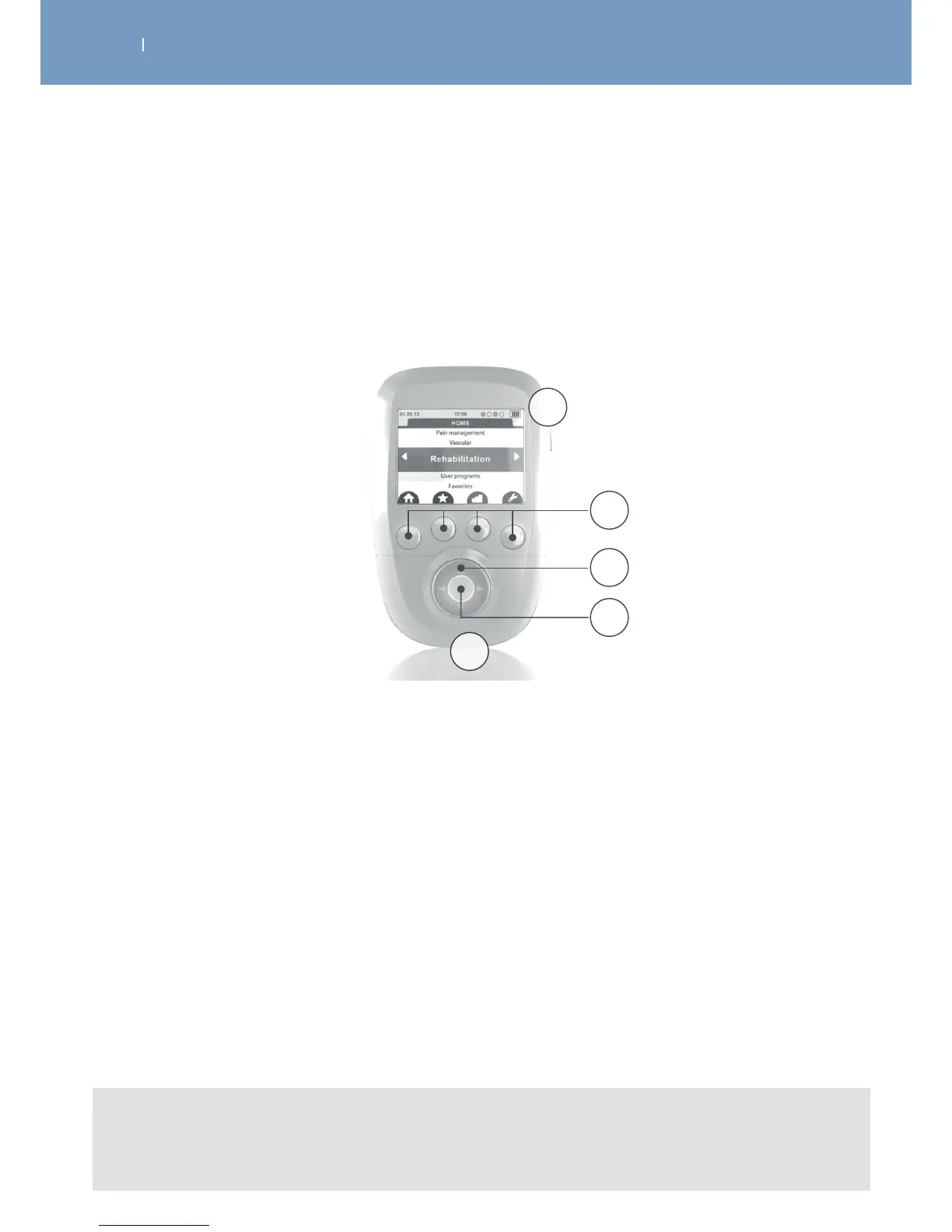
3.3 Description of the device components
3.3.1 Remote Control
Note
Emergency stop function: By pressing the central button or the On/O button on one of the
modules during stimulation, the device pauses.
A On/O button (press briefly to switch on, press and hold for more than 2 seconds to switch o, while
browsing the lists press briefly to return to the main menu)
B 4 multifunction buttons:
• Functions related to icons are located on the screen (e.g.: info, main menu, placement of
electrodes, etc.)
• Selection of stimulation channel to increase or decrease the energy level of stimulation
C Navigation pad
D Validation or pause button during stimulation
E Port for the USB cable or the docking station connector
A
D
E
C
B



 To Next Page