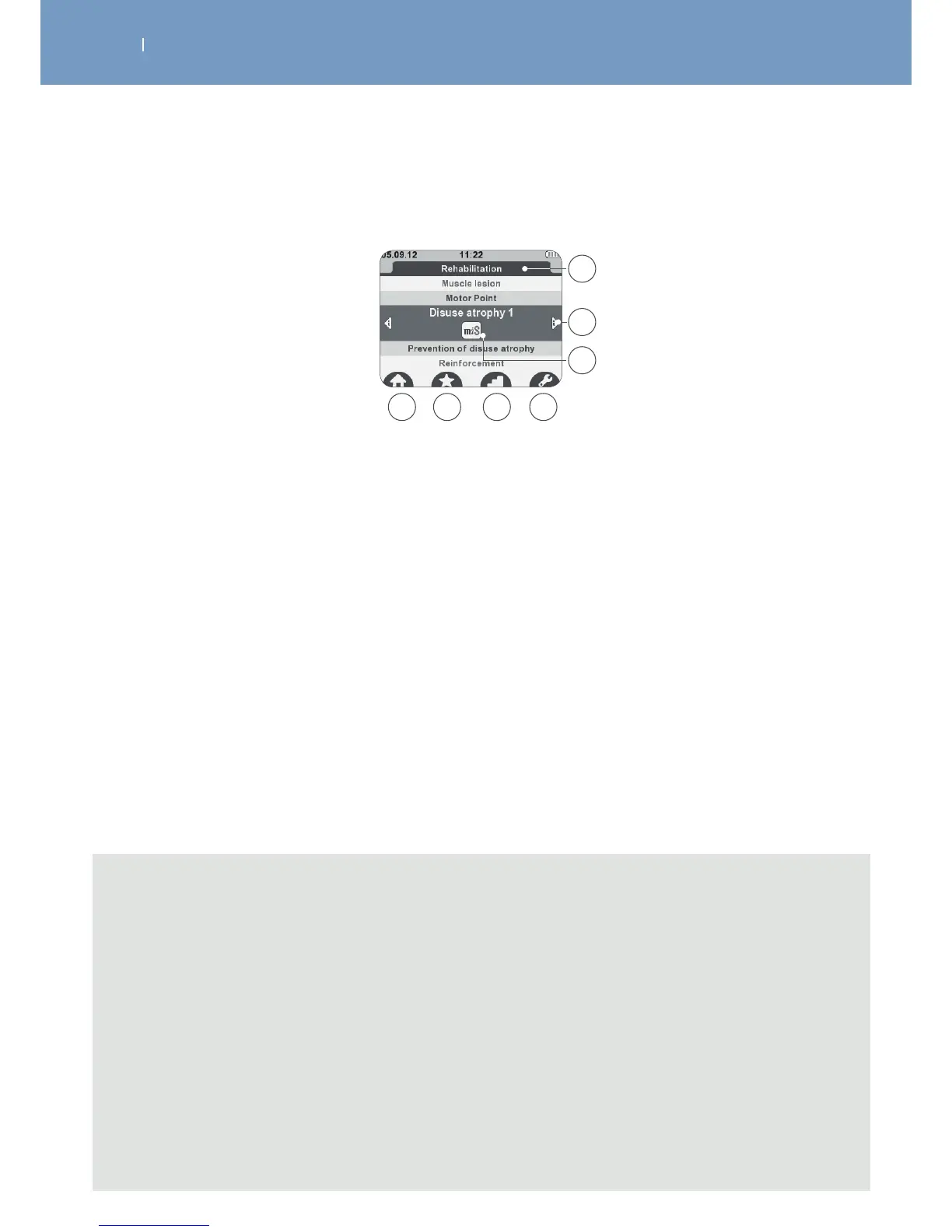
3.5.2 Display in Programme selection mode
A Name of the programme category
B Additional programme information
C Visualisation of programme options
D Back to main menu
E Adding programme to Favourites list
F Selection of programme level
G Configuration of programme options
A
C
D E F G
B
Note
- For the visualisation of the program information (B), please use the left/right direction of the
navigation pad, and scroll within the information by using the up/down direction of the navigation
pad.
- To add a program to the Favourite list (E), please press the multifunction button below the icon
while program is marked. Press the button again to remove the program from the Favourite list.
- If dierent program levels are available, icon “F” will be displayed. To change the program levels,
please press the button below the icon. Up to 3 dierent levels might be available. From level to
level dierent parameters (e.g. frequency, pause duration etc.) are changing to make the
treatment more challenging according to the process in rehabilitation (level 1 for beginners, level 3
for trained persons).
- If programme options are available icon “G” will be displayed. Please press the button below the
icon to enter the program option setting screen



 To Next Page