4.4 Basic 2CH Docking station - Connecting the unit, performance check
Connect the AC adapter supplied with your device to the docking station and then plug it into a power
outlet. It is strongly recommended that you fully charge the remote control batteries and modules before
first use in order to improve its performance and life expectancy.
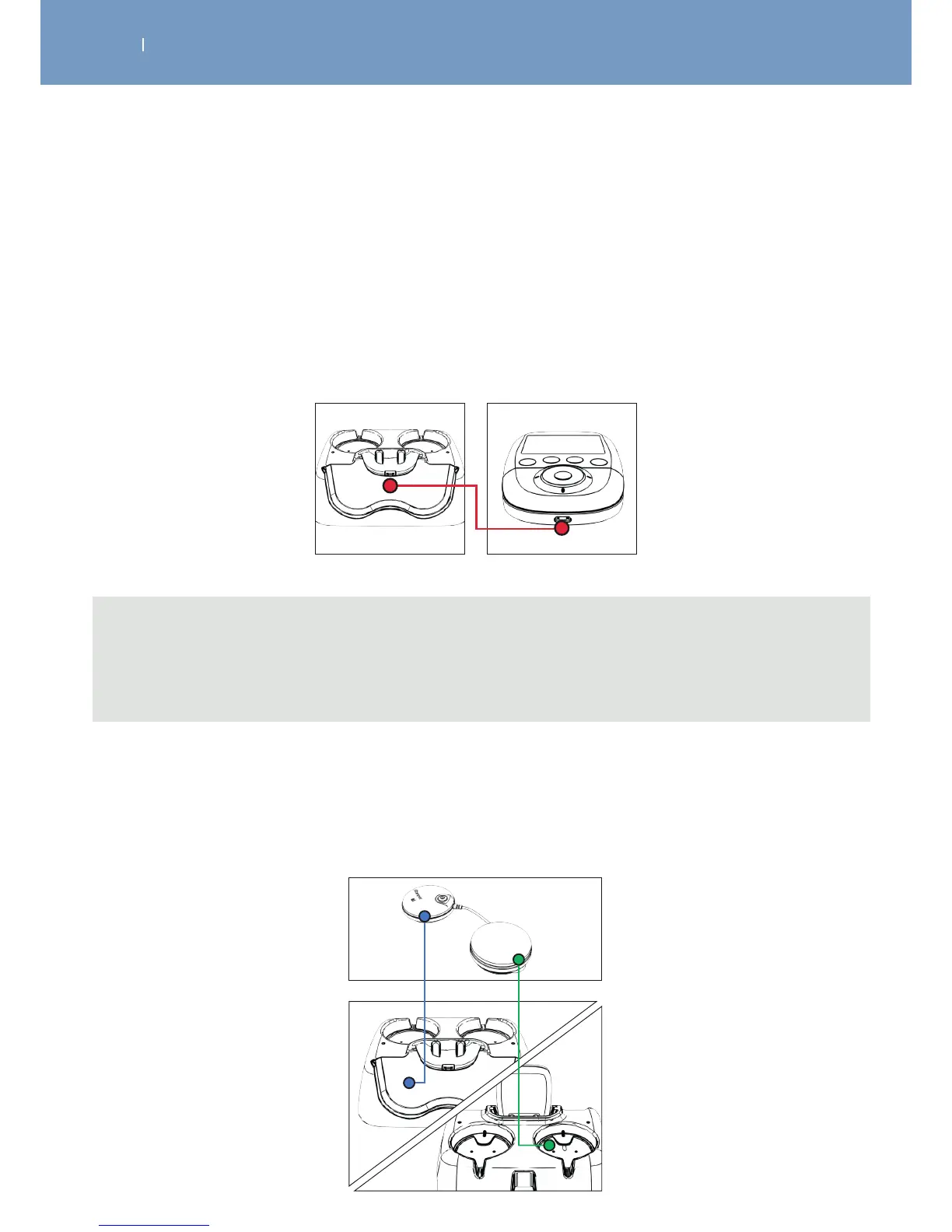
Charge the Remote Control by plugging it into the Docking Station.
Take care that the USB connector is pluged into the Remote Control.
Note
The Remote Control can be charged as well by using the USB connector, which comes with your kit
and connect it with the tablet and remote control to charge modules and remote at same time or by
connecting the remote control to a computer.
Charge the Modules:
Place the modules into the slots provided for this purpose.
To do this place the module without the On / O button in the location indicated with the dotted line. Do
the same for the other module.



 To Next Page