Rack Mounting
Check Point 4000 Appliances Getting Started Guide | 21
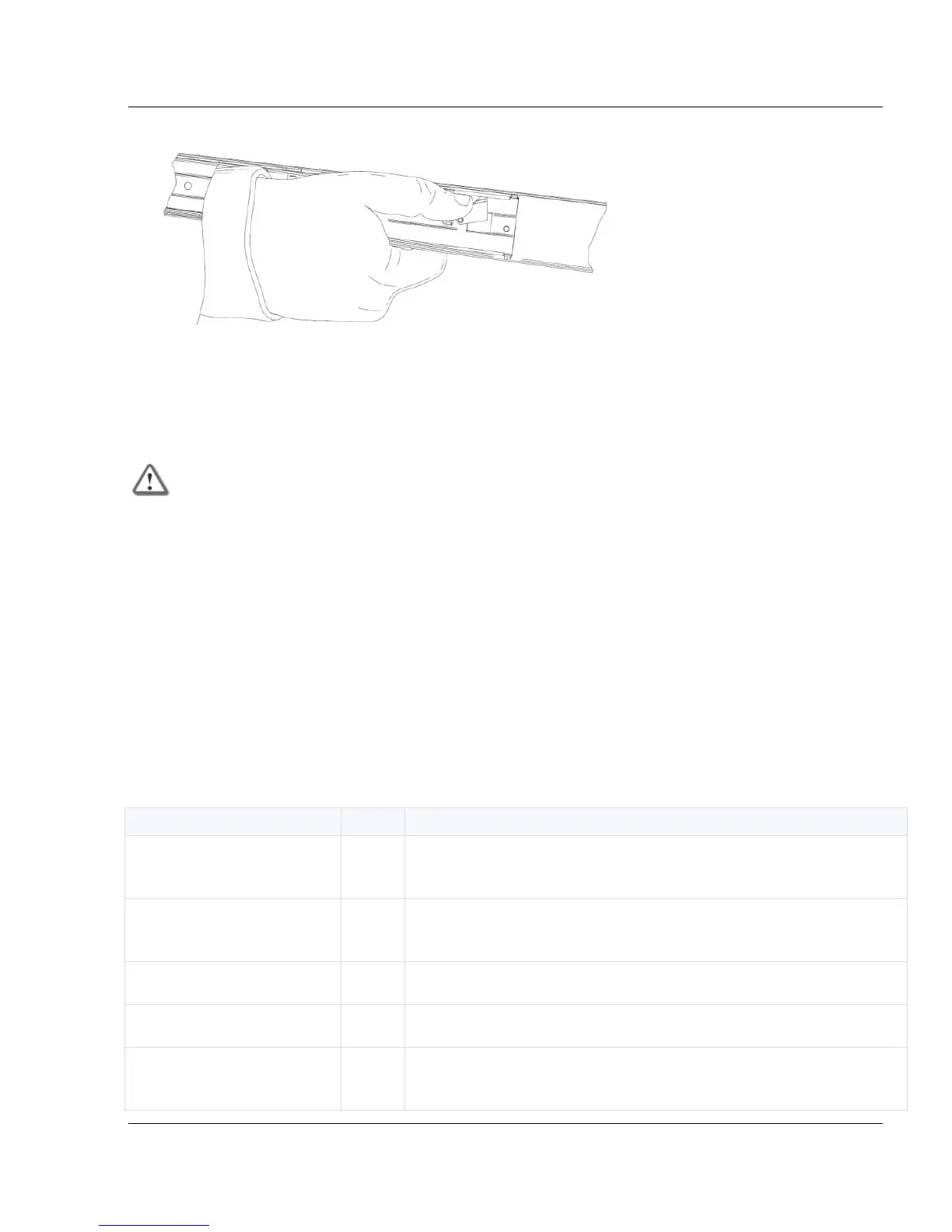
3. Push the release clips and move the rack rails into the rack as far as possible.
Appliance Air Vents
Make sure that the appliance air vents have sufficient airflow when the appliance is mounted in
a rack.
Important - If the appliance vents are blocked, the appliance can become too hot and
can be damaged.
The rails do not block air flow to the appliance. These appliances are specifically designed to
install with these rails. They have been tested in extreme conditions and meet all specifications
and requirements.
4200, 4400, and 4600 Appliances
Use fixed rails to mount 4200, 4400, and 4600 Appliances in a rack.
Rack Mounting Hardware and Tools
You must install rack mounting hardware on the appliance before you mount it in a rack.
Attaches to the appliance front panel. Both ear mount brackets
are identical.
Secures the ear mount brackets to the appliance front panel.
These screw heads are smaller (5 mm).
Attaches to the appliance. Both rails are identical.
Attaches to the appliance rails. Both plates are identical.
Secures the rail plates to the appliance rails and the rails to
the appliance. These screw heads are larger (8 mm).



 To Next Page