Configuring Check Point 4000 Appliances
Check Point 4000 Appliances Getting Started Guide | 35
6. The First Time Configuration Wizard runs.
Welcome
The Welcome page summarizes the steps of the First Time Configuration Wizard.
Appliance Date and Time Setup
Configure date and time in the Date and Time Setup page. Click Apply.
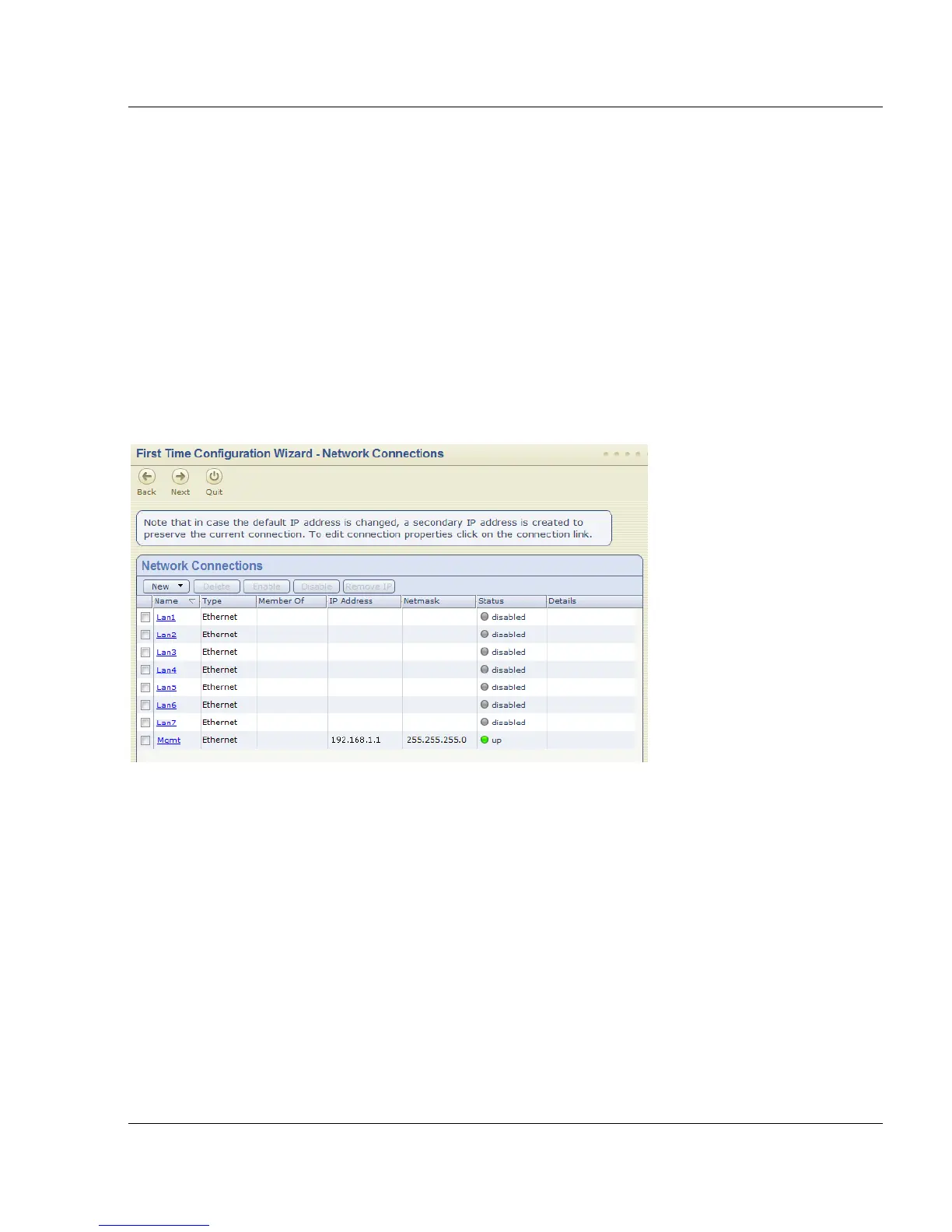
Network Connections
Configure the network connections in the Network Connections page.
You can change the Management IP address. Connectivity is maintained with an automatically
created secondary interface. You can remove this interface after you complete the First Time
Configuration Wizard in the Network > Network Connections page.
Routing Table
Configure the routing settings on the Routing Table page.
Host, Domain Settings, and DNS Servers
Set the Host, Domain and DNS Servers in the Host, Domain Settings, and DNS Servers
page.
The host name must start with a letter and cannot be named com1, com2....com9.
In the DNS section, set the DNS servers for the appliance.






 To Next Page