ECO 3 EXPERT Ultrasound Diagnostic System
Page 57 / 191
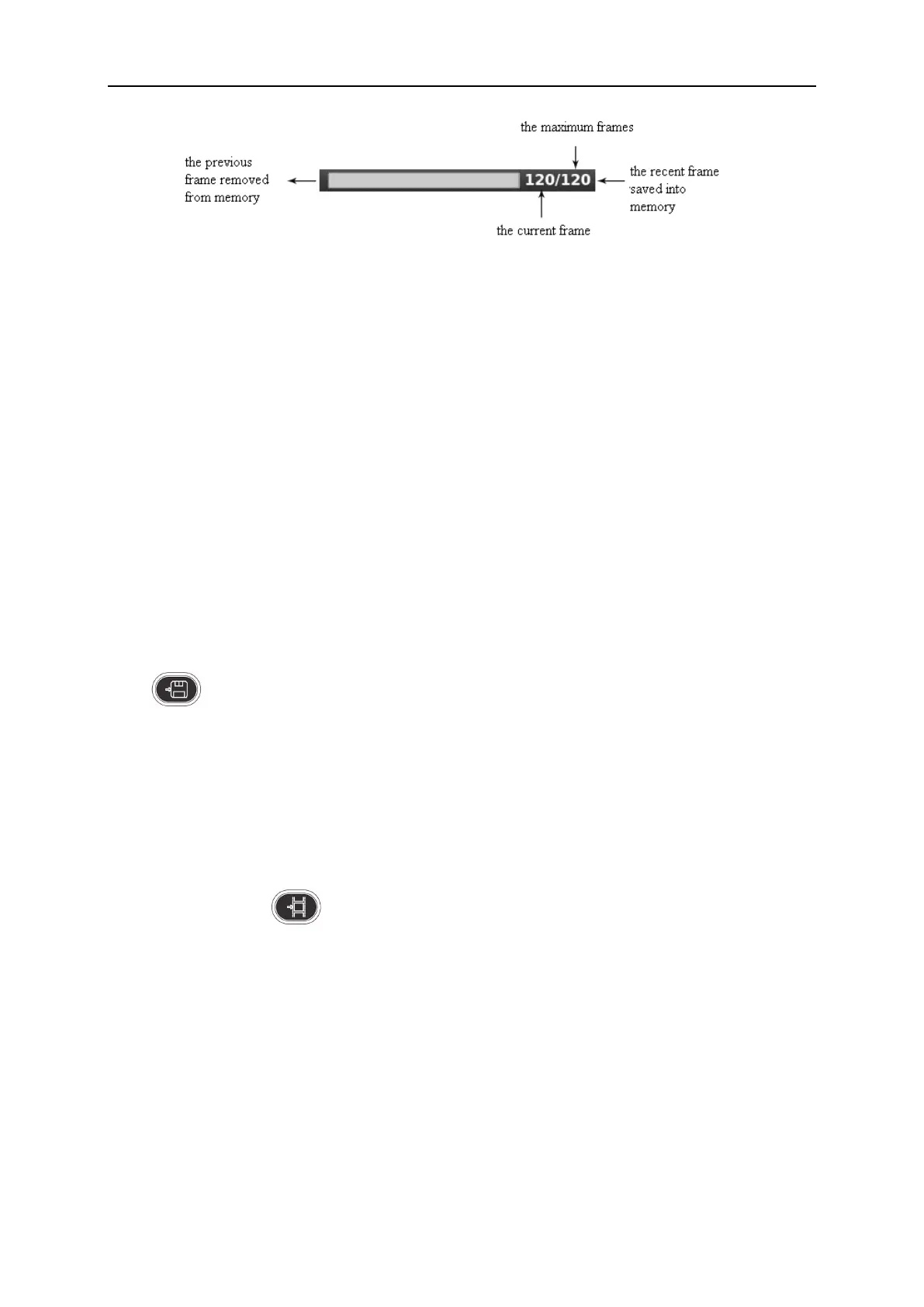
Cine loop indicate diagram
5.13.2 Manual Loop
Press [FREEZE] to freeze image, pop cine playback bar, at this time, move cursor to play by hand;
Trackball rolling to the right, the loop play with ascending order side by side. Or press [Next/Pre]
to play.
5.13.3 Automatic Loop
After freezing image, press [Play/Pause] to play, press it again to stop.
Press [ENTER] to choose the area of automatic playback area needed.
5.13.4 Save and Recall Image
Press to save current image, the image will be displayed below the screen;
If you need to recall images that have been stored, move cursor to needed image, press [ENTER]
to recall it; or you can recall archived patient’s information to recall image, please refer to archive
chapter.
5.13.5 Save and Recall Cine
In freeze status, press to save cine, then it will be displayed below the screen, move cursor
to needed cine, press [ENTER] to recall the cine.
5.13.6 Delete images
After recalling the images, press the [Delete images] to delete the files.
5.13.7 Send images
After recalling the images, press the [Send images] to send images to USB flash disk, DICOM
storage and print.
Hint: Activate the DICOM before DICOM storage and print.


 To Next Page
 Loading...

