ECO 3 EXPERT Ultrasound Diagnostic System
Page 35 / 191
4.3 Central Control
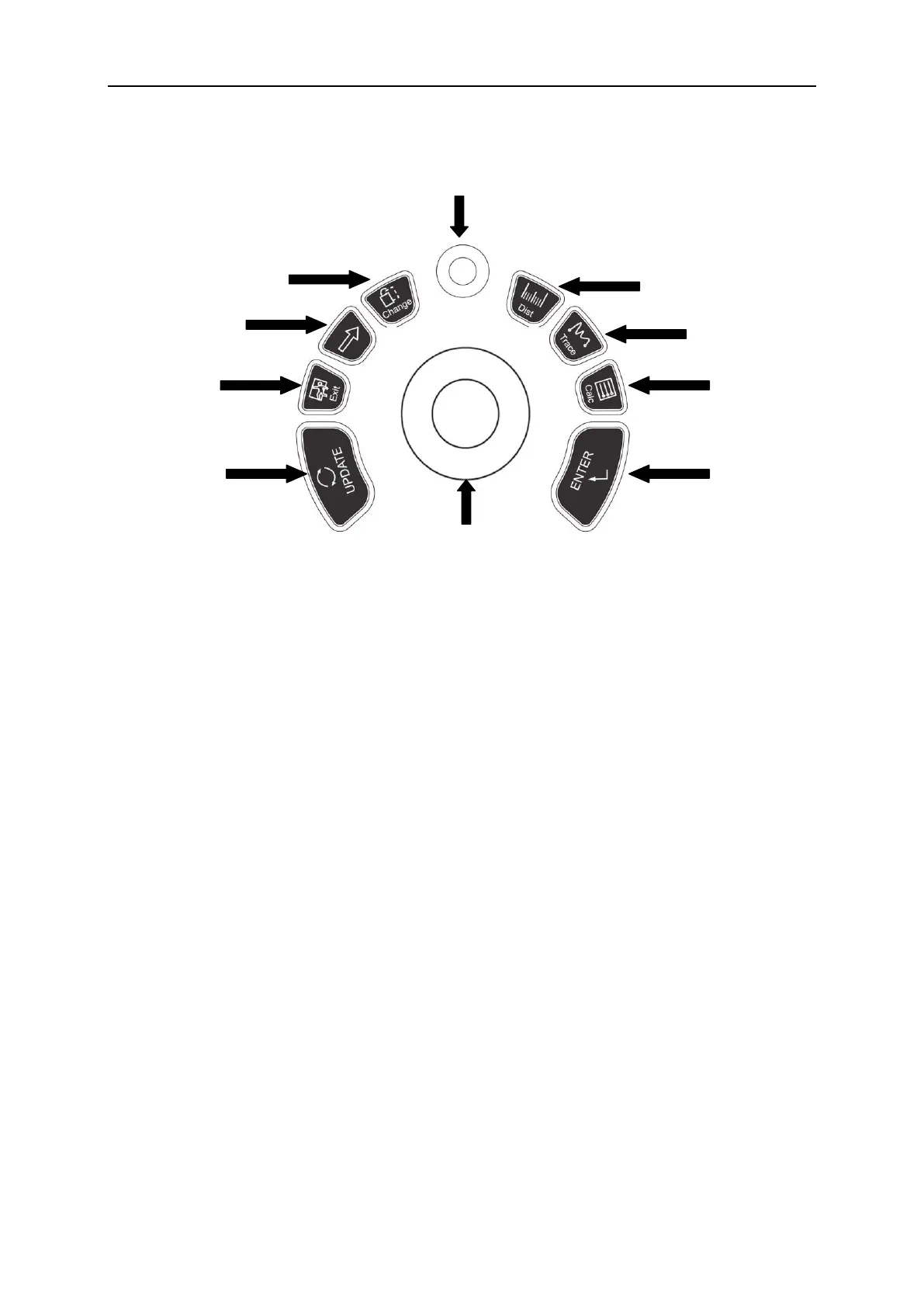
1. UPDATE 2.EXIT 3.Cursor 4.Change 5.MENU
6. Dist 7.Trace 8.Calc 9.ENTER 10.Trackball
4.3.1 ENTER
This multifunction key is work with trackball. The function switches with the unit status. Such as,
set the cursor position, body mark position, comment position, toggle trackball function, selected
the menu, and confirm the input.
4.3.2 UPDATE
This multifunction key is work with trackball. The function switches with the unit status. Such as,
call the annotation and back in measuring.
4.3.3 Exit
Press this key can exit measurement, dialog, and menu.
4.3.4 Cursor
Press this key to show or hide the cursor.
4.3.5 Change
Press this key to change the menu.



 To Next Page