ECO 3 EXPERT Ultrasound Diagnostic System
Page 59 / 191
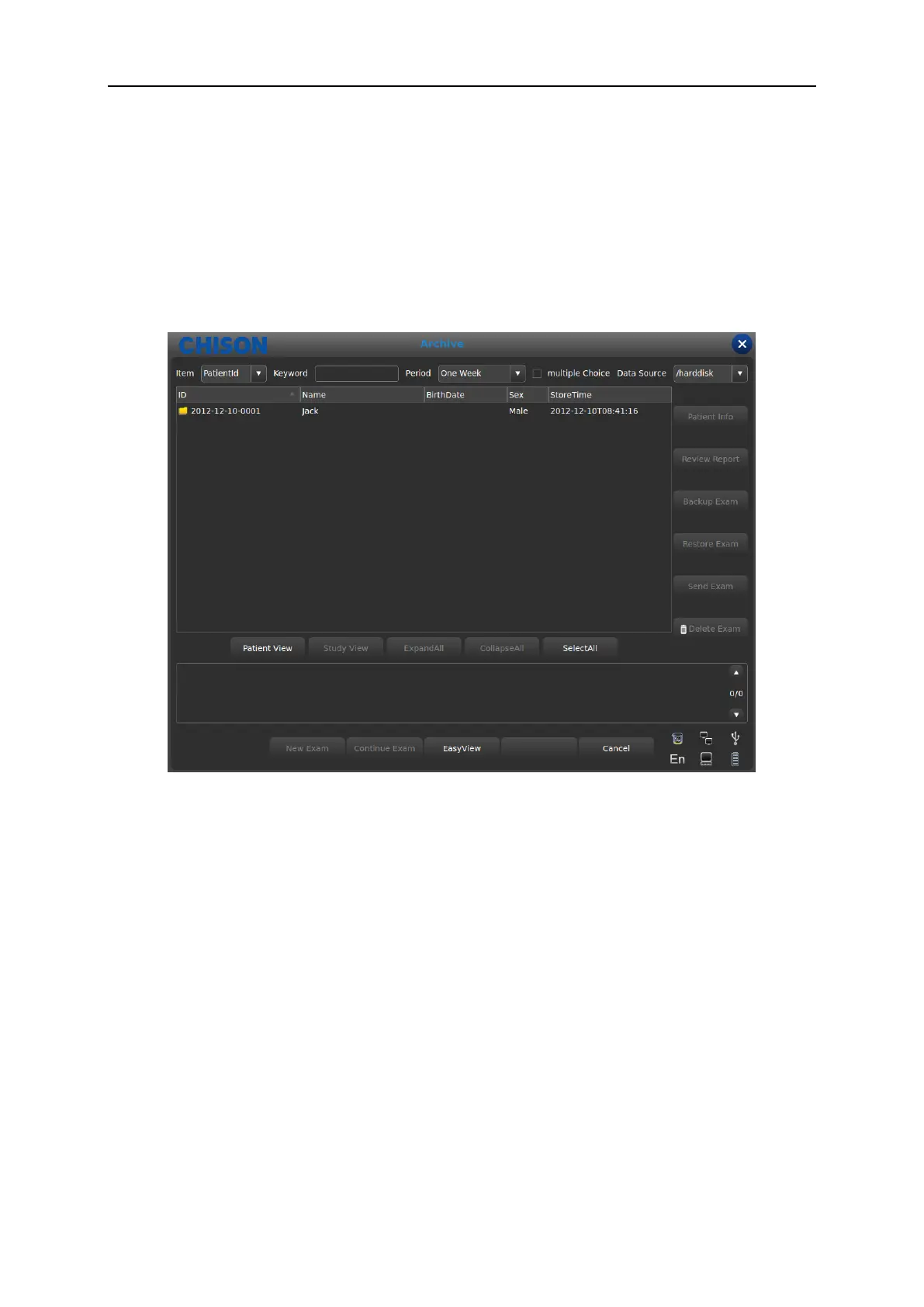
Archive: Open up archive management interface;
Cancel: Turn off image browsing interface;
5.15 Archive Management
Archive management can search for patient’s information which has been stored in system. Press
[Archive] to archive management interface, all process can be opened up by moving cursor.
Item: Type selection, select Patient’s ID or Name;
Keyword: Search for key words;
Period: Time filter, select today, one week, one month, three months, six months, recent one
year and all;
Multiple Choice: Multiple choice;
Data Source: Path choice, select hard disk or U disk;
Patient info: Enter into patient’s information interface;
Review Report: Enter into report interface;
Backup Exam: Select examination information to USB hard disk;
Restore Exam: Recover examination information from USB hard disk;
Send Exam: Send selected examination information remotely to USB hard disk or DICOM



 To Next Page