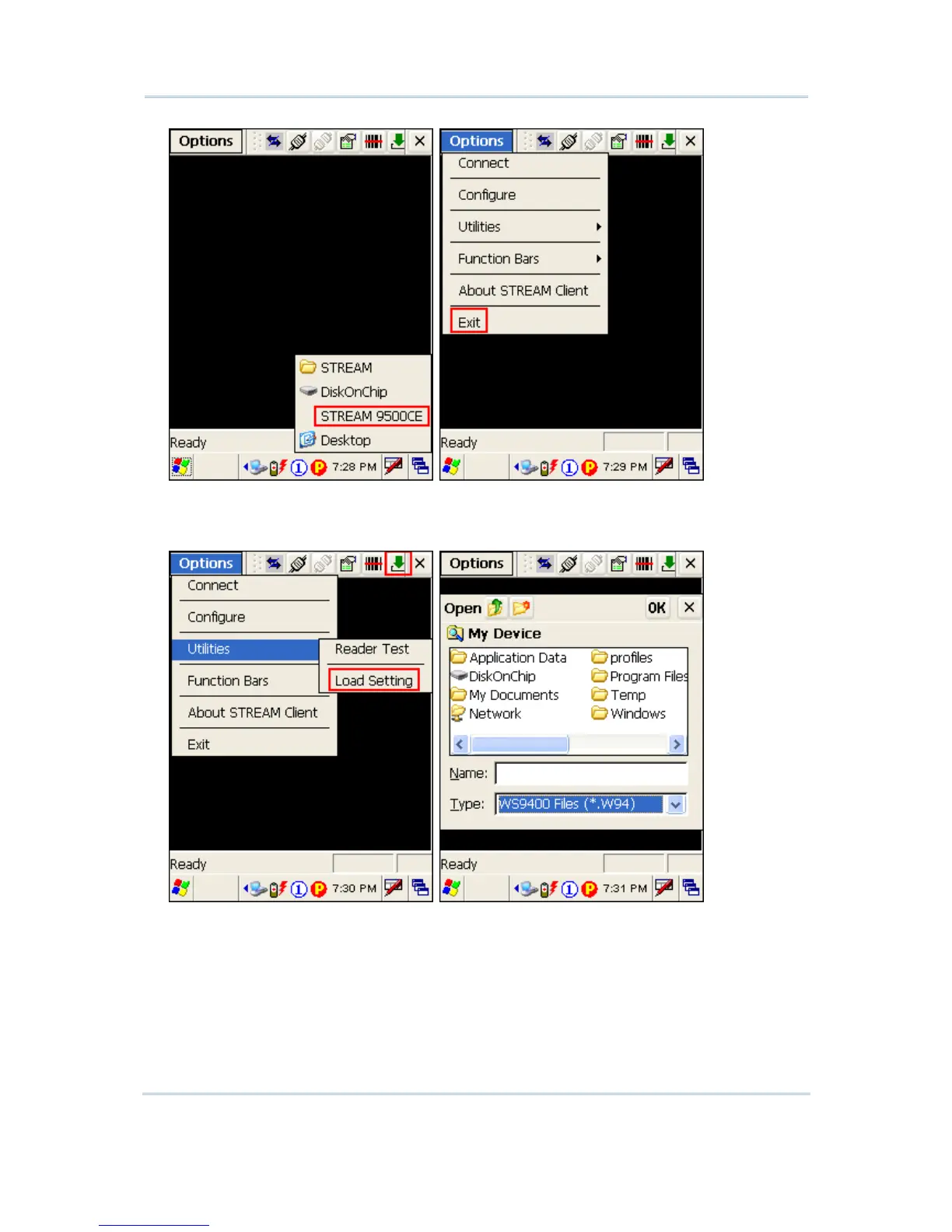
2) In the STREAM Designer, export the 9500 configuration file to a .W95 file, and copy it
to the mobile computer via ActiveSync. Load the new device settings via Options
Menu > Utilities > Load Setting.
3) If you need to modify the server IP and Telnet port number, tap Options Menu >
Configure > Load Setting.



 To Next Page