To Next PageTo Next Page
 Need help?
Do you have a question about the Cisco 7941G and is the answer not in the manual?
Provides links to Cisco documentation and licensing information.
Information about power outages, external devices, and product security.
Details accessibility features for users with vision, hearing, or mobility impairments.
Provides an overview of the Cisco Unified IP Phones' voice communication capabilities.
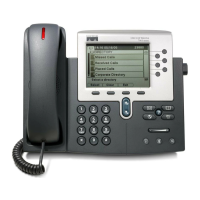
Identifies and describes the important parts and buttons on the Cisco Unified IP phones.
Explains the terms lines and calls and how they can be confused.
Describes the icons used to help determine call and line state.
Illustrates and describes the main phone screen with an active call.
Provides instructions on how to clean the phone screen properly.
Explains how to open, close, and navigate feature menus using buttons.
Details how to access the phone's comprehensive online help system.
Notes that feature availability may vary based on system configuration.
Explains the two signaling protocols (SIP and SCCP) your phone can use.
Describes the Cisco EnergyWise program for saving energy on your phone.
Guides on connecting the Cisco Unified IP Phone to the corporate network.
Shows how to connect your Cisco Unified IP Phone using cables.
Details how to remove a clip securing the hookswitch before using the phone.
Explains how to adjust the handset rest for wall-mounted phones.
Describes how to adjust the phone's footstand for optimal tilt angle.
Explains how to secure the phone using a laptop cable lock.
Details the process for registering a new or replacement phone using TAPS.
Discusses using wired and wireless headsets with the Cisco Unified IP Phone.
Provides guidance on using third-party headsets and recommended practices.
Discusses factors affecting audio quality for headsets.
Offers information on selecting wireless headsets for specific phone models.
Introduces basic and enhanced call-handling tasks available on the phone.
Describes simple procedures for placing calls on the Cisco Unified IP Phone.
Provides basic procedures for placing a phone call.
Explains how to place a call using the speakerphone function.
Details how to place a call using a connected headset.
Describes how to redial the last number dialed or select from call logs.
Explains how to place a new call while another call is active on the same line.
Shows how to place calls directly from the phone's call log entries.
Covers special features and services for placing calls.
Explains placing a call on a different line while another is active.
Details using WebDialer to dial from a corporate directory via PC.
Explains how the phone alerts you when an extension is free.
Describes how to make priority calls (SCCP phones only).
Details placing calls with billing or tracking codes (SCCP phones only).
Guides on making calls using mobile voice access features.
Explains how to place calls using the Personal Address Book (PAB).
Covers methods for making speed dial calls using buttons, abbreviated, or fast dial.
Explains how to dial contacts from the corporate directory on the phone.
Details dialing entries from the Personal Address Book (PAB).
Guides on making calls using the Fast Dial feature.
Provides methods to answer incoming calls using various phone options.
Explains different ways to end a call, including using the handset or headset.
Describes how to place calls on hold and resume them.
Provides steps to place a selected call on hold.
Explains how to retrieve a held call from the current line.
Details retrieving a held call from a different line.
Guides on how to mute or unmute the microphone during a call.
Explains how multiple calls are displayed and managed on the phone.
Describes how to view calls that are active on other lines.
Explains how to switch the phone display to a call overview mode.
Details switching between calls on the same line.
Guides on switching between calls on different lines.
Explains how to switch to a ringing call from a connected call.
Covers moving calls between desk and mobile phones.
Details transferring an active call from desk phone to a mobile phone.
Explains transferring an active call from a mobile phone to the desk phone.
Guides on transferring calls between devices sharing a line (session handoff).
Explains how to transfer a connected call to another target number.
Details performing a blind transfer of a call.
Explains how to perform a consult transfer by talking to the recipient first.
Guides on transferring calls to a voice message system using iDivert.
Details sending active, ringing, or on-hold calls to voicemail.
Explains how to redirect incoming calls to another number.
Details setting up or canceling call forwarding features.
Guides on setting up and canceling Call Forward All directly on the phone.
Explains the Do Not Disturb (DND) feature to silence incoming call notifications.
Provides steps to enable and disable the Do Not Disturb feature.
Details how to configure Do Not Disturb settings via User Options.
Explains how to create and manage conference calls.
Describes creating ad hoc conferences by calling participants.
Guides on creating a conference by adding participants individually.
Explains how to add new participants to an existing conference call.
Details how to combine existing calls to form a conference.
Explains joining multiple calls on a single line into a conference.
Guides on joining calls from multiple lines into a conference.
Describes creating a conference by barging into a call on a shared line.
Details how to initiate a conference by barging a shared line call.
Explains how to start or join a conference by calling a conference number.
Guides on initiating a Meet Me conference call.
Details how to join an existing Meet Me conference call.
Describes viewing and managing participants in an ad hoc conference.
Explains managing conference participants via the participants list.
Guides on checking the security status of conference calls and participants.
Explains how to place and receive intercom calls for quick messaging.
Details placing intercom calls to preconfigured numbers.
Guides on placing intercom calls to any intercom number.
Explains how to handle an incoming intercom call alert.
Covers special features for advanced call management.
Explains how to set up and use speed dial features for quick dialing.
Guides on placing calls using dedicated speed-dial buttons.
Details making calls using on-hook abbreviated dialing codes.
Explains how to make calls using the Fast Dial feature.
Explains how to answer calls ringing on other extensions.
Guides on answering calls within your designated pickup group.
Explains answering calls outside your pickup group.
Details answering calls from associated or within your group.
Guides on answering calls ringing on a specific extension or line number.
Explains how to store and retrieve calls using the Call Park feature.
Provides steps to store and retrieve an active call using Call Park.
Details storing a call at a specific directed call park number.
Explains storing and retrieving calls using the assisted directed call park.
Guides on retrieving a parked call from a directed call park number.
Explains how hunt groups distribute incoming calls among multiple directory numbers.
Provides steps to log into and out of hunt groups.
Discusses using shared lines for multiple phones or shared call handling.
Explains the icon indicating another phone shares your line.
Covers viewing call information and using barge/cBarge on shared lines.
Explains how to enable privacy to prevent others from viewing or barging calls.
Guides on controlling access to shared line calls.
Explains how BLF indicates line status for speed dials, logs, or directories.
Details supporting authenticated, encrypted, and protected calls.
Covers configuring and using the Virtual Private Network (VPN) Client feature.
Explains using Malicious Call Identification (MCID) for suspicious calls.
Guides on notifying the administrator about suspicious or harassing calls.
Describes priority call handling using MLPP (SCCP phones only).
Explains how to configure any Cisco IP Phone as your own temporarily.
Provides steps for logging into Extension Mobility (EM).
Explains how to log out of Extension Mobility (EM).
Guides on changing your PIN using the Change Credentials service.
Details changing your PIN using the ChangePIN softkey.
Covers associating mobile numbers with business IP phone numbers for call handling.
Explains using mobile phones to handle calls associated with desktop phone numbers.
Guides on placing calls picked up on a mobile phone on hold.
Explains how to connect to the Mobile Voice Access service.
Details enabling Mobile Connect from a mobile phone.
Explains disabling Mobile Connect from a mobile phone.
Guides on managing Mobile Connect access for remote destinations from the desk phone.
Introduces the audio devices usable with the phone: handset, headset, speakerphone.
Describes how to use the phone's handset for calls and volume adjustments.
Discusses using wired and wireless headsets with the phone.
Explains how to adjust headset sidetone levels for wired headsets.
Information on using wireless headsets and remote features.
Details enabling wideband settings for improved audio sensitivity.
Explains how to use the speakerphone function for calls.
Guides on setting up automatic call answering with headset or speakerphone.
Allows customization of incoming call and new voicemail indicators.
Provides steps to adjust the phone's ringer volume level.
Explains how to change the ring pattern for incoming calls.
Details how to configure audible indicators for voice messages.
Guides on customizing the voice message waiting light on the handset.
Covers adjusting characteristics of the phone's display screen.
Explains how to adjust the contrast level of the phone screen display.
Guides on selecting and changing the phone's background image.
Explains how to change the display language on the phone.
Explains how to customize the text label displayed for phone lines.
Introduces the features for using call logs and directories.
Explains how the phone maintains records of missed, placed, and received calls.
Provides steps to view missed, placed, and received call logs.
Explains how to view detailed information for a specific call record.
Guides on how to erase all call records across all logs.
Details erasing all call records within a specific log.
Explains how to delete a single call record from a log.
Guides on dialing numbers directly from call logs when not on another call.
Explains dialing from call logs while already on an active call.
Details placing calls from URL entries in the call log (SIP phones only).
Explains how to redial international calls from missed and received logs.
Introduces corporate and personal directory features.
Explains how to use the corporate directory to place calls to coworkers.
Guides on dialing from the corporate directory when not on another call.
Details dialing from the corporate directory while on an active call.
Explains the Personal Address Book (PAB) and Fast Dials features.
Guides on accessing the Personal Directory for PAB and Fast Dial codes.
Explains how to search for entries within the Personal Address Book (PAB).
Details dialing entries directly from the Personal Address Book (PAB).
Guides on deleting entries from the Personal Address Book (PAB).
Explains how to edit existing entries in the Personal Address Book (PAB).
Details adding new entries to the Personal Address Book (PAB).
Guides on assigning fast dial codes to PAB entries via the web.
Explains how to search for existing fast dial codes.
Details placing calls using a configured fast dial code.
Guides on removing fast dial codes.
Explains how to log out of the Personal Directory feature.
Introduces how to access and manage voicemail on your phone.
Describes indicators for new voice messages on the phone.
Guides on setting up and personalizing the voice message service.
Explains how to listen to voice messages or access the voicemail menu.
Introduces using web pages to control phone features and settings.
Describes logging in and selecting phone devices within web pages.
Guides on signing in and out of the User Options web pages.
Explains how to select your phone device within the User Options web pages.
Details selecting configuration options after logging into User Options.
Explains configuring features and services via User Options web pages.
Guides on using the Personal Directory (PAB, Fast Dials) via web pages.
Details adding new entries to the Personal Address Book (PAB) on the web.
Explains assigning a button to access the Personal Address Book.
Guides on editing existing PAB entries via the web.
Explains deleting PAB entries via the web.
Covers assigning Fast Dials through the User Options web pages.
Guides on assigning fast dial codes to PAB entries via the web.
Explains assigning fast dial codes to phone numbers via the web.
Details assigning a line button for the Fast Dial feature.
Guides on searching for fast dial entries via the web.
Explains editing fast dial phone numbers via the web.
Details deleting fast dial PAB entries via the web.
Explains using the TABSynch tool to synchronize Windows Address Book with PAB.
Covers setting up various speed dial features via web pages.
Guides on setting up speed dial codes through User Options web pages.
Explains setting up abbreviated dialing codes via the web.
Guides on subscribing to and configuring phone services via web pages.
Details subscribing to phone services through User Options web pages.
Explains how to search for available phone services.
Guides on modifying or ending configured phone services.
Explains how to change the name of a configured phone service.
Guides on assigning a phone service to a programmable feature button.
Covers managing user settings like password, PIN, and language via web.
Details changing the browser password for web access.
Explains how to change the Personal Identification Number (PIN).
Guides on changing the language for User Options web pages.
Explains how to change the display language on the phone.
Covers customizing settings for individual phone lines via web pages.
Guides on setting up call forwarding for specific phone lines via web.
Details changing the visual message waiting indicator setting per line.
Explains changing the audible message waiting indicator setting per line.
Guides on editing the text label for phone lines on the display.
Covers setting up mobile connect and defining access lists.
Details creating access lists for restricting or allowing calls.
Guides on configuring WebDialer preferences.
Explains adding new remote destinations for mobile connect.
Introduces the Cisco WebDialer feature for placing calls via web browser.
Guides on using WebDialer with the User Options directory.
Explains using WebDialer with external corporate directories.
Guides on logging out of the WebDialer feature.
Details configuring WebDialer preferences.
Discusses configuring lines to support additional calls.
Covers adding more directory numbers for increased line capacity.
Explores options for increasing available speed-dial buttons.
Suggests using features like CM Assistant or shared lines for admin tasks.
Explains using a single extension across multiple phones.
Suggests features for sharing phones or office space with colleagues.
Discusses using Auto Answer for frequent calls or handling calls for others.
Covers making video calls using Cisco Unified Video Advantage.
Explains using Busy Lamp Field (BLF) to check line status.
Discusses applying phone number and settings to a shared Cisco IP Phone.
Provides general information to help troubleshoot phone issues.
Troubleshoots issues with no dial tone or inability to complete calls.
Explains why a desired softkey might not appear and how to resolve it.
Troubleshoots barge failures resulting in a fast busy tone.
Addresses calls disconnecting after using the Barge feature.
Troubleshoots issues with an unresponsive Settings button.
Explains why the CallBack feature might fail.
Troubleshoots error messages when setting up Call Forward All.
Troubleshoots security error messages displayed on the phone.
Addresses issues with a blank screen or unresponsive phone.
Guides on adjusting phone screen contrast for readability.
Adjusts phone screen contrast for specific models (7962G, 7942G).
Explains how to access network configuration and status data for troubleshooting.
Covers using the QRT to report performance problems to the system administrator.
Details the terms and conditions of the one-year limited hardware warranty.


 General