EasyManua.ls Logo

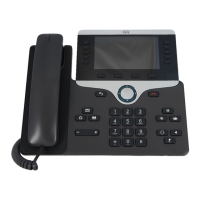
Cisco 8961 - User Manual

Cisco 8961
148 pages
Print Icon
To Next Page IconTo Next Page
Loading...
Americas Headquarters
Cisco Systems, Inc.
170 West Tasman Drive
San Jose, CA 95134-1706
USA
http://www.cisco.com
Tel: 408 526-4000
800 553-NETS (6387)
Fax: 408 527-0883
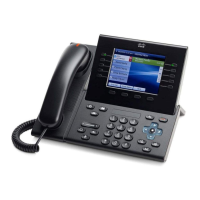
Cisco Unified IP Phone 8961, 9951,
and 9971 User Guide for Cisco
Unified Communications
Manager
7.1(3) (SIP)

Table of Contents

Other manuals for Cisco 8961

Questions and Answers

  • X
    xperezAug 17, 2025
    Why is my Cisco IP Phone resetting?
    • K
      Keith RivasAug 18, 2025
      If your Cisco IP Phone is resetting because it loses contact with the Cisco Unified Communications Manager software, this may be due to a network connectivity disruption. Check for cable breaks, switch outages, and switch reboots.
  • J
    Jennifer JacksonAug 20, 2025
    What to do if Cisco 8961 IP Phone does not start?
    • J
      John MartinAug 20, 2025
      If your Cisco Unified IP Phone is not going through the normal startup process, verify that the network port is functional and that the phone is receiving power. If the phone still does not start up properly, power up the phone with the handset off-hook to launch a backup software image. As a last resort, perform a factory reset.
  • K
    kcostaAug 23, 2025
    Why Cisco 8961 IP Phone cannot obtain a DHCP-assigned IP address?
    • K
      kristen89Aug 23, 2025
      If your Cisco IP Phone cannot obtain a DHCP-assigned IP address, this may indicate that 802.1X authentication is enabled but the phone is unable to authenticate. Verify that you have properly configured the required components and confirm that the shared secret is configured on the phone.
  • J
    Johnny NguyenAug 25, 2025
    What to do if Cisco 8961 cannot obtain a DHCP-assigned IP address after factory reset?
    • J
      Joseph AlvarezAug 26, 2025
      If your Cisco IP Phone cannot obtain a DHCP-assigned IP address, it might be because the phone has completed a factory reset while 802.1X was enabled. To resolve this, temporarily move the phone to a network environment that is not using 802.1X authentication.
  • B
    burgesskarlAug 27, 2025
    How to fix display issues on Cisco 8961 IP Phone?
    • S
      Sarah BarajasAug 27, 2025
      If your Cisco IP Phone display appears to have rolling lines or a wavy pattern, move the phone away from the lights or try replacing the lights.
  • T
    Timothy HallAug 30, 2025
    Why Cisco 8961 does not register with Cisco Unified Communications Manager?
    • V
      Victoria ReynoldsAug 30, 2025
      If the Cisco IP Phone does not register with Cisco Unified Communications Manager, the CTL file may not contain the correct information for the Cisco Unified Communications Manager server.
  • M
    Michelle BrownSep 1, 2025
    Why do I have no video on my Cisco 8961?
    • R
      raymondwernerSep 1, 2025
      If your Cisco Unified IP Phone 8961, 9951, or 9971 displays no video or a black video screen, verify that video is enabled in the Cisco Unified CM. Note that these phones do not display videos with a resolution higher than VGA.
  • A
    Amy CharlesSep 4, 2025
    How to fix frozen video on Cisco 8961 IP Phone?
    • C
      Connor SmithSep 4, 2025
      If your Cisco IP Phone has frozen video because the phone stops receiving video packets, try to hold and then resume the call to clear the issue.
  • G
    Gregory SchneiderSep 6, 2025
    What causes TFTP authorization failure on Cisco 8961?
    • M
      Michael PerrySep 6, 2025
      If the Cisco IP Phone reports TFTP authorization failure, it may be because the TFTP address for the phone does not exist in the CTL file, or if you created a new CTL file with a new TFTP record, the existing CTL file on the phone may not contain a record for the new TFTP server.
  • T
    torresalexanderSep 9, 2025
    Why my Cisco 8961 does not request signed configuration files?
    • S
      Steven TuckerSep 9, 2025
      If the Cisco IP Phone does not request signed configuration files, the CTL file may not contain any TFTP entries with certificates.

Summary

Phone Hardware and Basic Features

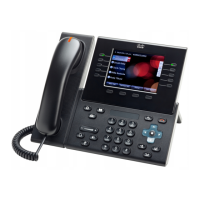
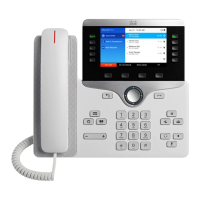
Cisco Unified IP Phone 8961 Overview

Introduces the Cisco Unified IP Phone 8961, detailing its features and hardware.

Phone Connections and Setup

Guidance on connecting the phone to the network and basic operational setup.

Display Angle and Ergonomics

Instructions for adjusting the phone display viewing angle and understanding its hardware.

Phone Screen and Navigation

Explains the phone screen layout, line configurations, and user navigation.

Phone Applications

Application Overview

Lists available phone applications such as Call History, Preferences, and WLAN Sign in.

Call History Management

Guide to viewing, filtering, and managing call history records on the phone.

User Preferences and Settings

How to configure user preferences for ringtone, wallpaper, and brightness.

Calling Features

Feature Buttons and Softkeys

Explains the function of dedicated feature buttons and available softkeys on the phone.

Call Handling Operations

Covers features like All Calls, Answer, Auto Answer, and Barge for managing calls.

Call Forwarding and Parking

Instructions for setting up Call Forward All and using the Call Park feature.

Conference Call Management

Steps for creating, joining, and managing conference calls on the phone.

User Options and Customization

User Options Web Portal

Accessing and managing phone settings, directories, and services via web pages.

Line Settings Configuration

Configuring call forwarding, message indicators, and ring settings per phone line.

Speed Dial Configuration

How to set up speed-dial buttons and codes via User Options web pages.

Accessories and Connectivity

Phone Accessories Overview

Information on supported phone accessories, including headsets and USB devices.

Expansion Module Features

Details on the Cisco Unified IP Color Key Expansion Module and its capabilities.

Bluetooth Headset Integration

Guidelines for using Bluetooth headsets with the phone, including performance and pairing.

Safety, Security, and Accessibility

Safety and Performance Guidelines

Guidance on power outages, external devices, and potential performance impacts.

FCC Compliance Information

Statements regarding FCC compliance for radio frequency and digital device regulations.

Accessibility Features for Users

Overview of phone features supporting visually, hearing, and mobility impaired users.

Cisco 8961 Specifications

General IconGeneral
Resolution640 x 480 pixels
Display5-inch TFT color display
Ethernet10/100/1000 Mbps
PowerIEEE 802.3af Power over Ethernet (PoE) Class 3
ConnectivityTwo-port Gigabit Ethernet switch
Buttons4 softkeys
USB PortYes, supports USB 2.0
Headset JackYes, dedicated headset port
SpeakerphoneFull-duplex speakerphone
Codec SupportG.711, G.722, G.729, iLBC
Security802.1X authentication, TLS, SRTP, HTTPS

Related product manuals