5-17
Cisco Wireless LAN Controller Configuration Guide
OL-9141-03
Chapter 5 Configuring Security Solutions
Configuring Management Frame Protection
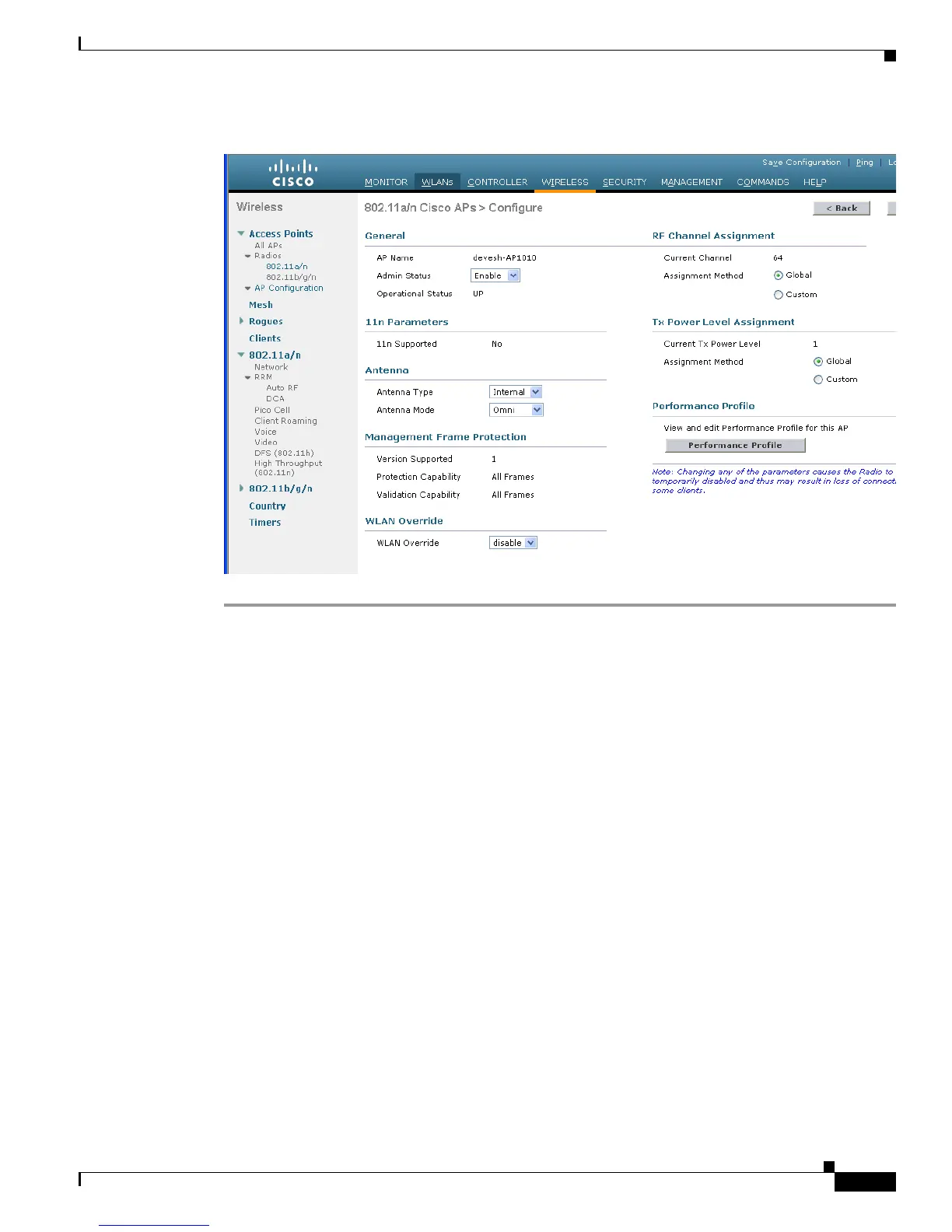
Figure 5-8 802.11a Cisco APs > Configure Page
Under Management Frame Protection, this page shows the level of MFP protection and validation.
Using the CLI to Configure MFP
Use these commands to configure MFP using the controller CLI.
1. To enable or disable MFP globally for the controller, enter this command:
config wps mfp {enable | disable}
2. If MFP is enabled globally for the controller and you want to disable or re-enable it for a particular
WLAN, enter this command:
config wlan mfp protection {enable | disable} wlan_id
3. If MFP is enabled globally for the controller and you want to disable or re-enable it for a particular
access point, enter this command:
config ap mfp validation {enable | disable} Cisco_AP


 To Next Page