10-7
Cisco Wireless LAN Controller Configuration Guide
OL-1926-06OL-9141-03
Chapter 10 Configuring Radio Resource ManagementWireless Device Access
Configuring an RF Group
Using the GUI to Configure an RF Group
Follow these steps to create an RF group using the GUI.
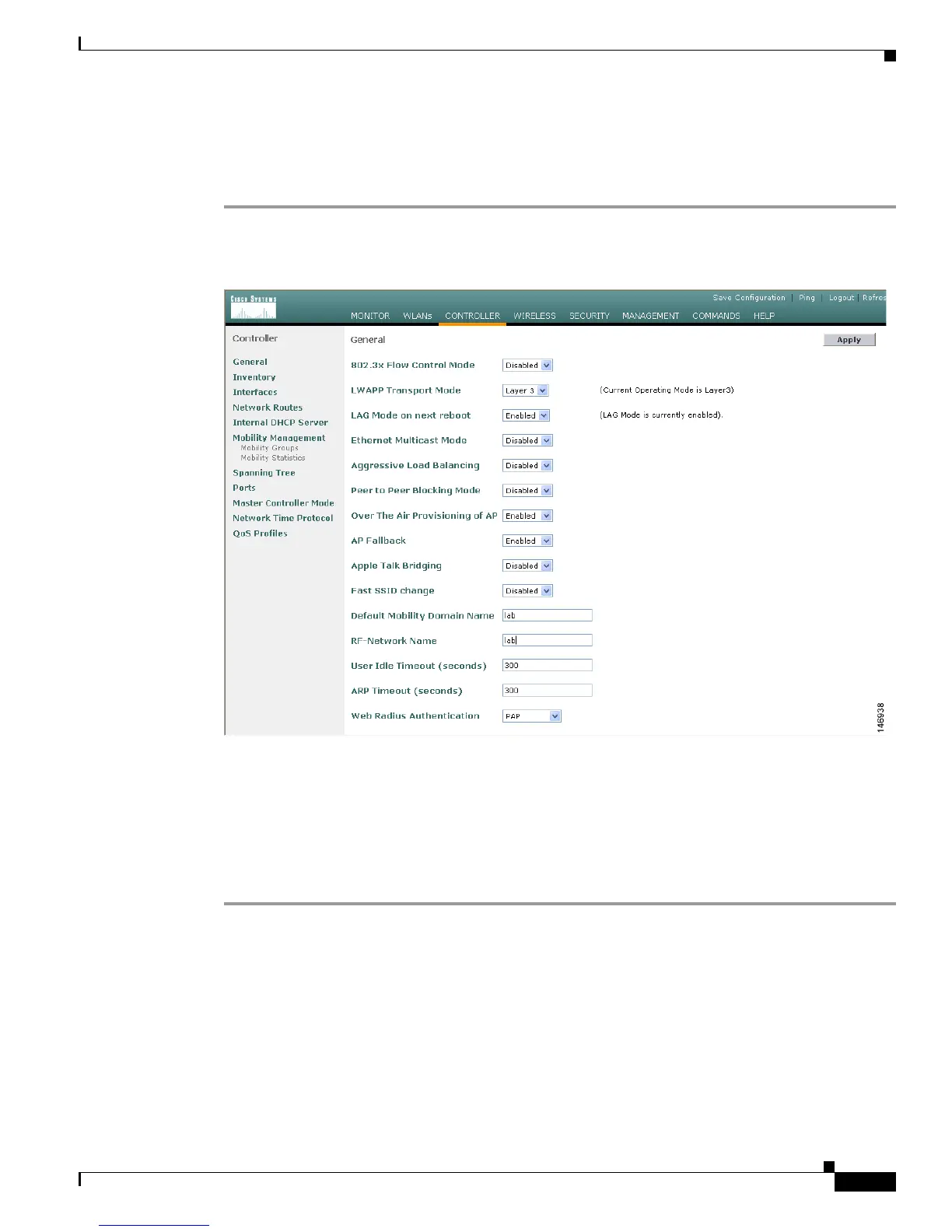
Step 1 Click Controller > General to access the General page (see Figure 10-1).
Figure 10-1 General Page
Step 2
Enter a name for the RF group in the RF-Network Name field. The name can contain up to 19 ASCII
characters.
Step 3 Click Apply to commit your changes.
Step 4 Click Save Configuration to save your changes.
Step 5 Repeat this procedure for each controller that you want to include in the RF group.


 To Next Page
 Loading...