Page 16
ELFOFRESH
2
FRESH AIR
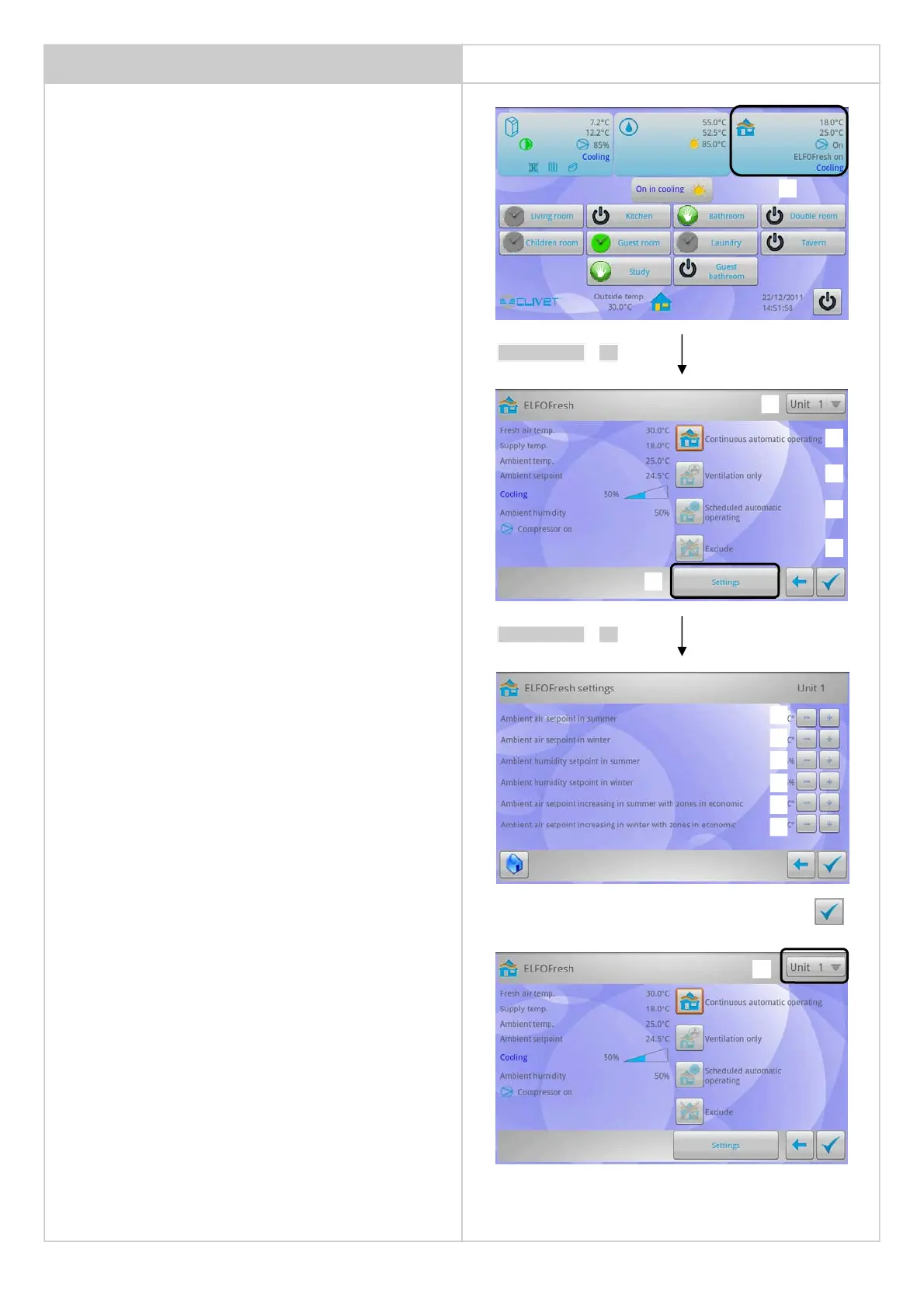
Information displayed:
• supply air temperature
• return air temperature
• status of the compressor: on/off
• Elfofresh on / off
• operation status:
heating / cooling / ventilation off
If 4 units are available, data of unit 1,2,3 and 4 are displayed
alternatively.
The display shows the unit number to which the data is combined with
1 = unit 1 data
2 = unit 2 data
3 = unit 3 data
4 = unit 4 data
2- Select the unit of which the operation must be set
Information displayed:
• Outdoor air temperature
• Supply air temperature
• Ambient air temperature
• Ambient set point
•
Unit status
• Ambient humidity %
• Compressor status
3 - Continuous automatic operation:
the fresh air unit operates without interruptions
4 - Ventilation only:
forces the "ventilation only" mode
5 - Scheduled automatic operation:
operation according to the programming
6 - Exclude:
ELFOFresh
2
off
If four units are installed inside the system, settings must be performed
on all units.
14 - select unit and repeat the procedure
CONFIGURE THE SET POINTS:
8 - Ambient air set point in the summer
9 - Ambient air set point in the winter
10 - Ambient humidity set point in the summer
11 - Ambient humidity set point in the winter
12 - Increase of supply air set point in summer with areas in economic
mode
13 - Increase of supply air set point in winter with areas in economic
mode
Confirm the modification
6
3
4
5
11
8
9
10
13
7
12
2
1
select 1
select 7
14
2


 To Next Page