Item Description
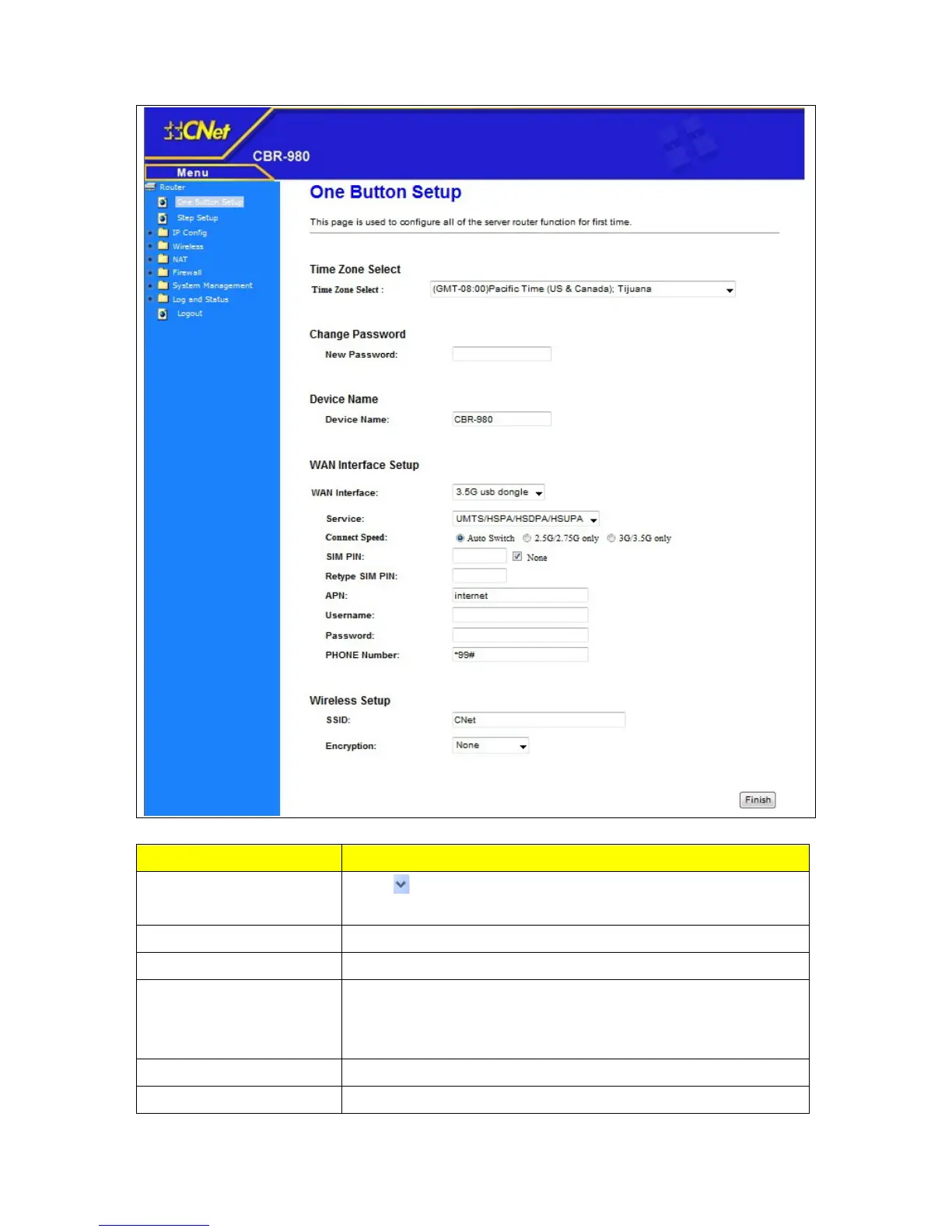
Time Zone Select
Press
button to choose a time zone of the location you live from
the drop-down list.
Change Password Input new password here
Device Name Input new device name here
WAN Interface Setup
Choose the broadband interface you are using. The wireless router
supports Ethernet Port / 3.5G USB dongle / WiMAX / Wireless 4
different types interfaces
Wireless Setup Configure Wireless SSID and Security.
Finish Click finish button to complete the setting



 To Next Page