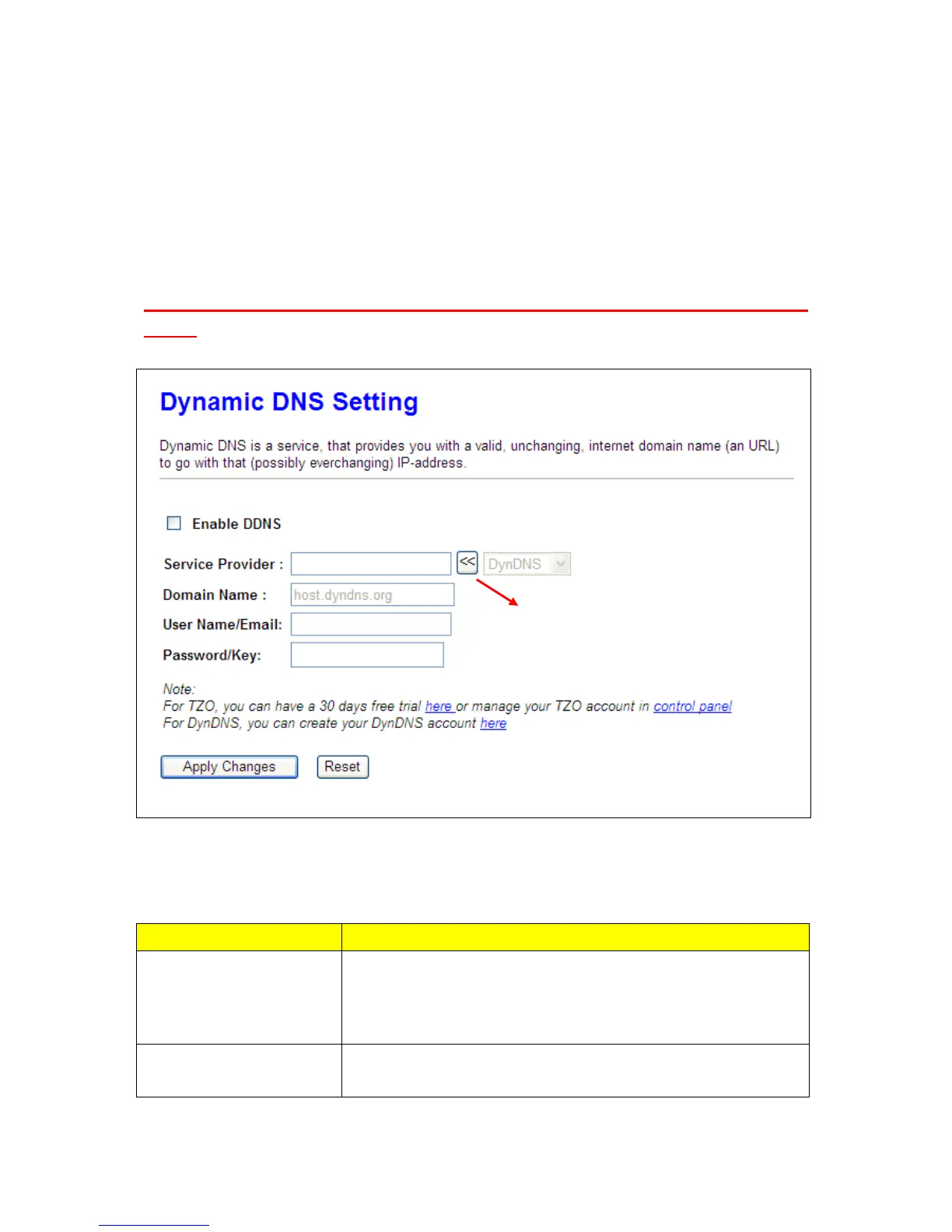
5.1.3 Dynamic DNS Setting
You can assign a fixed host and domain name to a dynamic Internet IP address. Each time the router
boots up, it will re-register its domain-name-to-IP-address mapping with the DDNS service provider.
This is the way Internet users can access the router through a domain name instead of its IP address.
Note: make sure that you have registered with a DDNS service provider before enabling this
feature.
Please enter Domain Name, User Name/Email, and Password/Key. After entering, click on Apply
Changes to save the setting, or you may click on Reset to clear all the input data.
Item Description
Enable/Disable DDNS
Select enable to use DDNS function. Each time your IP address
to WAN is ch
including DynDNS, TZO, ChangeIP, Eurodns, OVH, NO-IP,
Please select a DDNS Service
Provider



 To Next Page