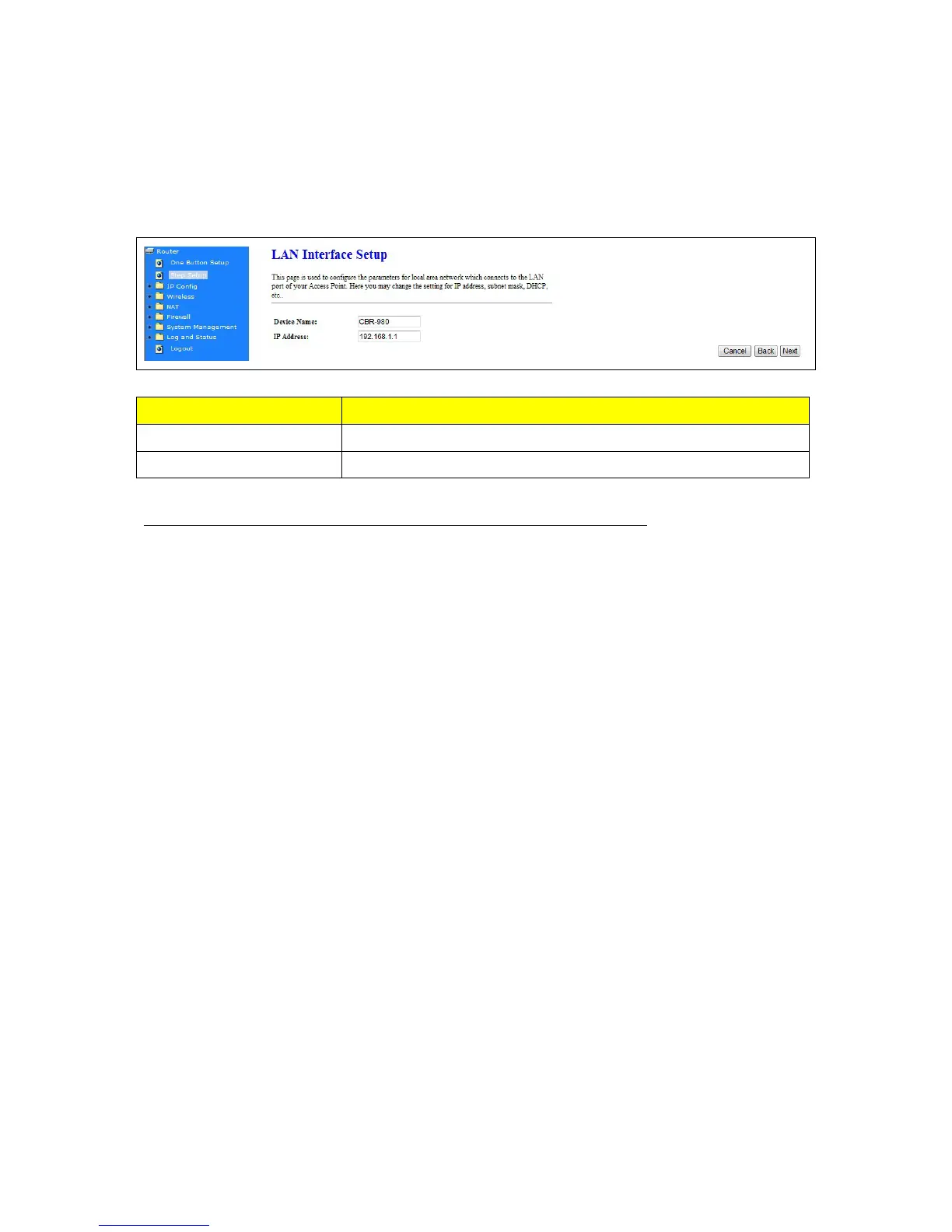
4.1.2 LAN Interface Setup
Item Description
Device Name Fill in the name for the wireless router
IP Address The wireless router IP address
After you finish all of the setting, please click “Next” button to enter next step.
4.1.3 WAN Interface Setup
The WAN settings can be referred to as the Public setting. All IP information in the WAN settings is
public IP addresses which are accessible on the Internet. 11n Broadband Router supports 4 interfaces
and 4 access types to WAN. Select one of the WAN connection modes required by your ISP in the
following WAN Setup Configuration page, the WAN setup pages will vary depending on what kind of
WAN Type you select.
4.1.3.1 WAN Interface – 3.5G (HSDPA/UMTS)
If you are using HSDPA/UMTS (3.5G connection) as the WAN Type, please select 3.5G USB Dongle
and fill in the required information as follows to directly access Internet via connected 3.5G adapter. At
this moment, Backup of Connection is not available. When 3.5G signal cannot be reached, the
system starts to search downward for 3/2.75/2.5G signals until none existed.



 To Next Page