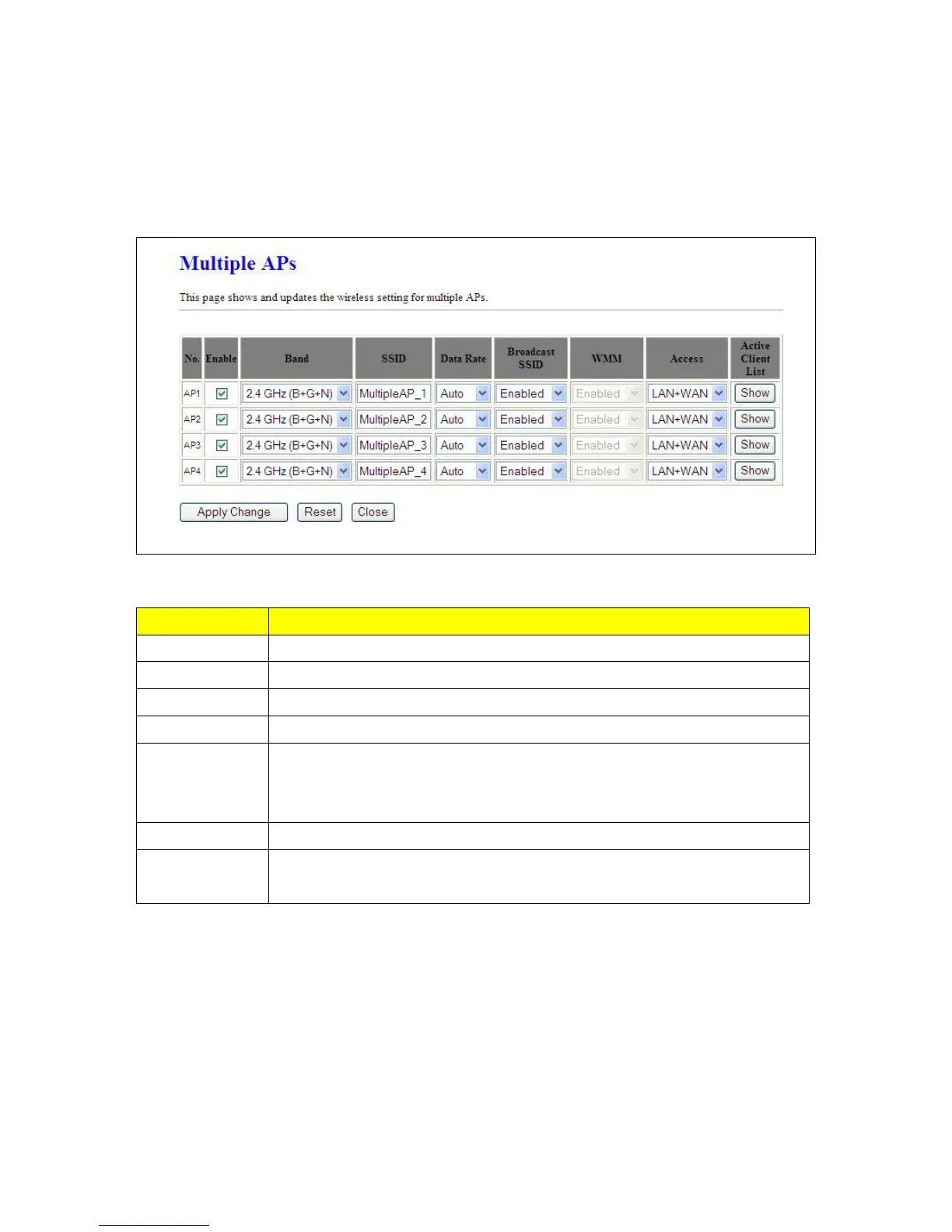
5.2.1.1 Multiple APs
Multiple APs provides users another 4 different SSIDs for connection. Each SSID could be set with
different data rate, WMM and access type.
Item Description
Enable Enable or disable the service.
Band Select the frequency.
SSID Enter the SSID.
Data Rate Select the data transmission rate.
Access
Enable this function can let clients use two access types: a. LAN+WAN: the client
can access to the Internet and access in the router’s GUI. b. WAN: the client can
only access to the Internet.
Active Client List Display the properties of the client which is connecting successfully.
Apply Changes
Click on Apply Changes to save the setting data. Or you may click on Reset to
clear all the input data.
5.2.1.2 Enable Universal Repeater Mode (Acting as AP Client simultaneously)
The router can act as Station and AP at the same time. It can use Station function to connect to a Root
AP and use AP function to service all wireless stations within its coverage.



 To Next Page