extension to IEEE 802.11 that provides wireless access-point
communications among multivendor systems.
Protection Please select to enable wireless protection or not.
Aggregation
Enable this function will combine several packets to one and transmit it. It
can reduce the problem when mass packets are transmitting.
Short GI
Users can get better wireless transmission efficiency when they enable this
function.
RF Output Power
Users can adjust RF output power to get the best wireless network
environment. Users can choose from 100%, 70%, 50%, 35%, and 15%.
Reset
Click on Apply Changes to save the setting data. Or you may click on Reset
to clear all the input data.
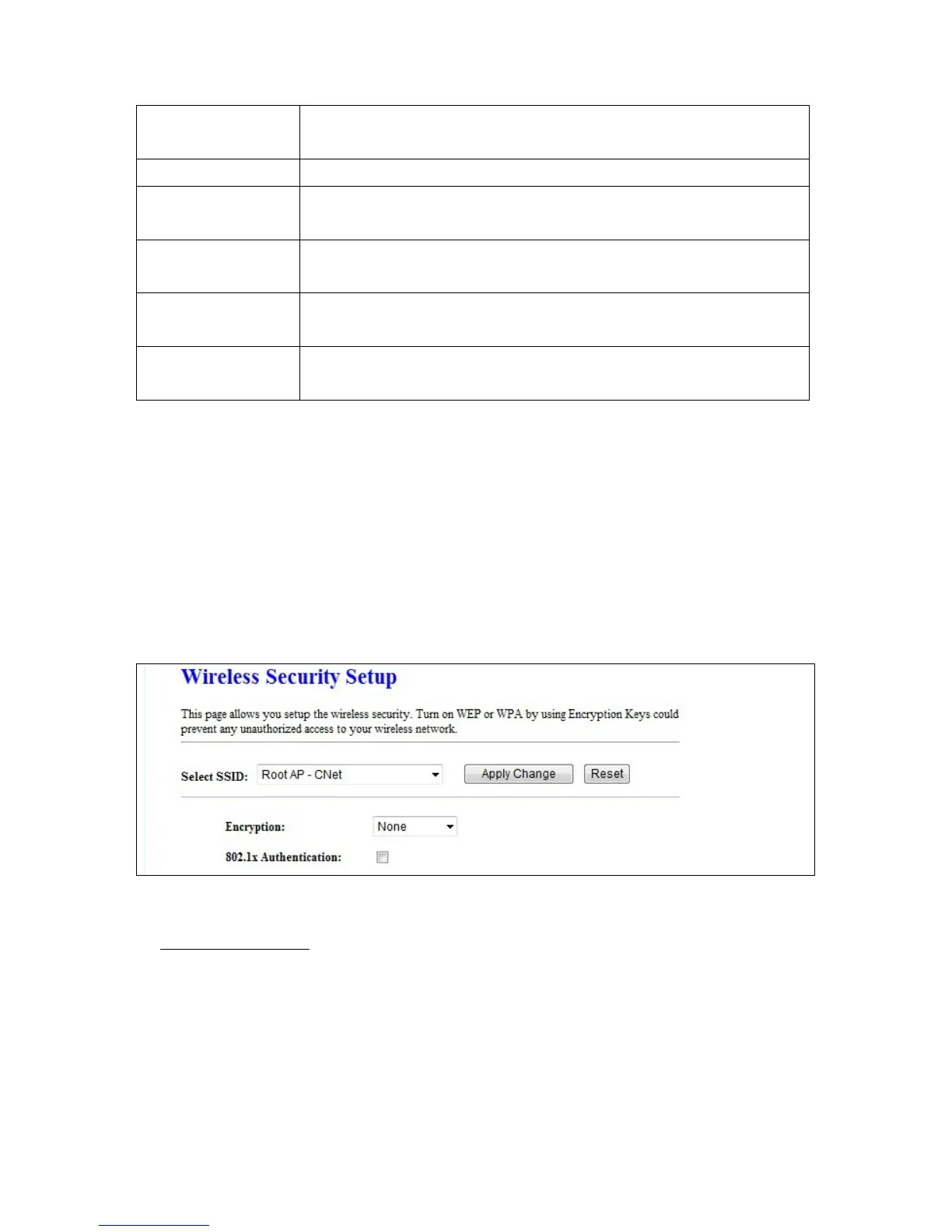
5.2.3 Wireless Security Setup
Here users define the security type and level of the wireless network. Selecting different methods
provides different levels of security. Please note that using any encryption may cause a significant
degradation of data throughput on the wireless link. There are five Encryption types supported:
“None”, “WEP”, “WPA (TKIP)”, ”WPA2(AES)”, and “WPA2 Mixed”.
1.
1.1 Set WEP Key: This section provides 64bit and 128bit WEP encryptions and two different shared
Encryption -- WEP Key
key formats (ASCII and Hex) for wireless network.



 To Next Page