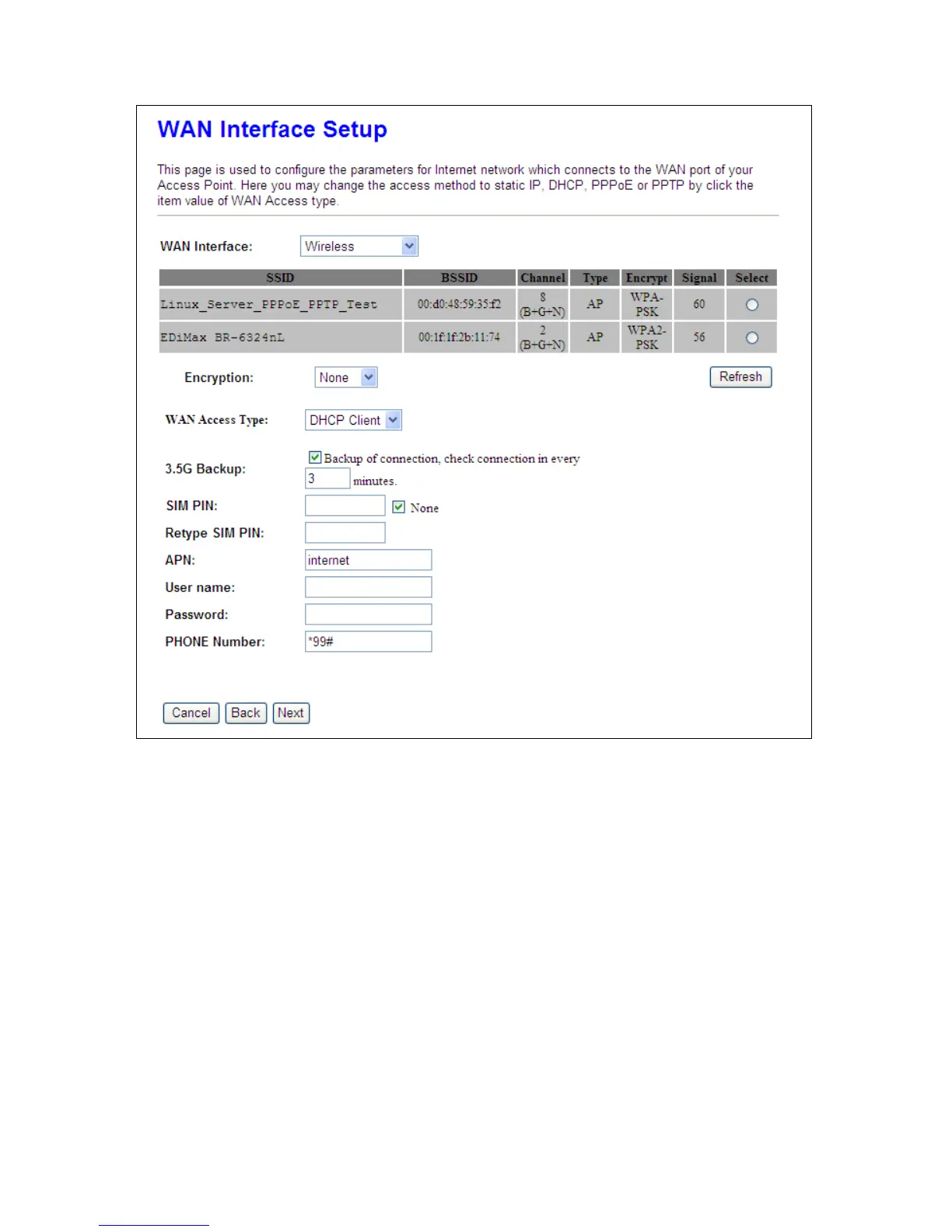
You can see a list of available Wireless networks. Select you preferred one to connect and the
Encryption type form the drop-down list.
4.1.3.5 WAN Access Type – Static IP
Choose Static IP Address if all WAN IP information is provided to you by your ISP. You will need to enter
the IP address, IP Netmask and IP gateway as provided. Each entered fields must be in the appropriate
IP form, which are four IP octets separated by a dot (x.x.x.x). The Router will not accept the IP address
if it is not in this format. Fill in the DNS information provided by your ISP; otherwise, Domain Name
can’t be used.
In particular, here provides 3G or 3.5G transmission rate when the 3.5G adapter is plugged, just check
to apply for the backup. In other words, once Static IP connection is disconnected, the system



 To Next Page