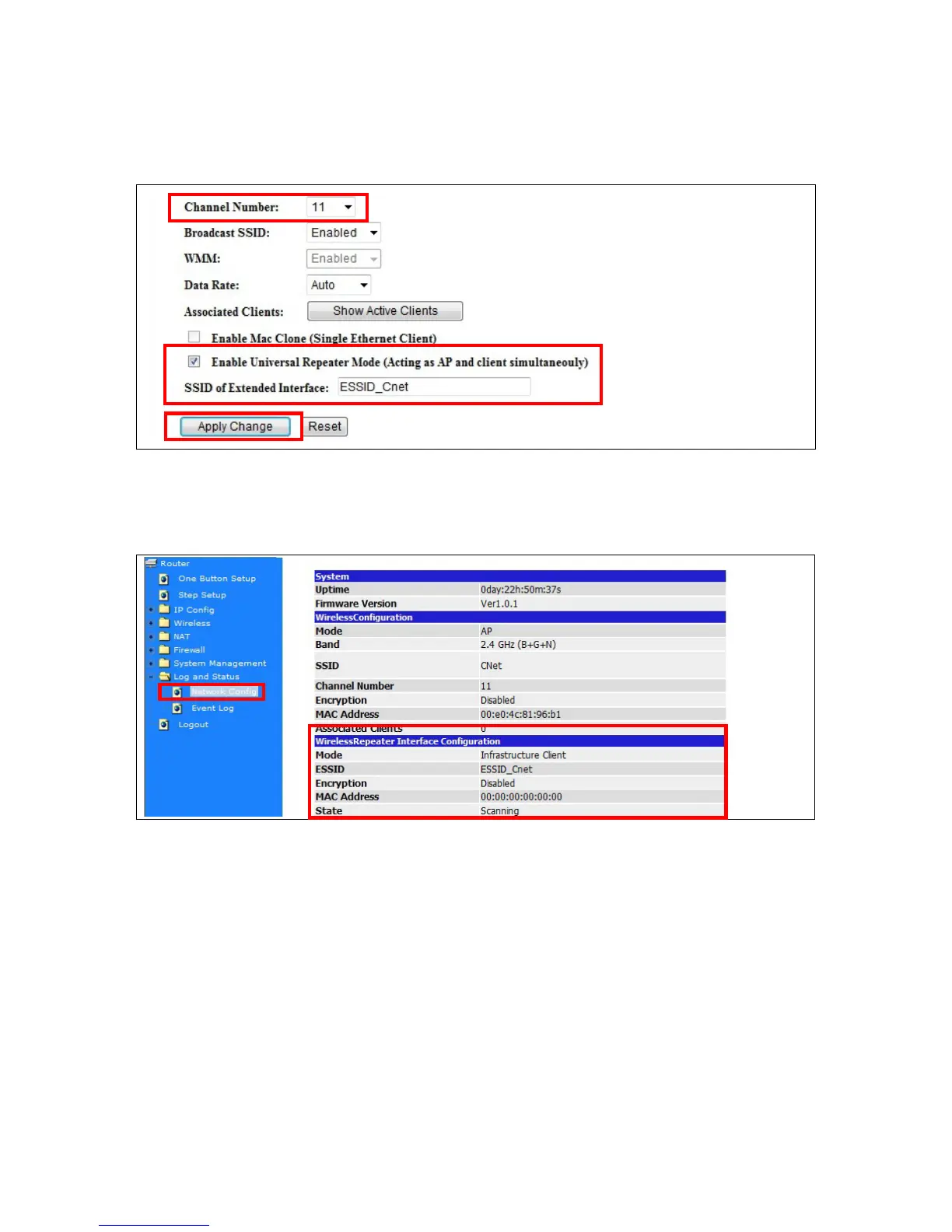
Example: When users enable the Universal Repeater to connect to the upper level device, please fill in
the upper level device’s channel and SSID. Click on Apply Changes to save the settings.
(Please disable the DHCP service first)
Users can go to the network Config section to check the information which about “Wireless Repeater
Interface Configuration”.
5.2.2 Wireless Advanced Settings
In Advanced Settings page, more 802.11 related parameters are tunable



 To Next Page