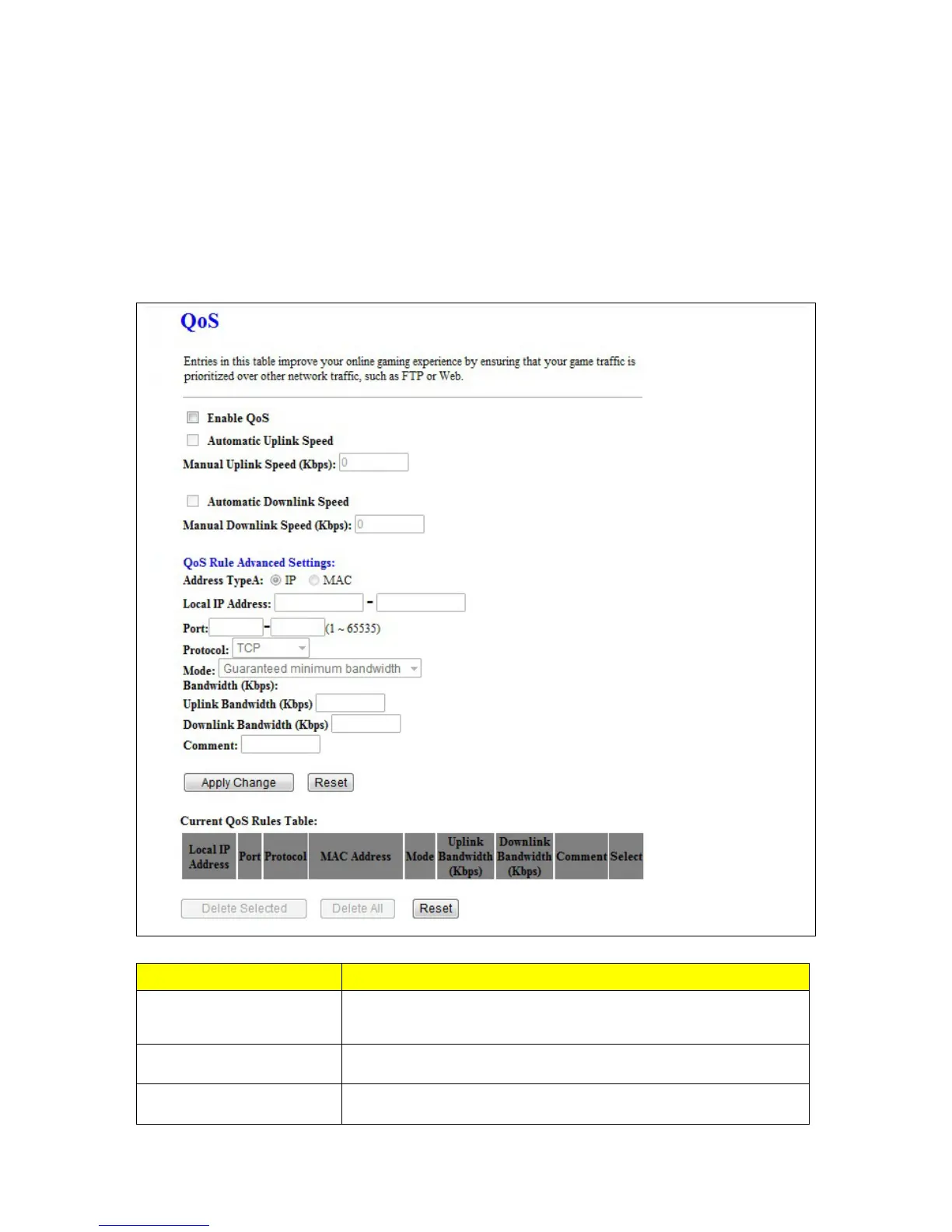
technologies. The primary goal of QoS is to provide priority including dedicated bandwidth, controlled
jitter and latency (required by some real-time and interactive traffic), and improved loss characteristics.
Also important is making sure that providing priority for one or more flows does not make other flows fail.
QoS technologies provide the elemental building blocks that will be used for future business
applications in campus, WAN and service provider networks. This chapter provides each setting of
QoS.
Item Description
Enable QoS
One checkbox appears to activate the QoS control function or not.
Click it to force the router to perform QoS control over traffic flows.
Automatic Uplink Speed Click the checkbox to manage uplink speed automatically.
Manual Uplink Speed Input the number of uplink speed



 To Next Page