Chapter 2: To get started
98-140012-H To access the network 18
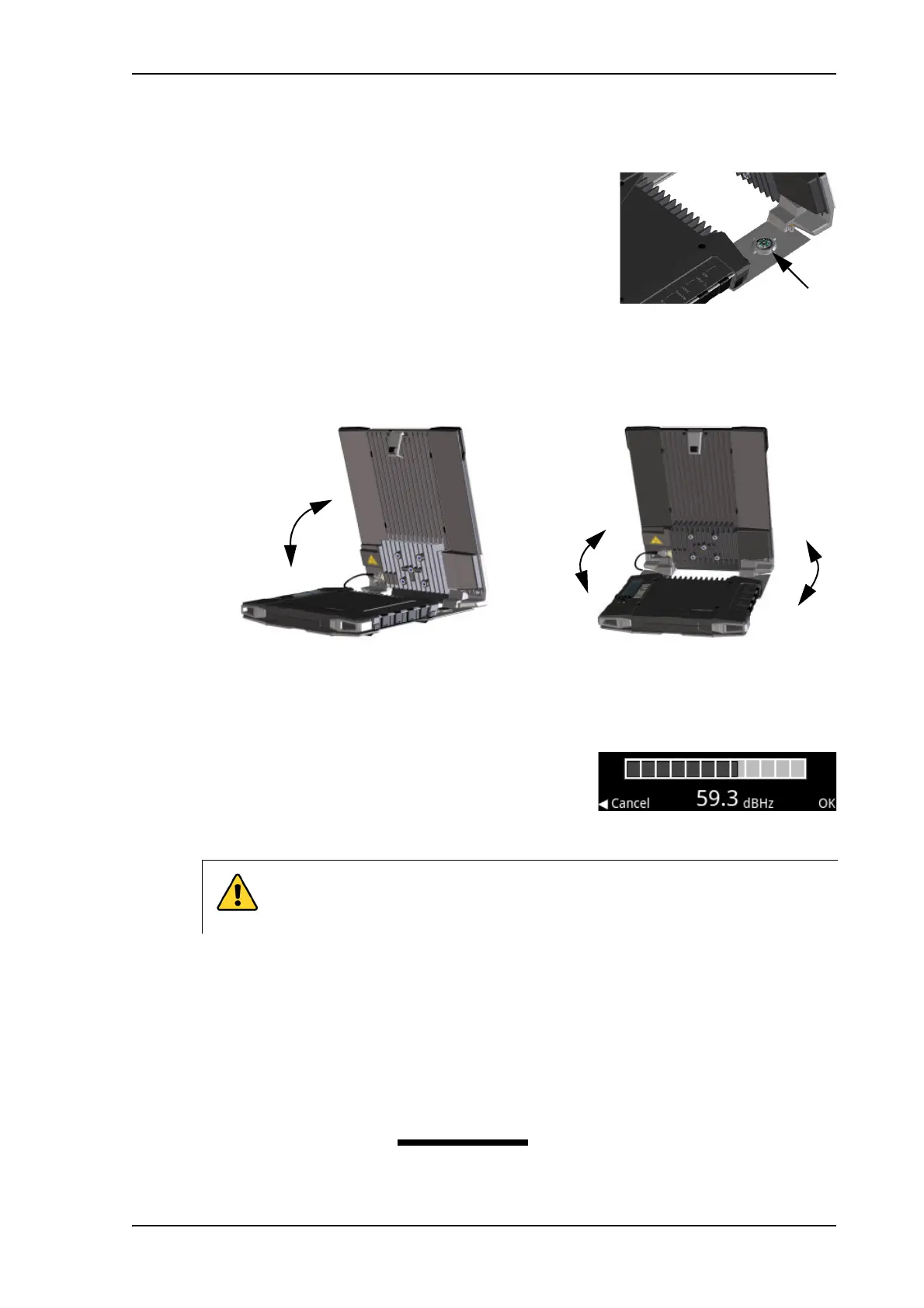
To point the antenna
To obtain optimum bandwidth and operating time, adjust
the position of the antenna with great precision.
Do as follows:
1. If the terminal is not already in pointing mode, select
in the display and select Point now.
2. Use the compass to locate the approximate direction
from the antenna front face to the satellite.
3. Slowly rotate and tilt the EXPLORER 710 antenna to find the highest possible signal
strength.
Use the display and the pointing sound to guide you. Remember that the more accurately
the terminal is aligned, the better throughput and lower power consumption you will get!
You may also use the EXPLORER Connect app, see Pointing in EXPLORER Connect app on
page 19, or the web interface, see To point the antenna (BGAN) on page 54.
4. Press OK on the display keypad when you have
obtained the highest possible signal strength.
The EXPLORER 710 now starts to establish a connection
to the BGAN network.
Audio assisted pointing
You can set up whether or not you want a sound to indicate the signal level during pointing
(Audio assisted pointing), to help you find the maximum obtainable signal strength. The sound
pattern is as follows:
• Poor signal strength: • • • •
• Good signal strength: •••••••••••••••••••
• Optimum signal strength: (continuous sound instead of single “beeps”)
CAUTION! After accepting the signal strength, keep the minimum safety
distance of 1 m from the antenna front face. The antenna may radiate
microwave power as soon as the signal strength is accepted.



 To Next Page