Chapter 2: To get started
98-140012-H Cable connections 14
Cable connections
Connectors
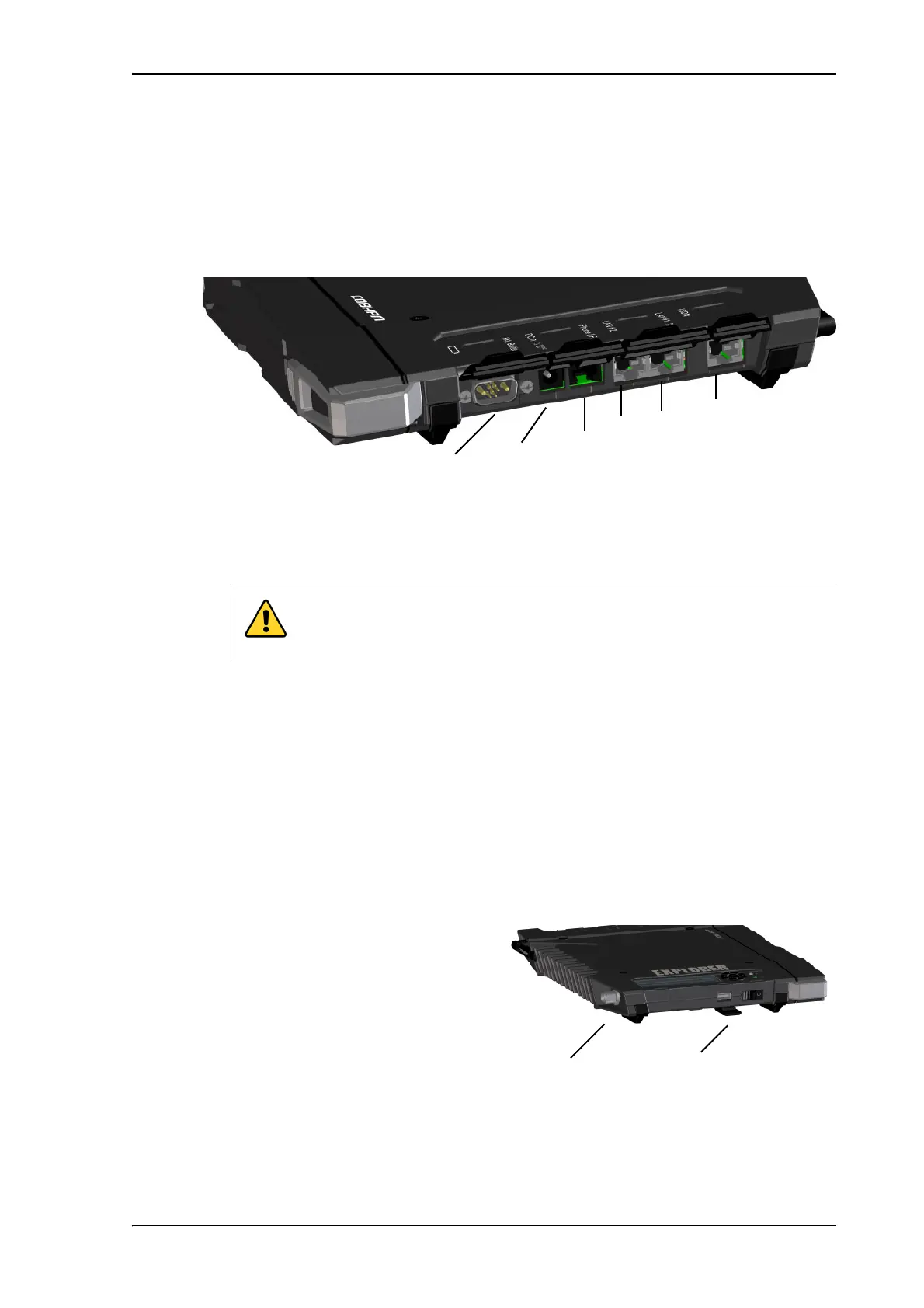
The connector panel is placed on the side of the EXPLORER 710 and has the following
connectors:
•1 Ext battery connector for connecting an extra EXPLORER 710 battery.
See To connect an extra, external EXPLORER 710 battery on page 117.
•1 DC power input connector for 10 - 32 VDC.
See To connect power on page 15.
•1 Phone connector.
See To connect an analog phone on page 24.
•2 LAN connectors, one with PoE.
See To connect to the LAN interface on page 21 and
To connect a phone using LAN or WLAN on page 22.
•1 ISDN connector.
See To connect an ISDN phone or modem on page 25.
Apart from the connectors in the connector panel, there is:
•1 USB (Host) connector placed next
to the Power button.
The USB (Host) connector is used for
the following purposes:
• Charge phones or tablets (up to 2 A).
See To charge your smartphone or
tablet on page 46.
•Recovery update of software.
See To update software with USB on page 114.
CAUTION! Close the cover for this connector when not in use! If you
accidentally connect the DC power cable to this connector you may cause
damage to the terminal.
External battery
DC in
Phone
LAN2
ISDN
LAN1
(PoE)



 To Next Page