Chapter 2: To get started
98-140012-H To unpack and assemble the EXPLORER 710 13
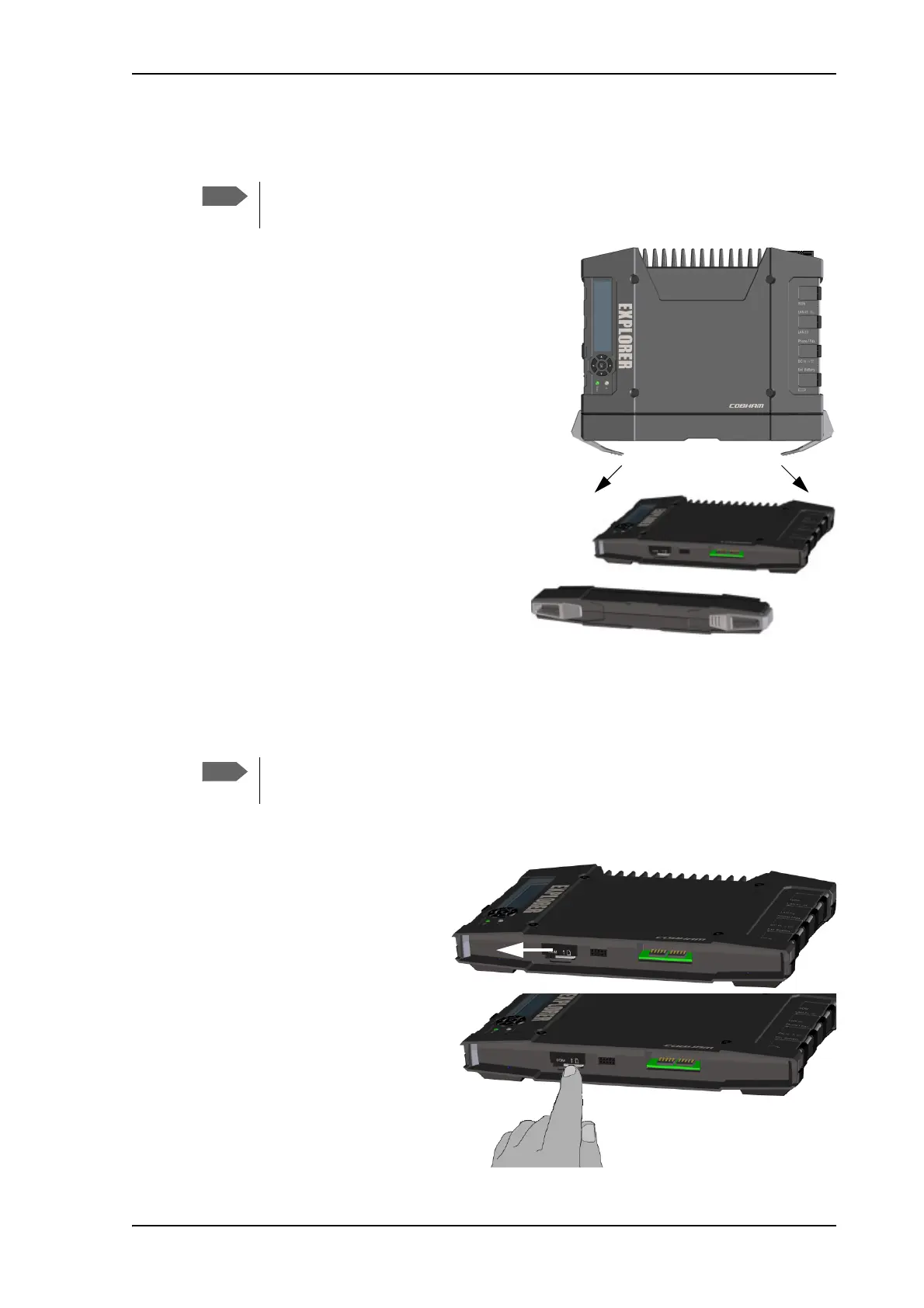
To remove the battery
To remove the battery, do as follows:
1. If the transceiver and antenna are attached,
open the transport latch and detach the
antenna as described in To detach the
antenna (optional) on page 11.
2. On the transceiver, open the battery latches
as shown.
3. Remove the battery.
To remove the SIM card
To remove the SIM card, first remove the battery as described in To remove the battery in the
previous section.
Remove the SIM card as follows:
1. Slide the lock aside to open the
SIM slot as shown.
2. Gently press the SIM card and
let it pop out of the slot.
3. Remove the SIM card.
For protection of the transceiver, always leave the battery inserted. Only remove the
battery to replace it.
When the SIM card is removed you cannot make calls or data sessions, but you can
still use the display menu system and the built-in web interface to set up the terminal.



 To Next Page