Chapter 4: To use the web interface
98-140012-H To set up tracking and location reporting 88
To set up tracking and location reporting
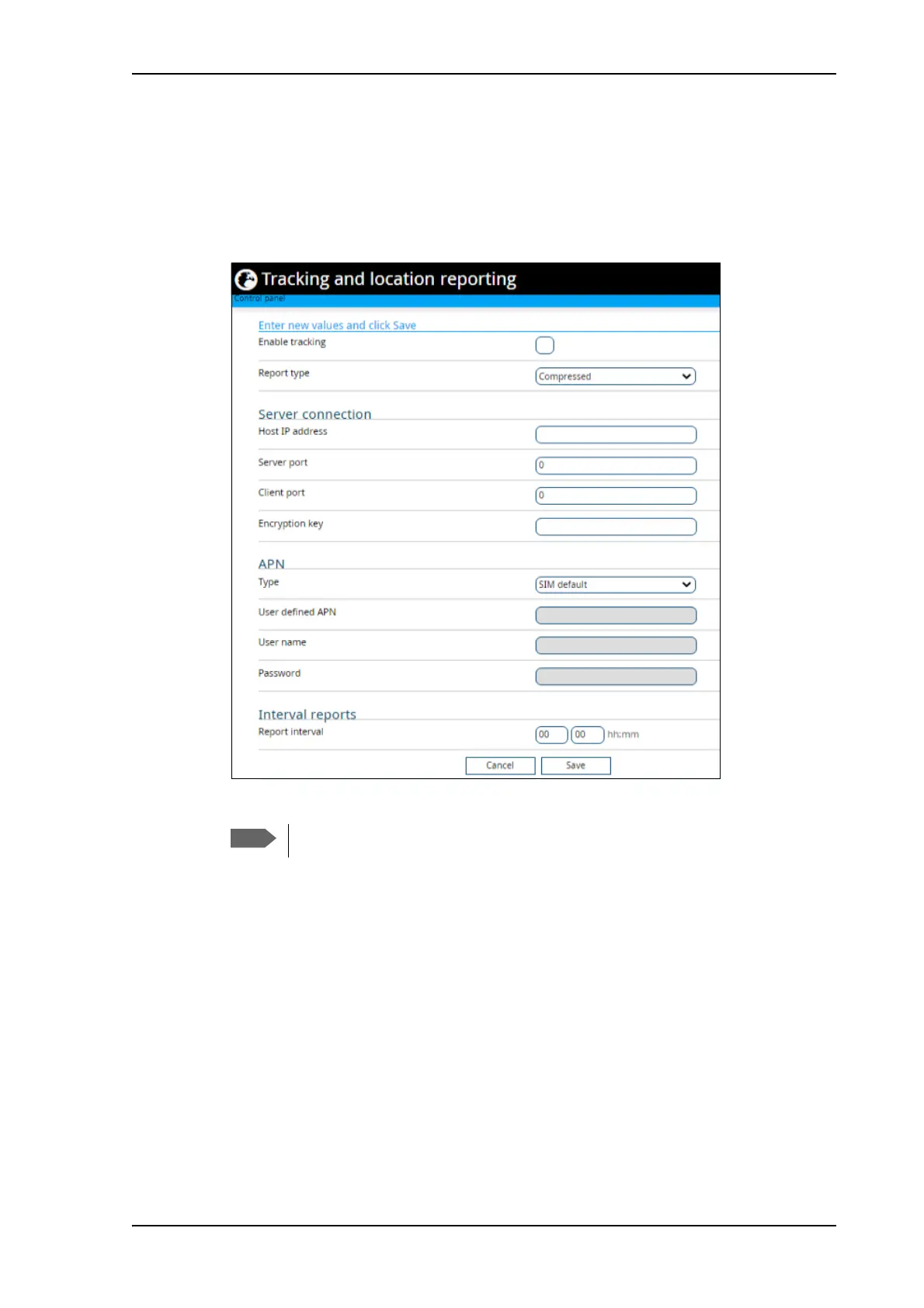
You can set up the EXPLORER 710 to report to a server at certain time intervals. To set up
tracking, do as follows:
1. From the Control panel
, select Tracking and location reporting.
2. To enable tracking of the EXPLORER 710, select Enable tracking.
3. Select the Report type.
• Compressed. Only latitude and longitude are reported.
• Extended. Apart from latitude and longitude, heading and altitude are also included.
• ECEF. The same information as Extended, but position and speed data are 3D (ECEF
coordinates).
4. Under Server connection, type in the following details:
• Host IP address: The IP address of the server that the EXPLORER 710 will report to.
• Server port: Port number on the server. Default number is 7474.
• Client port: Port number on the EXPLORER 710. Default number is 7475.
• Encryption key: A supplied 128 bit key which must match on both the client and
server side.
5. Under APN, select the source of the APN.
HDR streaming is not available if you are using the Tracking function.



 To Next Page