Chapter 2: To get started
98-140012-H To unpack and assemble the EXPLORER 710 12
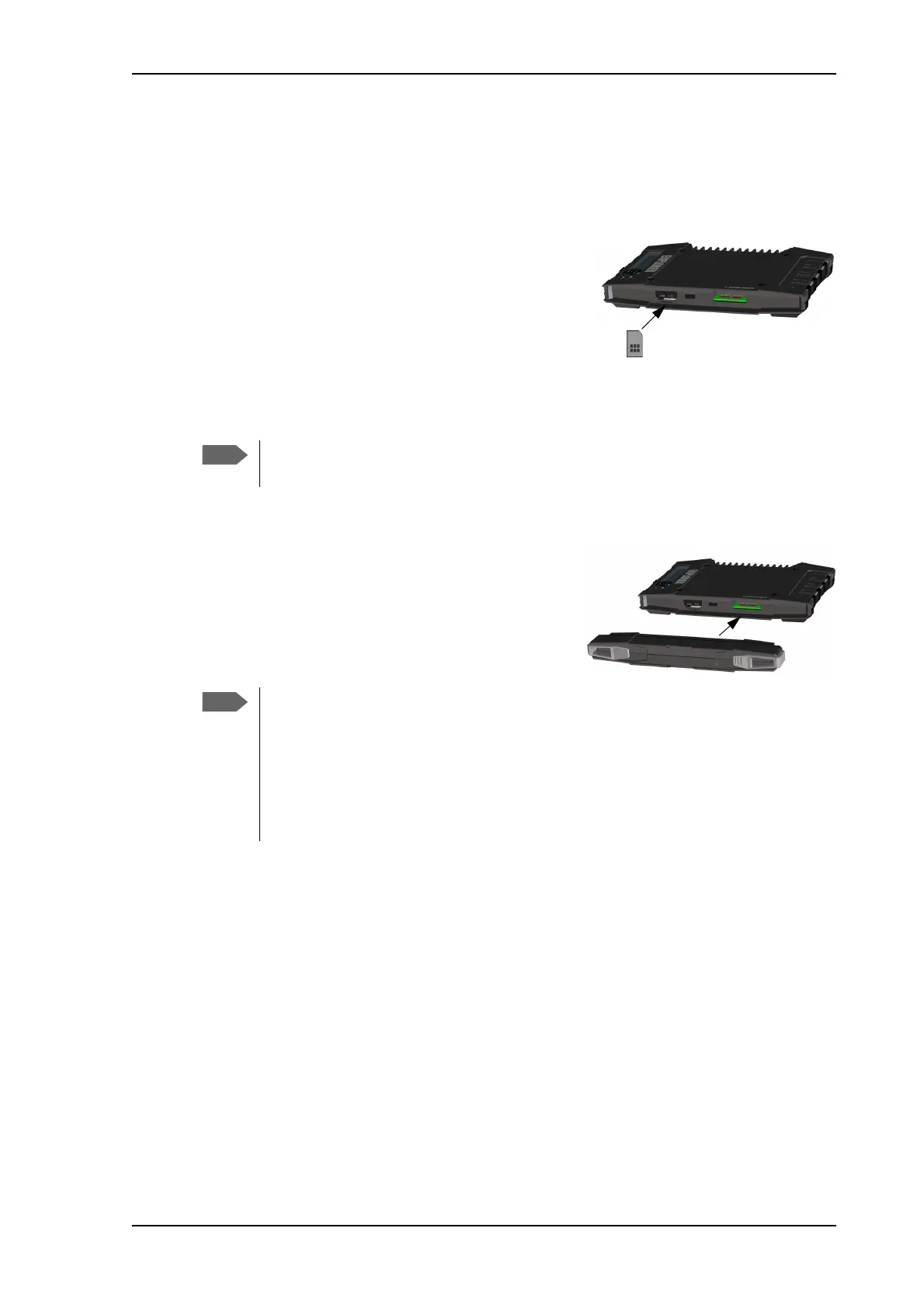
To insert the SIM card
The SIM card is provided by your Airtime Provider. Insert the SIM card as follows:
1. Locate the SIM slot on the same side where the battery is inserted.
2. Insert the SIM card into the SIM slot with the chip
side facing up.
3. Press gently until it clicks.
4. Slide the lock in front of the SIM slot.
To insert the battery
Do as follows:
1. Insert the battery so that the connector fits into
the battery slot, indicated in the figure.
2. Press gently until it locks.
The battery should not be partially charged too often. For further information on the
battery, see Maintenance on page 116.
Before using the terminal the first time: to ensure accurate information on the battery
capacity you should fully charge, then fully discharge the battery, and finally recharge
the battery while it is inserted in the terminal. The EXPLORER 710 can be used during
the discharging process, but the remaining battery capacity may not be displayed
correctly.
For information on how to recharge the battery, see To recharge batteries on
page 116.



 To Next Page