Chapter 2: To get started
98-140012-H To connect your phone to the EXPLORER 710 25
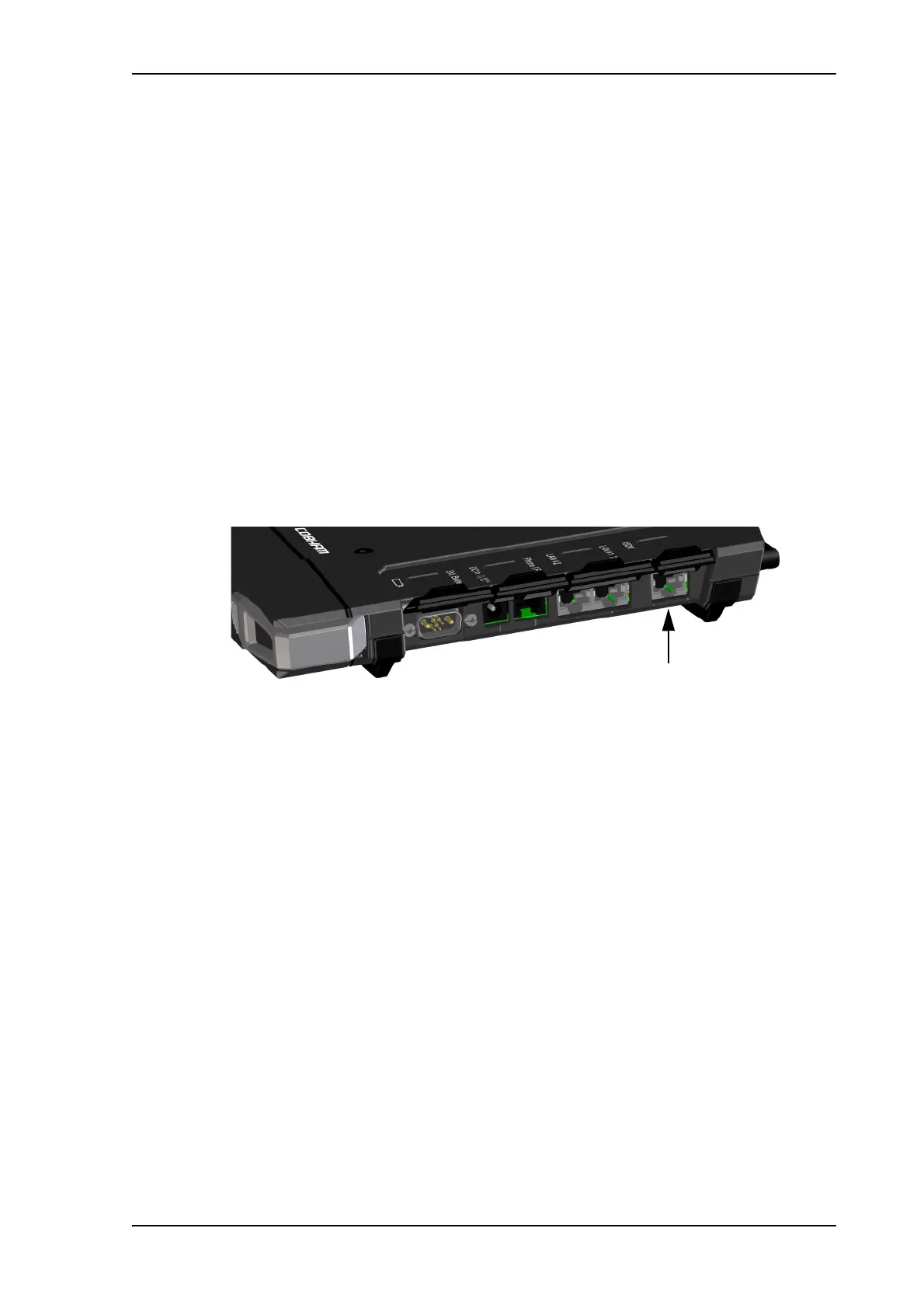
To connect an ISDN phone or modem
Before connecting to the ISDN interface
To connect a phone or modem to the ISDN connector, you need an ISDN cable with an ISDN
connector. For specifications and pin-out, refer to ISDN interface on page 138.
To connect to the ISDN interface
The ISDN interface supports connection of up to 4 devices. However, if you are going to
connect more than one device, the devices must be self-powered. The ISDN interface can
supply maximum 1 W.
The BGAN Core network presently only supports one 64 kbps ISDN channel per subscription.
Do as follows:
1. Connect the ISDN cable to your phone or modem.
2. Connect the other end of the cable to the ISDN connector on the EXPLORER 710.
3. Power up the EXPLORER 710 and point the antenna as described in To point the antenna
(BGAN) on page 17.
4. Check the connection by making a phone call.
See To make or receive a phone call with EXPLORER 710 on page 42.
If connection fails, check that the ISDN interface is enabled in the EXPLORER 710.
If the ISDN icon is crossed out in the display main screen, the interface is disabled. See To
enable or disable an interface on page 31.



 To Next Page