Chapter 2: Operation
18 Position
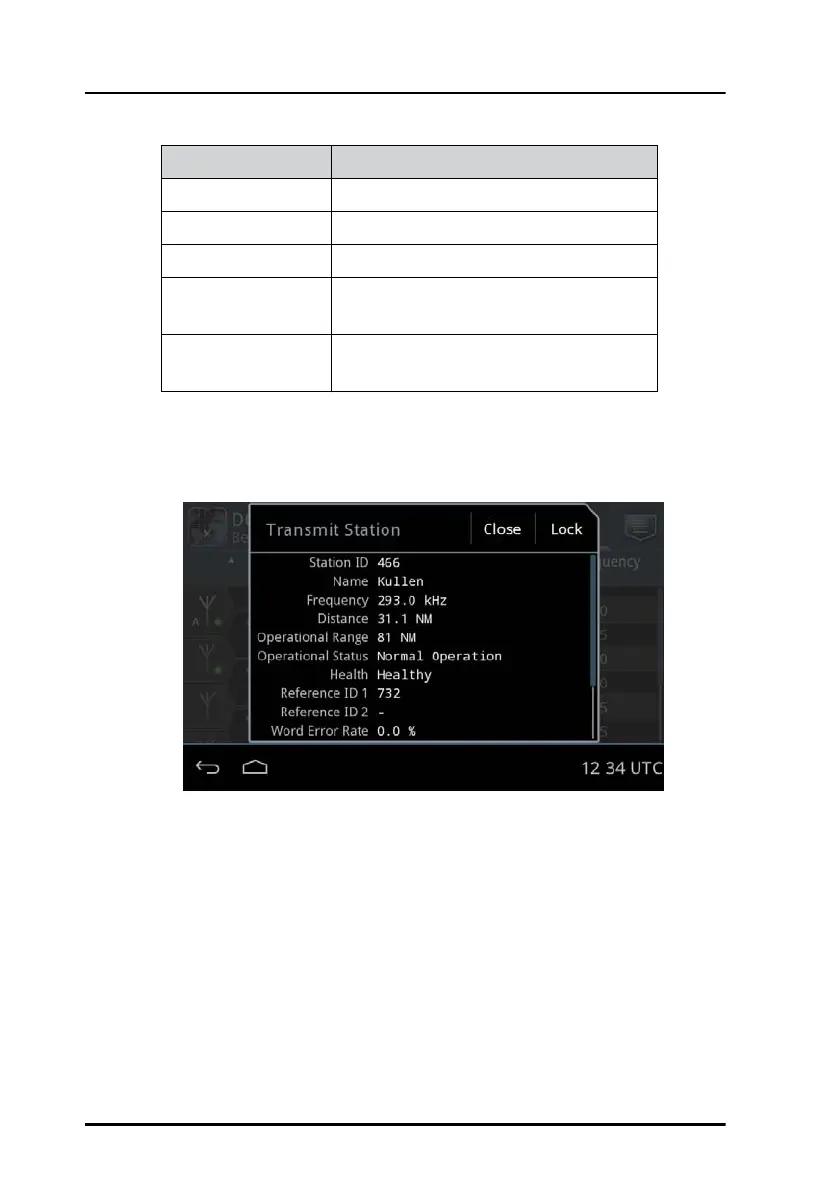
2. Tap a beacon. A window pops up showing the details of the transmit
station.
3. Tap Lock and tap OK to confirm.
To unlock select Automatic mode or lock on another beacon.
Beacon indicator Explanation
A Current beacon. Automatically selected.
M Current beacon. Manually selected.
Green dot Healthy beacon.
Yellow dot Unhealthy beacon. Do not use under
any circumstances.
Gray dot Unmonitored beacon. Do not use unless
no other station is available.
Table 5: Beacon indicators
Figure 19: Details for a selected beacon



 To Next Page