Chapter 2: Operation
Position 17
22222
Operation
There are several ways to configure the beacon selection:
• Tap > Automatic Mode to have the DGNSS Receiver
automatically decide which beacon to use to achieve the most precise
position.
• Tap > Manual Mode to manually select the frequency and bit
rate of the desired beacon. The frequency range is 283.5 - 325.0 kHz, bit
rates are Auto, 25, 50, 100 and 200.
To lock the DGNSS Receiver to use a specific beacon do as follows:
1. Tap Nearest or All,
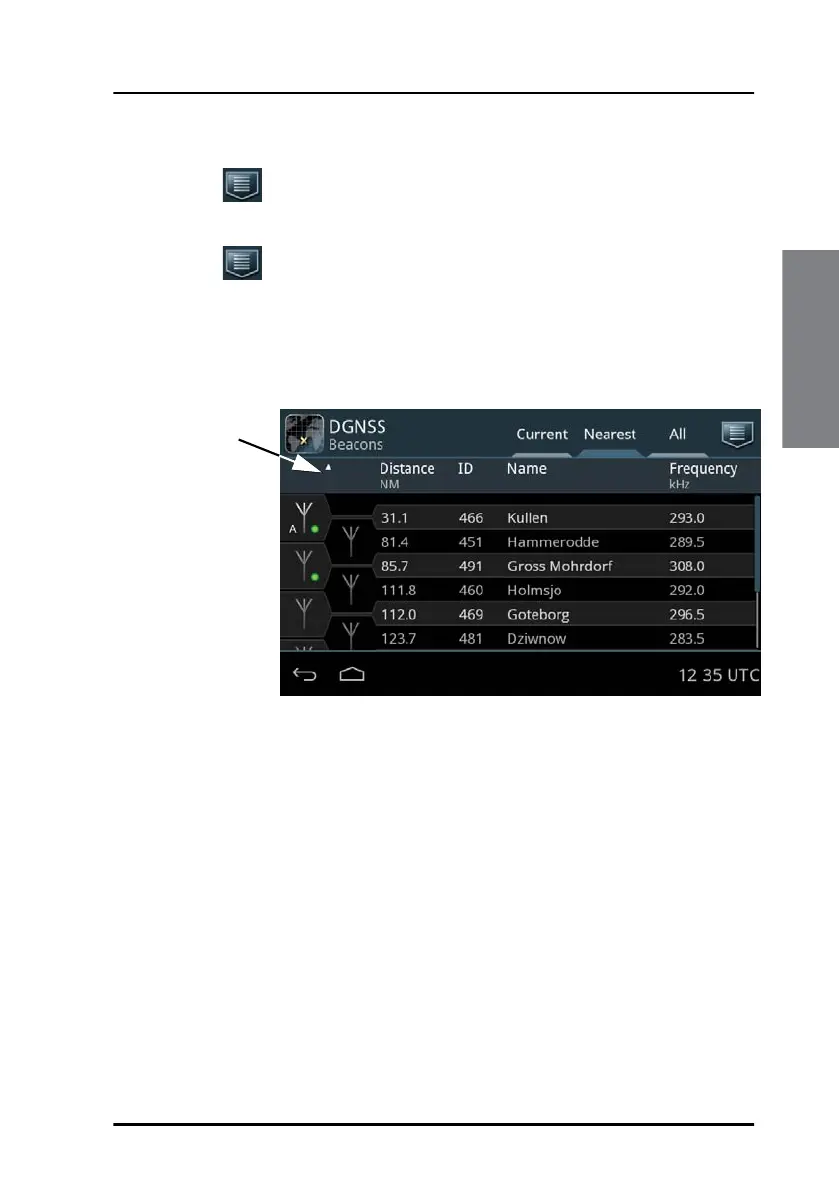
The selected, active beacon is always the first entry in the list. It has a
white antenna symbol. Next to the antenna symbol is an indicator,
showing the status of the beacon station. If there is no indicator it is not
possible to receive the beacon station at the moment.
You can sort the beacon list by Distance, Id, Name and Frequency by
tapping the item in the heading line.
Figure 18: List of closest beacons
Tap to sort in
ascending or
descending
order



 To Next Page